CodeMachine is an open-source orchestration layer, written in TypeScript and released under the Apache-2.0 licence, that runs AI coding command-line agents through structured, repeatable workflows for developers and teams who want long-running agent work defined once and executed the same way on every project.
What it is
CodeMachine is a command-line tool distributed as the npm package codemachine, sitting in the Infrastructure & Operations / Orchestration & Scheduling category of this registry. It positions itself as an orchestration layer that runs AI coding CLIs through structured workflows: a workflow is defined once, and CodeMachine then handles execution, context passing, and agent coordination. It works by using the headless scripting mode that AI coding engines already provide for automation, naming Claude Code, Codex, and Cursor among them. It spawns those engines through the CLI, passes the right arguments and flags, and controls the agents through its own infrastructure, so workflows can range from fully interactive to fully autonomous and anywhere in between.
The concrete problem it solves is the workflow that currently lives in a person's head. Fixing a bug means asking questions, reproducing, analyzing, planning, implementing, and testing; building a feature means researching, designing, coding, and reviewing. The agent is guided through those steps manually, session by session, and every time the work starts over the process has to be rebuilt from scratch: the process is re-explained, the right questions have to be remembered, and decisions about when to clear context, push forward, or loop back are made on the fly. CodeMachine captures that workflow and runs it again, replacing ad-hoc, repeated manual steering of coding agents with an artifact that can be executed on demand.
Key capabilities
- Define a complex workflow once and execute it reliably on every project, instead of rebuilding the same patterns by hand.
- Multi-agent orchestration: different agents can be assigned to different tasks, enabled to communicate with each other, and made to collaborate on complex decisions.
- Parallel execution, running multiple agents simultaneously on different parts of a workflow for faster results.
- Long-running workflows that execute for hours or days, with CodeMachine handling persistence so a run does not need to be babysat.
- Context engineering: prompts are centralized, dynamic context is managed, and control is exercised over what each agent sees at each step.
- Engine-agnostic execution through the headless scripting mode of AI coding engines such as Claude Code, Codex, and Cursor, spawned via CLI with the appropriate arguments and flags.
- The Ali Workflow Builder default workflow, which is the recommended starting point for creating a first workflow interactively.
Who uses it and how
- Developers working on complex, repetitive workflows, where the tool is described as reducing the time and effort those workflows consume.
- Teams that want one defined workflow applied consistently across multiple projects rather than recreated per session.
- Users running long jobs that last hours or days, who want persistence handled by the tool rather than by continuous supervision.
- Multi-agent setups where separate agents own separate tasks and need to exchange information or negotiate decisions.
- Users who want a single workflow definition to move between interactive and autonomous modes, rather than committing exclusively to one style.
Getting started
Install globally with npm i -g codemachine, then follow the project's guidance at https://codemachine.co/ and begin with the Ali Workflow Builder default workflow to create a first workflow interactively.
How it compares
The facts provide no list of paid products that CodeMachine replaces, so no licence, cost, or data-ownership contrast can be drawn against commercial alternatives. It is better understood as sitting above the AI coding engines it drives: Claude Code, Codex, and Cursor are the tools it orchestrates through their headless scripting modes, not the tools it competes with.
When to use it — and when not to
A self-hoster needs a Node.js toolchain for the global npm install, plus the AI coding engines themselves installed and authenticated, because CodeMachine drives those engines rather than shipping its own model or credentials. It is a poor fit for anyone who only wants single-shot prompt help, or who does not already rely on AI coding CLIs, since the tool adds an orchestration layer and its own workflow concepts on top of them. The README excerpt explains the value and the concepts clearly but leaves prerequisites, configuration surface, and the mechanics of persistence unstated, so anyone evaluating it should check the documentation before assuming how state is stored or what a long run requires.
project readme (upstream, from github) — read inline
npm i -g codemachine
CodeMachine is an open-source tool that orchestrates AI coding agents into repeatable, long-running workflows. ⚡️
Every time you use an AI coding agent, you're running a workflow. Fix a bug? You ask questions, reproduce, analyze, plan, implement, test. Build a feature? You research, design, code, review.
The workflow lives in your head. You guide the agent through it, step by step, session by session. But every time you start, you rebuild it from scratch. You re-explain the process. You remember to ask the right questions. You manage when to clear context, when to push forward, when to loop back.
CodeMachine lets you capture that workflow and run it again.
How It Works
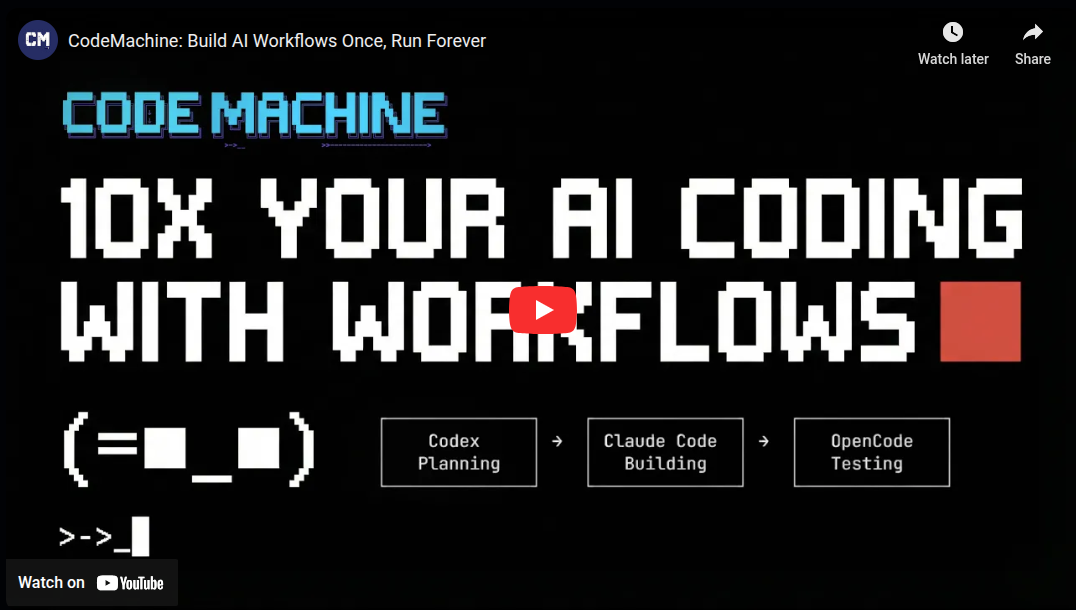
CodeMachine is an orchestration layer that runs AI coding CLIs through structured workflows. You define the workflow once, and CodeMachine handles execution, context passing, and agent coordination.
It uses the headless scripting mode that AI coding engines provide for automation (Claude Code, Codex, Cursor, and others). It spawns engines via CLI, passes the right arguments and flags, and controls agents through its infrastructure.
Build workflows from fully interactive to fully autonomous - and anything in between. Learn about orchestration patterns →
Why CodeMachine?
CM introduces innovative agent communication styles that have never existed for coding agents before - enabling you to build any complex workflow you can imagine. Start with the Ali Workflow Builder default workflow to create your first workflow interactively.
- Build Once, Run Forever: Define complex workflows once and execute them reliably on every project - stop rebuilding the same patterns manually.
- Multi-Agent Orchestration: Assign different agents to different tasks, enable them to communicate with each other, and collaborate on complex decisions.
- Parallel Execution: Run multiple agents simultaneously on different parts of your workflow for faster results.
- Long-Running Workflows: Execute workflows for hours or days - CodeMachine handles persistence so you don't have to babysit.
- Context Engineering: Centralize prompts, manage dynamic context, and control what each agent sees at each step.
Ready to build your first workflow? Get started →

Developers are already building with CodeMachine - reducing time and effort on complex, repetitive workflows.
Want to see what they're creating? Join us.