CodeJar is a dependency-free, 2.45 kB embeddable code editor for the browser, built for JavaScript and TypeScript developers who need lightweight, highlighting-aware code editing inside a web page without adopting a full editor framework.
What it is
CodeJar is a small browser library written in TypeScript and published to npm under the MIT licence. It turns an ordinary DOM element into a code editor: you pass an element and a highlighting function, and CodeJar supplies the editing behaviour around it — indentation, bracket and quote closing, Tab key handling, and undo/redo history. It lives in the npm and JavaScript ecosystem and carries no runtime dependencies, with the minified and gzipped bundle reported at 2.45 kB. The project sits at 1,982 stars and 123 forks on GitHub, with 18 open issues, and is distributed through the codejar package.
The concrete problem it solves is that embedding an editable code field in a page usually means either pulling in heavyweight editor machinery or hand-writing Tab handling, auto-indent and undo stacks on top of a textarea. CodeJar replaces that hand-written plumbing and the large dependency with a single function call, and deliberately leaves syntax highlighting to a library of your choosing. The second argument to CodeJar is a highlighting function, so Prism.js or highlight.js can be wired in when needed. The editor content remains plain text, and toString() returns it.
Key capabilities
- Ships as the
codejar npm package at 2.45 kB minified and gzipped, with no dependencies.
- Preserves indentation on new lines through the
preserveIdent option (default true), with the auto-indent trigger and extra-newline rule controlled by indentOn (default /[({\[]$/) and moveToNewLine (default /^[)}\]]/).
- Indents lines with the Tab key via
catchTab (default true), which replaces keypresses with the tab string, default \t and customizable to values such as ' '.repeat(4); the visual size is set with the CSS tab-size rule.
- Adds closing brackets and quotes automatically through the
addClosing option (default true) and the autoclose object with its open and close character sets.
- Supports undo and redo with the
history option (default true), plus a manual recordHistory() call to snapshot the current editor state.
- Accepts highlighting as a user-supplied function — for example one that reads
editor.textContent, transforms it, and assigns editor.innerHTML — and is compatible with Prism.js and highlight.js.
- Exposes a compact API:
updateCode(string), updateOptions(partial), onUpdate(callback), toString(), save(), restore(pos) and destroy(), alongside the spellcheck option (default false).
Who uses it and how
- Front-end teams embedding a small code field — a snippet box, configuration editor or query input — inside a larger application, where a 2.45 kB dependency is preferable to a full editor bundle.
- Documentation sites and playgrounds that already ship Prism.js or highlight.js and want to reuse their existing highlighting function as CodeJar's second argument instead of maintaining a second tokenizer.
- React applications through the
react-codejar wrapper and Angular applications through the ngx-codejar wrapper, both listed as related projects.
- Editors that need line numbers, added through the separate
codejar-linenumbers library rather than being built in.
- Applications that persist and restore the editing position across reloads, using
save() to capture a cursor Position and restore(pos) to put the cursor back.
Getting started
Install the package with npm i codejar, then create an element and initialise the editor with let jar = CodeJar(document.querySelector('.editor'), highlight), passing an options object as the optional third argument.
How it compares
No list of paid products this project replaces is provided in the facts, so no licence, self-hosting or cost comparison can honestly be drawn. The related entries are react-codejar, ngx-codejar and codejar-linenumbers — a React wrapper, an Angular wrapper and a line-number add-on — which extend the library rather than competing with it. On the evidence available, CodeJar stands alone in this registry as an embeddable browser code editor with no comparable alternative listed beside it.
When to use it — and when not to
Nothing server-side has to be operated: the library has no database, storage layer, file system or mail dependency, so adopting it amounts to shipping a JavaScript file to the browser. It is a poor fit for anyone who needs syntax highlighting, line numbers or language services out of the box, since highlighting is a function the integrator writes and line numbers come from a separate package. Because that highlighting function rewrites editor.innerHTML on each update, heavy tokenizers or very large documents can render slowly, and teams wanting a batteries-included editor should look elsewhere. The project itself looks maintained and clearly licensed under MIT, with 18 open issues and a last push on 2025-10-14.
project readme (upstream, from github) — read inline

CodeJar – an embeddable code editor for the browser


Features
- Lightweight (2.45 kB only)
- No dependencies
- Preserves indentation on a new line
- Adds closing brackets, quotes
- Indents line with the Tab key
- Supports undo/redo
Getting Started
Install CodeJar 🍯 via npm:
npm i codejar
Create an element and init the CodeJar 🍯:
<div class="editor"></div>
<script>
  let jar = CodeJar(document.querySelector('.editor'), highlight)
</script>
Second argument to CodeJar is a highlighting function (like Prism.js, highlight.js):
const highlight = (editor: HTMLElement) => {
  const code = editor.textContent
  code = code.replace('foo', '<span style="color: red">foo</span>')
  editor.innerHTML = code
}

const jar = CodeJar(editor, highlight)
Third argument to CodeJar is options:
tab: string replaces "tabs" with given string. Default: \t.
- Note: use css rule
tab-size to customize size.
indentOn: RegExp allows auto indent rule to be customized. Default /[({\[]$/.moveToNewLine: RegExp checks in extra newline character need to be added. Default /^[)}\]]/.spellcheck: boolean enables spellchecking on the editor. Default false.catchTab: boolean catches Tab keypress events and replaces it with tab string. Default: true.preserveIdent: boolean keeps indent levels on new line. Default true.addClosing: boolean automatically adds closing brackets, quotes. Default true.history records history. Default true.window window object. Default: window.autoclose object
open string characters that triggers the autoclose function close string characters that correspond to the opening ones and close the object.
const options = {
  tab: ' '.repeat(4), // default is '\t'
  indentOn: /[(\[]$/, // default is /{$/
  autoclose: {
    open: `([{*`, // default is `([{'"`
    close: `)]}*` // default is `)]}'"`
  }
}

const jar = CodeJar(editor, highlight, options)
API
updateCode(string)
Updates the code.
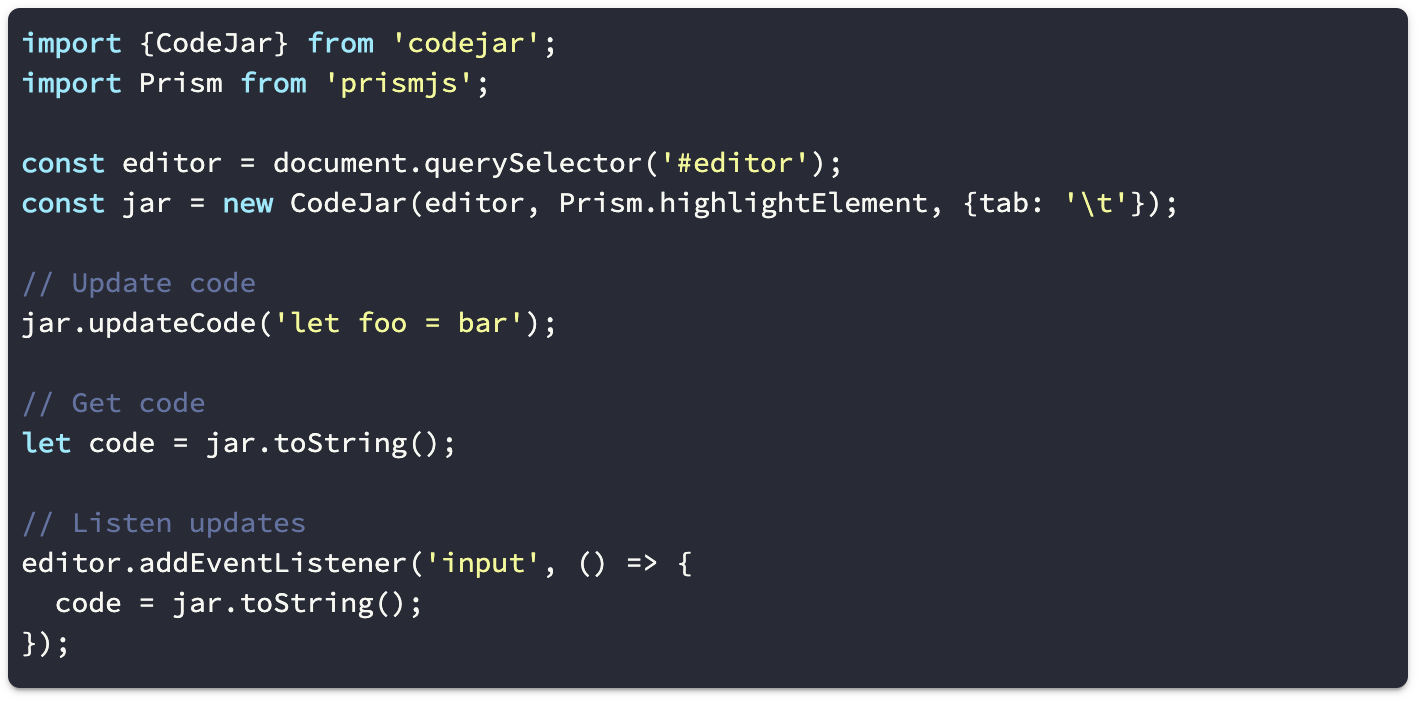
jar.updateCode(`let foo = bar`)
updateOptions(Partial)
Updates the options.
jar.updateOptions({tab: '\t'})
onUpdate((code: string) => void)
Calls callback on code updates.
jar.onUpdate(code => {
  console.log(code)
})
toString(): string
Return current code.
let code = jar.toString()
save(): string
Saves current cursor position.
let pos = jar.save()
restore(pos: Position)
Restore cursor position.
jar.restore(pos)
recordHistory()
Saves current editor state to history.
destroy()
Removes event listeners from editor.
Related
License
MIT