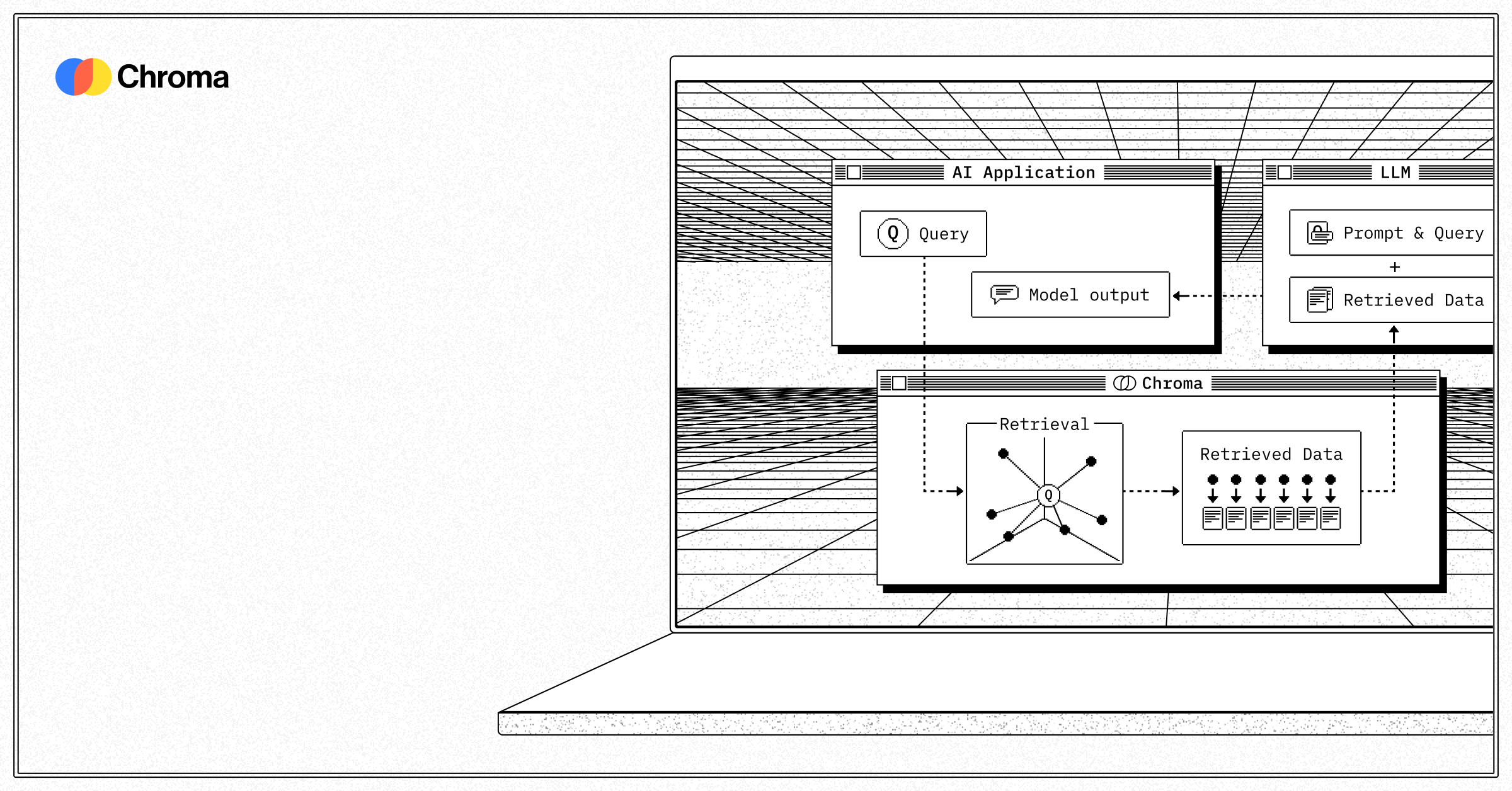


Chroma is a free, open source databases project written in Rust and released under Apache-2.0. It has 29,315 GitHub stars, 2,517 forks and 843 open issues, and was last pushed 6 hours ago. On this registry it ranks #17 of 81 tracked projects in Databases, with 5 head-to-head comparisons available. It gained 28 stars over the last 6 tracked days.

Chroma — Open-source vector database for AI search and retrieval

What is Chroma?

What it is

Chroma is an open-source vector database designed to store, index, and retrieve embeddings for AI applications. It runs as a local Python or JavaScript client or in client-server mode, providing a lightweight infrastructure layer for AI search and retrieval workloads. Built in Rust and licensed under Apache 2.0, it targets developers building RAG, agents, and other embedding-dependent systems.

It solves the problem of managing high-dimensional vector data without relying on proprietary or complex enterprise databases. Chroma eliminates boilerplate around tokenization, embedding, and indexing by handling those steps automatically during add() and query(), while still allowing custom embeddings when needed.

Key capabilities

  • Automatic tokenization, embedding, and indexing during document ingestion via collection.add()
  • Query by text, with optional metadata and document-content filters (where, where_document)
  • In-memory and persistent storage modes via client configuration
  • Full CRUD operations on collections: create_collection, get_or_create_collection, delete_collection
  • Client-server deployment mode via chroma run --path /chroma_db_path
  • Support for Python (pip install chromadb) and JavaScript (npm install chromadb) clients
  • Hosted service (Chroma Cloud) offering serverless vector, hybrid, and full-text search

Who uses it and how

  • AI/ML engineers prototyping RAG applications using Colab notebooks or local scripts with minimal setup
  • Agent frameworks integrating Chroma as short-term memory or knowledge store via the 4-function API
  • Developers deploying local vector search in desktop or edge tools using persistent client mode
  • Teams evaluating Chroma Cloud for production workloads before committing to self-hosting

Getting started

Install the Python client with pip install chromadb and run chromadb.Client() for in-memory use, or chroma run --path /chroma_db_path for server mode. JavaScript users run npm install chromadb. Chroma Cloud offers a hosted alternative with $5 free credits.

When to use it — and when not to

Chroma replaces paid vector databases for prototyping and small-scale deployments, especially where simplicity and low friction matter more than enterprise features. Self-hoster must manage storage, persistence, and optional SMTP for alerts, but no external database or embedding service is required. It is not ideal for large-scale production workloads needing advanced security, multi-tenancy, or strict SLAs—those cases may prefer Chroma Cloud or enterprise-grade alternatives.

project readme (upstream, from github) — read inline

Chroma Chroma

Chroma - the open-source data infrastructure for AI.

Discord | License | Docs | Homepage

pip install chromadb # python client
# for javascript, npm install chromadb!
# for client-server mode, chroma run --path /chroma_db_path

Chroma Cloud

Our hosted service, Chroma Cloud, powers serverless vector, hybrid, and full-text search. It's extremely fast, cost-effective, scalable and painless. Create a DB and try it out in under 30 seconds with $5 of free credits.

Get started with Chroma Cloud

API

The core API is only 4 functions (run our 💡 Google Colab):

import chromadb
# setup Chroma in-memory, for easy prototyping. Can add persistence easily!
client = chromadb.Client()

# Create collection. get_collection, get_or_create_collection, delete_collection also available!
collection = client.create_collection("all-my-documents")

# Add docs to the collection. Can also update and delete. Row-based API coming soon!
collection.add(
    documents=["This is document1", "This is document2"], # we handle tokenization, embedding, and indexing automatically. You can skip that and add your own embeddings as well
    metadatas=[{"source": "notion"}, {"source": "google-docs"}], # filter on these!
    ids=["doc1", "doc2"], # unique for each doc
)

# Query/search 2 most similar results. You can also .get by id
results = collection.query(
    query_texts=["This is a query document"],
    n_results=2,
    # where={"metadata_field": "is_equal_to_this"}, # optional filter
    # where_document={"$contains":"search_string"}  # optional filter
)

Learn about all features on our Docs

Get involved

Chroma is a rapidly developing project. We welcome PR contributors and ideas for how to improve the project.

Release Cadence We currently release new tagged versions of the pypi and npm packages on Mondays. Hotfixes go out at any time during the week.

License

Apache 2.0

Frequently asked questions

Is Chroma free to use?

Chroma is open source under the Apache-2.0 licence. There is no licence fee and no seat count — you can self-host it or, where the project offers one, pay a vendor for a managed version instead.

What does Chroma do?

Open-source vector database for AI search and retrieval

What is Chroma written in?

Chroma is primarily written in Rust. Its source is publicly available at https://github.com/chroma-core/chroma, and it has 29,315 GitHub stars.
