What it is
ChatHub is an open-source browser extension that puts multiple AI chatbots inside one interface. Written in TypeScript under the GPL-3.0 license, it lives in the Chrome and Edge extension ecosystem, with a companion web app at chathub.gg. The repository has been active for roughly four years, has collected more than ten thousand stars and about eleven hundred forks, and carries a small number of open issues.
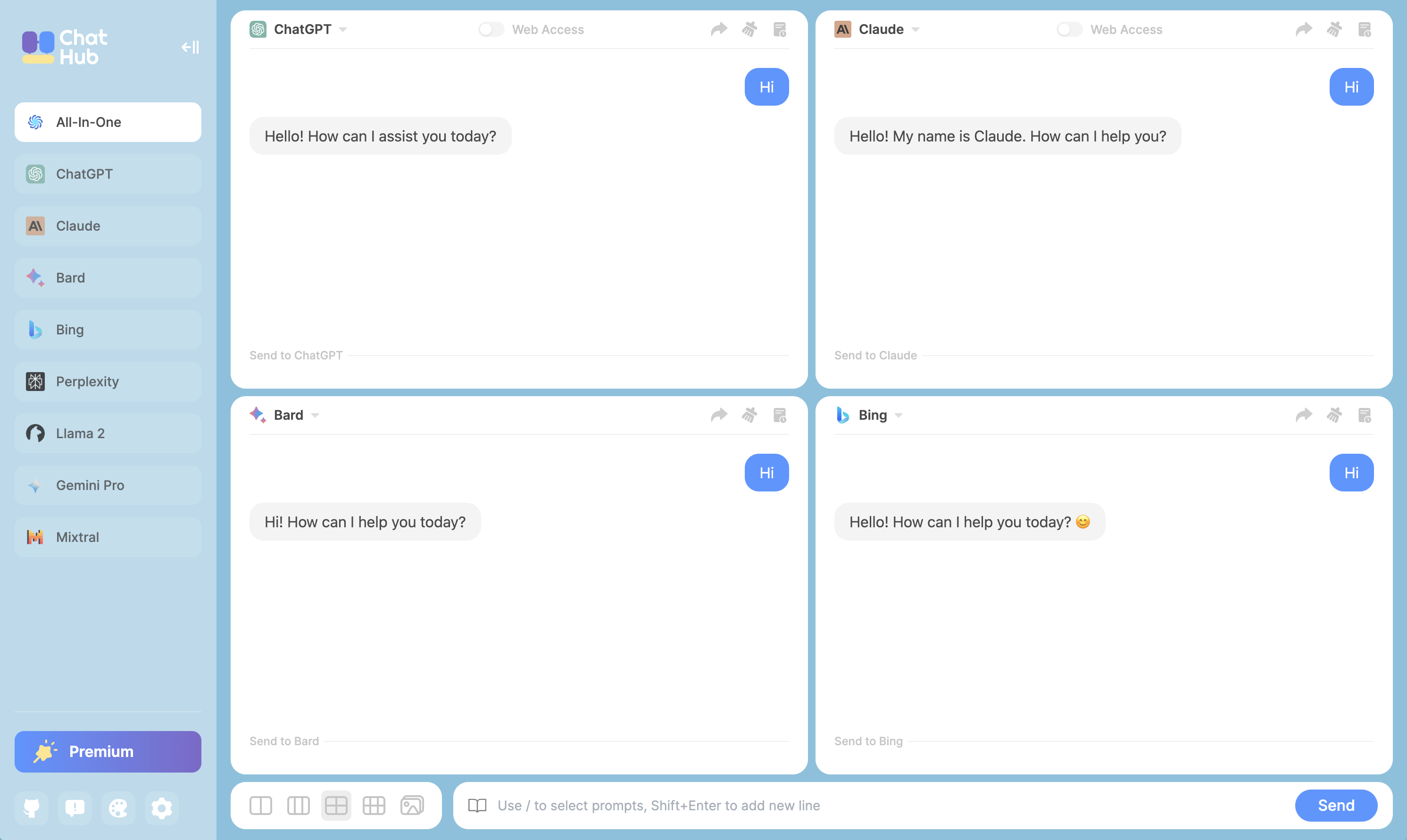
The concrete problem it solves is fragmentation. Instead of keeping separate tabs or accounts open for ChatGPT, Gemini, Claude, Grok, DeepSeek, Qianwen, and Llama, a user opens a single panel and sends the same prompt to several of them at once. Answers sit side by side, which makes comparison direct rather than a manual copy-and-paste exercise. Both web-app access and API access are supported for the bots that offer them, so the extension can follow whichever route the user prefers.
Key capabilities
- Runs multiple chatbots in one app, with current support for ChatGPT, Gemini, Claude, Grok, DeepSeek, Qianwen, and Llama, plus open-source models such as LLama2, Vicuna, and ChatGLM.
- Sends a question to several chatbots simultaneously so their answers can be compared in the same view.
- Connects to chatbots through either their web apps or their APIs, including the ChatGPT API and GPT-4 Browsing.
- Registers a keyboard shortcut that activates the app anywhere in the browser.
- Renders Markdown and highlights code in responses.
- Provides a Prompt Library for personal custom prompts alongside community-contributed prompts.
- Stores conversation history locally, with export and import of all user data and conversation sharing to Markdown.
- Includes a dark mode.
Who uses it and how
- People who want a second opinion on an answer can send one prompt to several bots and read the responses side by side.
- Users who prefer API billing for some providers and web-app sessions for others can mix both connection modes in the same interface.
- Anyone working inside the browser all day can open the panel with a keyboard shortcut instead of switching tabs or applications.
- Users with privacy or portability requirements keep their conversation history on their own machine and move it between installs through the export and import features.
- Teams and writers who reuse repeatable instructions can save them in the Prompt Library and share conversations as Markdown.
Getting started
Build from source by cloning the repository, running corepack enable, then yarn install and yarn build. Load the resulting dist folder through the Extensions page at chrome://extensions or edge://extensions with Developer Mode enabled, dragging the folder onto the page. A hosted web option is available at chathub.gg.
When to use it — and when not to
ChatHub is the sensible choice when the goal is comparing several assistants without paying for separate front ends or juggling a handful of tabs. A self-hoster must operate the build toolchain — Node with corepack, Yarn, and a Chrome or Edge browser in Developer Mode — and must keep the dist folder in place after import. The trade-offs evident here are modest: the README describes no paid tier being replaced and no server-side database or storage, since history stays local