Chafa is a command-line utility and C library that converts image data, including animated GIFs, into ANSI/Unicode character art or terminal graphics formats, and it is for anyone who wants to view images inside a terminal.
What it is
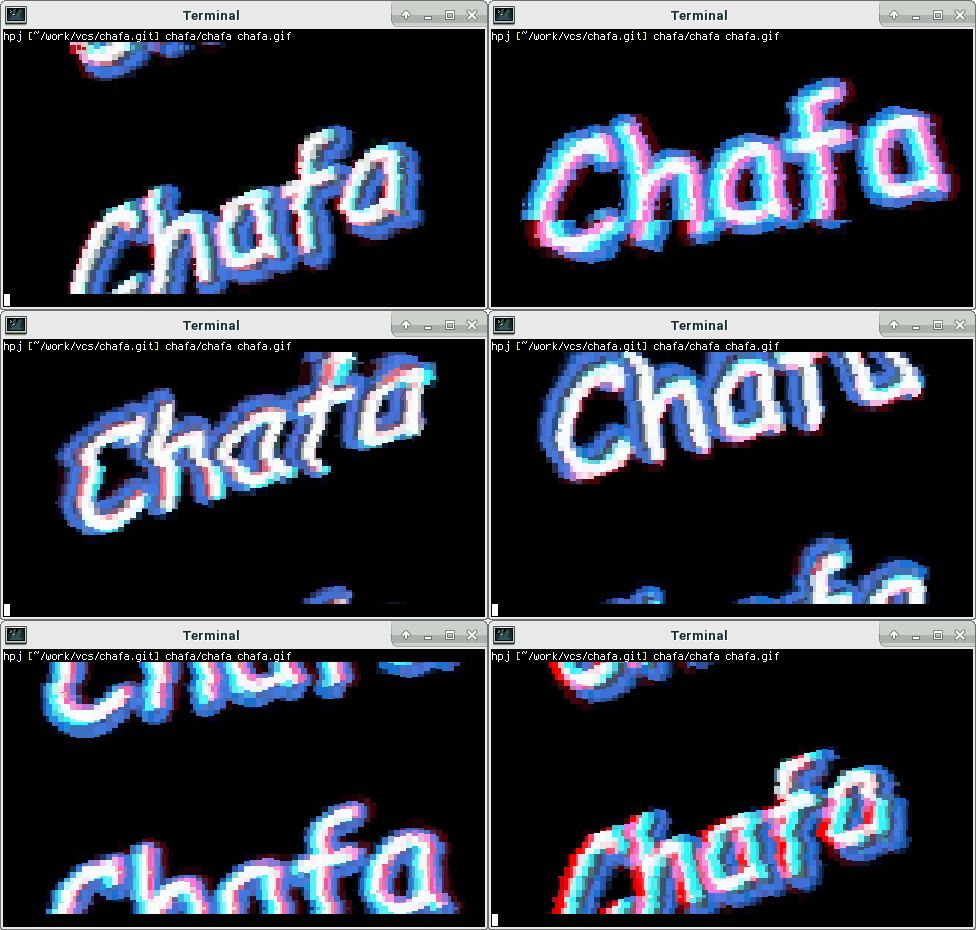
Chafa is a command-line utility that converts image data, including animated GIFs, into graphics formats or ANSI/Unicode character art suitable for display in a terminal. Its core functionality is provided by a C library with a public, well-documented API, and both the library and the frontend tools are covered by the Lesser GPL, version 3 or later. The project is written in C and sits in this registry under Miscellaneous / Photo & Video Editors, and its feature support is broad enough to cover devices ranging from historical teleprinters to modern terminal emulators and everything in between.
The ecosystem it lives in is the terminal itself: the command line, ANSI and Unicode character art, and the graphics protocols of modern emulators, with sixel, iTerm2, kitty and PowerShell all appearing in its topic list. The problem it addresses is that a terminal is a text surface, so showing a photograph, a diagram or an animated GIF there normally means leaving the session for a graphical image viewer or converting the file by hand. Chafa performs that conversion itself, so the image appears alongside the rest of the terminal output. The repository shows 5,284 stars, 118 forks and 54 open issues.
Key capabilities
- Converts image data, including animated GIFs, into ANSI/Unicode character art or terminal graphics formats.
- Emits output aimed at the terminal graphics protocols and emulators named in its topics, including sixel, iTerm2 and kitty, alongside generic ANSI output and PowerShell terminals.
- Exposes a C library with a public, well-documented API, so the conversion core can be embedded in other programs rather than invoked as an external command.
- Builds the chafa command-line tool with optional decoding backends: libavif, libheif 1.12 or later, libjpeg, libjxl, libwebp, libtiff and librsvg, plus libdeflate to speed up PNG decoding.
- Uses FreeType2 for text rendering in the command-line tool.
- Has separately maintained Python bindings with a detailed tutorial, and JavaScript bindings built around a WebAssembly port and distributed through NPM.
- Publishes an online C API reference and a gallery of screenshots.
Who uses it and how
- Users who simply want to look at images in a terminal: the README notes that chafa is most likely packaged for a given distribution and directs anyone not hacking on it to the official packages.
- Users on unusual or legacy display surfaces, from historical teleprinters to modern emulators, because the conversion covers a range of output formats.
- Developers who embed the C library through its public API instead of shelling out to the command-line tool.
- Python developers who adopt the chafapy bindings and follow their tutorial.
- JavaScript and TypeScript developers who pull the WebAssembly port from NPM for Node.js, web browsers and similar targets.
Getting started
Most users should install an official distribution package, while building the latest version from source means cloning the repository and running ./autogen.sh, make and sudo make install with GCC, make, Autoconf, Automake, Libtool, the GLib development package and FreeType2 in place.
How it compares
No comparable tools or paid products are named in the facts supplied for this entry, so chafa stands alone in this registry under Miscellaneous / Photo & Video Editors and no contrast against named alternatives can be drawn. What distinguishes it in the facts is the LGPLv3-or-later licence covering both the library and the frontend tools, its implementation in C, and binding ecosystems maintained by separate contributors.
When to use it — and when not to
Chafa is a local tool and library, with no database, storage service or mail server to operate, although building it from the git repository does require a C toolchain and a list of optional codec development packages. It converts and displays images in a terminal rather than retouching them, so anyone wanting a graphical image editor should look elsewhere. Two caveats are visible in the facts: the registry records the licence as LGPL-3.0 while the README states LGPLv3 or later, and the README excerpt covers installation and bindings rather than detailed usage, leaving the online C API documentation and gallery as the reference.
project readme (upstream, from github) — read inline



About • Gallery • Packages • Development
About
Chafa is a command-line utility that converts image data, including
animated GIFs, into graphics formats or ANSI/Unicode character art suitable
for display in a terminal. It has broad feature support, allowing it to be
used on devices ranging from historical teleprinters to modern terminal
emulators and everything in between.
The core functionality is provided by a C library with a public,
well-documented API.
Both library and frontend tools are covered by the Lesser GPL license,
version 3 or later (LGPLv3+).
The official web pages and C API
documentation can be found online. Check
out the gallery for screenshots.
Installing
Chafa is most likely packaged for your distribution, so if you're not
going to hack on it, you're better off using
official packages. If you want to
build the latest and greatest yourself, read on.
You will need GCC, make, Autoconf, Automake, Libtool and the GLib
development package installed to compile Chafa from its git repository. If
you want to build the command-line tool chafa and not just the library,
you will additionally need development packages for:
- FreeType2. Often packaged as
libfreetype6-dev or freetype2-devel.
- libavif (optional). Look for
libavif-dev or libavif-devel.
- libdeflate (optional, speeds up PNG decoding). Look for
libdeflate-dev or libdeflate-devel.
- libheif 1.12 or later (optional). Look for
libheif-dev or libheif-devel.
- libjpeg (optional). Look for
libjpeg-dev, libjpeg62-devel or libjpeg8-devel.
- libjxl (optional). Look for
libjxl-dev or libjxl-devel.
- librsvg (optional). Look for
librsvg2-dev or librsvg-devel.
- libtiff (optional). Look for
libtiff5-dev or libtiff-devel.
- libwebp (optional). Look for
libwebp-dev or libwebp-devel.
If you want to build documentation, you will also need gtk-doc.
Start by cloning the repository:
$ git clone https://github.com/hpjansson/chafa.git
Then cd to the toplevel directory and issue the following shell commands:
$ ./autogen.sh
$ make
$ sudo make install
That should do it!
Python bindings
Erica Ferrua Edwardsdóttir maintains
excellent Python bindings for Chafa. If
Python's your thing, check them out. They are easy to use and come with a
detailed tutorial.
JavaScript bindings
Héctor Molinero Fernández maintains
wonderful JavaScript bindings
built around his WebAssembly port. These are available from NPM and can
be used in Node.js, web browsers, and more.