CasaOS - Your Personal Cloud

Connect with the community, establish autonomy, reduce the cost of SaaS, and MAXIMIZE the potential for a personalized copilot.












Why do you need Personal Cloud?
In 2020, the team noticed three important trends:
- The cost of computing power and storage was decreasing fast.
- A part of cloud computing was moving towards edge computing.
- The issue of consumer data asset ownership and attribution had been ignored.
Based on these trends, the team proposed a thought experiment internally: what if personal clouds were available under $100 in next five years? This personal cloud would provide a low-cost data collaboration solution as a personal data center, storing and managing data for creators and small organizations. A distributed collaborative computing network can be formed by personal servers located around the world. It could also control and connect all smart devices, providing cross-ecosystem local intelligent services.
Furthermore, the personal cloud could combine personal data to train personalized AI assistants. The idea is that this technology would be an effective way to solve the issue of consumer data asset ownership and , as well as provide a more affordable and efficient computing solution for individuals and small organizations.
If you think what we are doing is valuable. Please give us a star ⭐ and fork it 🤞!
Features
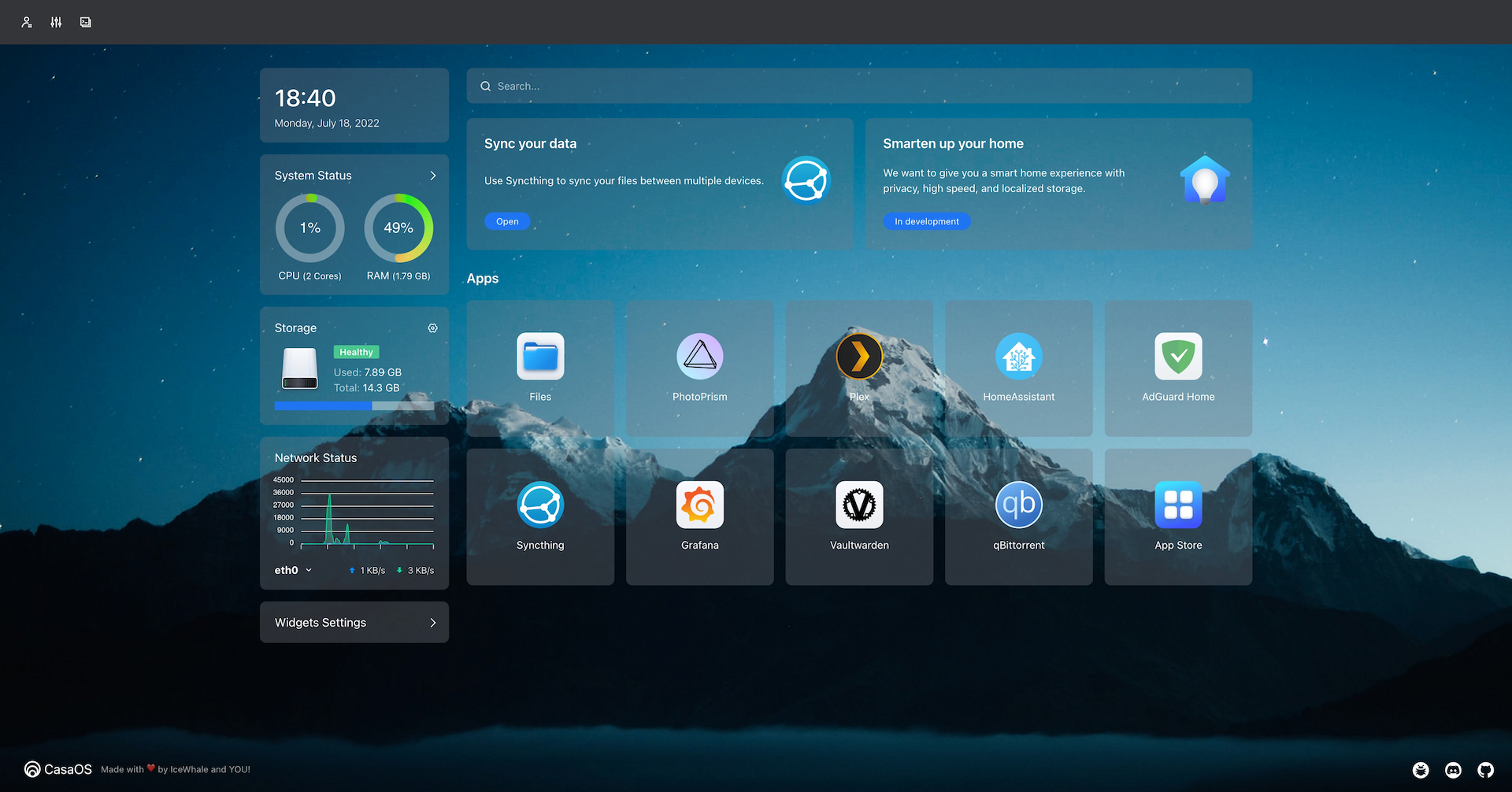
- Friendly UI designed for home scenarios
- No code, no forms, intuitive, design for humanity
- Multiple hardware and base system support
- ZimaBoard, NUC, RPi, old computers, whatever is available.
- Selected apps in the app store, one-click installation
- Nextcloud, HomeAssistant, AdGuard, Jellyfin, *arr and more!
- Easily install numerous Docker apps
- Over 100,000 apps from the Docker ecosystem can be easily installed
- Elegant drive and file management
- What you see is what you get. No technical background required.
- Well-designed system/app widgets
- What you care about, at a glance. Resource usage, app status, and more!
Getting Started
CasaOS fully supports ZimaBoard, Intel NUC, and Raspberry Pi. Also, more computers and development boards and fully compatible with Ubuntu, Debian, Raspberry Pi OS, and CentOS with one-liner installation.
Hardware Compatibility
- amd64 / x86-64
- arm64
- armv7
System Compatibility
Official Support
- Debian 12 (✅ Tested, Recommended)
- Ubuntu Server 20.04 (✅ Tested)
- Raspberry Pi OS (✅ Tested)
Community Support
- Elementary 6.1 (✅ Tested)
- Armbian 22.04 (✅ Tested)
- Alpine (🚧 Not Fully Tested Yet)
- OpenWrt (🚧 Not Fully Tested Yet)
- ArchLinux (🚧 Not Fully Tested Yet)
Quick Setup CasaOS
Freshly install a system from the list above and run this command:
wget -qO- https://get.casaos.io | sudo bash
or
curl -fsSL https://get.casaos.io | sudo bash
Update CasaOS
CasaOS can be updated from the User Interface (UI), via Settings ... Update.
Alternatively it can be updated from a terminal session. To update from a terminal session, it must be done either from a secure shell (ssh) session to the device or from a directly attached terminal and keyboard to the device running CasaOS, this cannot be done from the terminal via the CasaOS User Interface (UI). To update to the latest release of CasaOS from a terminal session run this command:
wget -qO- https://get.casaos.io/update | sudo bash
or
curl -fsSL https://get.casaos.io/update | sudo bash
To determine version of CasaOS from a terminal session run this command:
casaos -v
Uninstall CasaOS
v0.3.3 or newer
casaos-uninstall
Before v0.3.3
curl -fsSL https://get.icewhale.io/casaos-uninstall.sh | sudo bash
Community
The word Casa comes from the Spanish word for "home". Project CasaOS originated as a pre-installed system for the crowdfunded product ZimaBoard on Kickstarter.
After looking at many systems and software on the market, the team found no server system designed for home scenarios, sadly true.
So, we set out to build this open-source project to develop CasaOS with our own hands, everyone in the community, and you.
We believe that through community-driven collaborative innovation and open communication with global developers, we can reshape the digital home experience like never before.
A warm welcome for you to get help or share great ideas in the Discord!

Contributing
CasaOS is a community-driven open source project and the people involved are CasaOS users. That means CasaOS will always need contributions from community members just like you!
- See for ways of contributing to CasaOS
- See if you want to be involved in code contribution specifically
Credits
Many thanks to everyone who has helped CasaOS so far!
Everyone's contribution is greatly appreciated. (Emoji Key)
 老竭力 💻 📖 🤔 🚇 🚧 📦 💬 👀 |
 link 💻 📖 🤔 🚇 🚧 💬 👀 |
 太戈 💻 📖 🤔 🚇 🚧 🧑🏫 🛡️ 💬 👀 |
 Lauren 🤔 🔍 📆 💬 ⚠️ |
 John Guan 📝 🖋 📖 🤔 📋 🧑🏫 💬 👀 |
 David Tippett 📖 🤔 💬 |
 Skaya 🧑🏫 💬 ✅ 🌍 |
 AuthorShin ⚠️ 🐛 💬 🤔 |
 baptiste313 🌍 |
 DrMxrcy ⚠️ 🤔 💬 |
 Joooost 🤔 |
 Vitaly Potyarkin 🤔 |
 Bjørn Friese 🤔 |
 Protektor 🐛 🤔 💬 |
 llwaini 📆 ⚠️ ✅ |
 CorrectRoadH 💻 📖 |
 zhanghengxin 💻 📖 |
This project follows the all-contributors specification. Contributions of any kind are welcome!
Changelog
Detailed changes for each release are documented in the release notes.