Camelot is a light, cross-platform twin-panel file manager written in C# that gives Linux, macOS and Windows users the same two-pane file browsing workflow on every desktop they work on.
What it is
Camelot is an open-source file manager built in C# on the .NET platform, with its user interface implemented in Avalonia, the cross-platform UI framework listed among the project's topics. It is distributed under the GPL-3.0 licence and is developed in public on GitHub, where the repository has gathered 547 stars and 49 forks. The README describes it in a single line as a "light cross-platform twin-panel file manager written in C#", and the project ships screenshots of the same interface running on Ubuntu, macOS and Windows.
The concrete problem it addresses is platform fragmentation in day-to-day file management. Someone who moves between Linux, macOS and Windows normally works with a different file manager on each system, each with its own layout and conventions. Camelot offers one application, one interface design and one twin-panel arrangement across all three supported operating systems, so the way files are browsed and organised does not change when the operating system does. It lives in the .NET and Avalonia ecosystem and targets the desktop file manager a user would otherwise run separately on each machine.
Key capabilities
- A twin-panel layout, described in the README as the defining characteristic of the application, with the interface design credited to pkrasicki.
- A single codebase in C# running on Linux, macOS and Windows, with screenshots of each platform included in the documentation.
- Cross-platform user interface built with Avalonia, which appears among the repository topics alongside
avalonia, dotnet and csharp.
- Source builds against the .NET 8 SDK using
dotnet restore, dotnet build --no-restore and dotnet run --project src/Camelot/Camelot.csproj.
- Prebuilt release downloads published on the GitHub releases page, with further instructions in
docs/INSTALL.md.
- Publishing scripts collected in the
scripts/ directory of the repository.
- Community translation through Weblate, which hosts the project's localisation work, with the icon credited to Freepik.
Who uses it and how
- Desktop users on Linux, macOS or Windows who want an identical twin-panel file management workflow across all their machines.
- Developers who build from source, since the README documents a full .NET 8 SDK workflow from
git clone through to dotnet run.
- Users who prefer a packaged binary, who can download a release from the releases page rather than compile the project.
- Translators and localisers, who contribute through the Weblate-hosted translation project.
- Packagers and distributors, who can follow the publishing instructions held in the
scripts/ directory.
Getting started
Download a release from the GitHub releases page, or, with the .NET 8 SDK installed, clone the repository, run dotnet restore and dotnet build --no-restore, then launch it with dotnet run --project src/Camelot/Camelot.csproj. Further installation details are kept in docs/INSTALL.md.
How it compares
The facts provided name no similar tools and no list of paid products that Camelot replaces, so it stands alone in this registry. No comparison on licence, hosting or cost model can be drawn from the available information.
When to use it — and when not
Choose Camelot if a consistent twin-panel file manager across Linux, macOS and Windows matters more to you than a long documented feature list. Be aware that the README is sparse: beyond the twin-panel description, installation, build steps and credits, it does not enumerate features, so anyone who needs a specific capability should confirm it exists before switching. Users who are unwilling to install the .NET 8 SDK and build from source should check that a suitable release binary is available for their platform first.










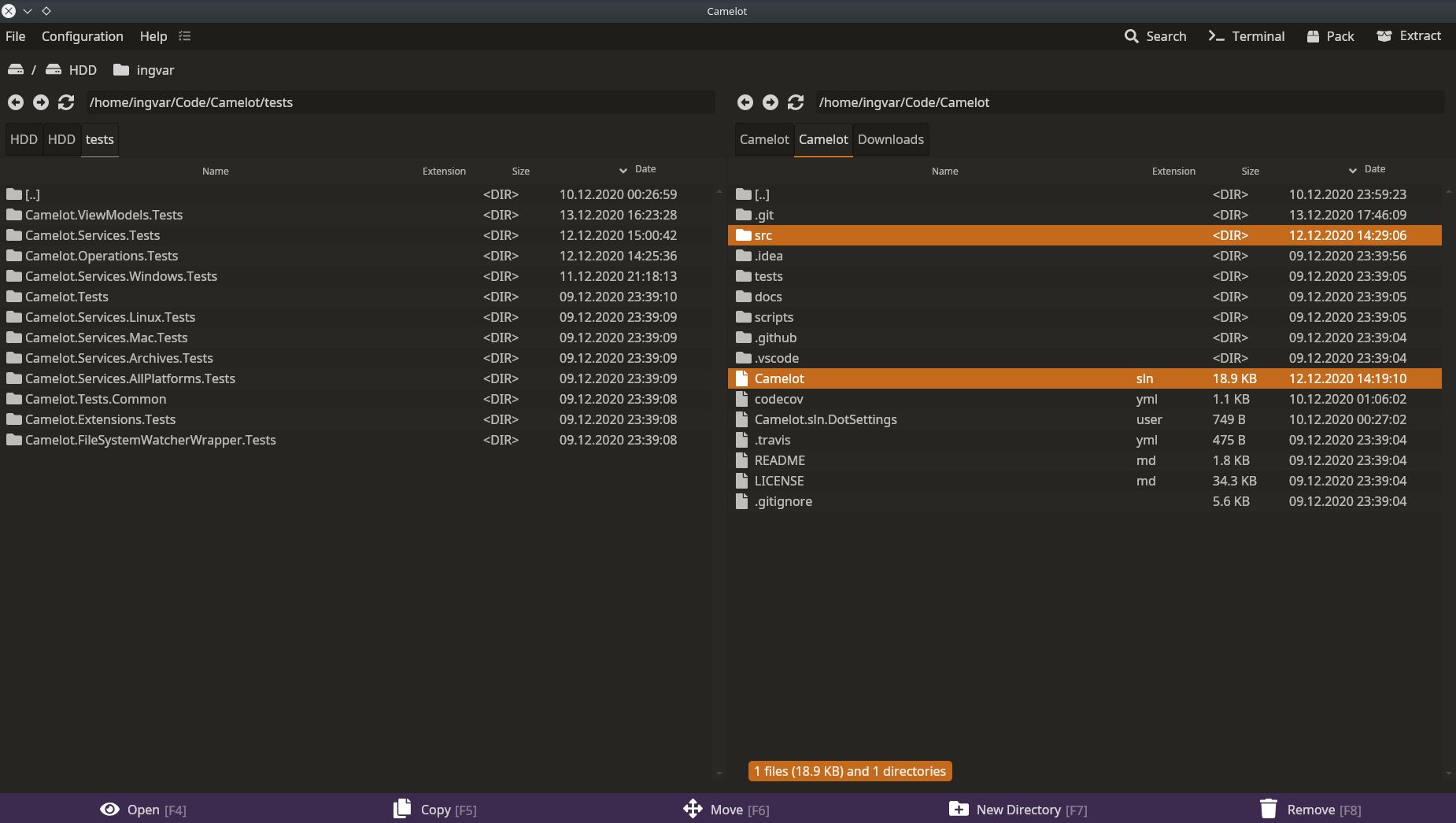 Camelot on Ubuntu
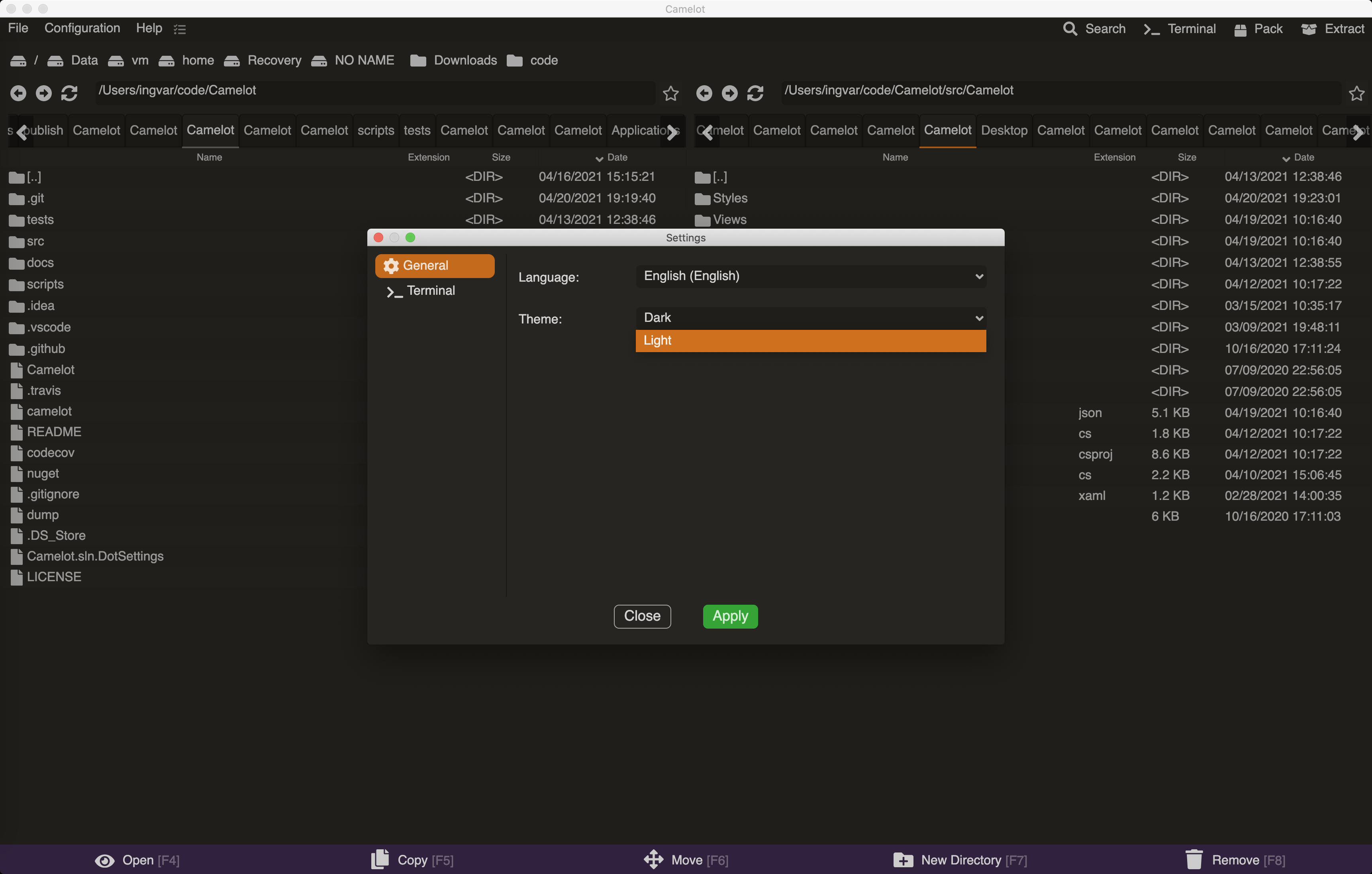 Camelot on Macos
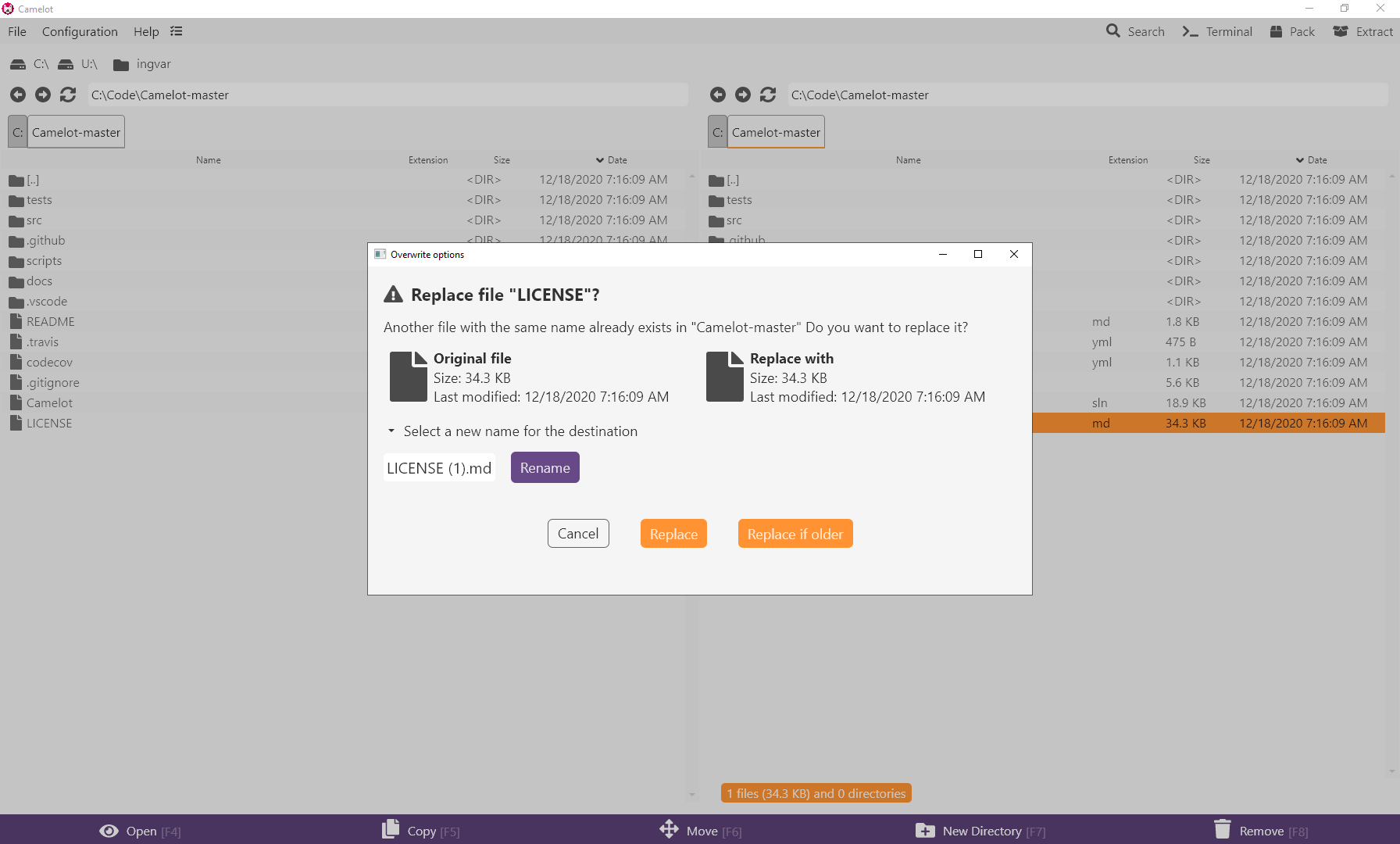 Camelot on Windows