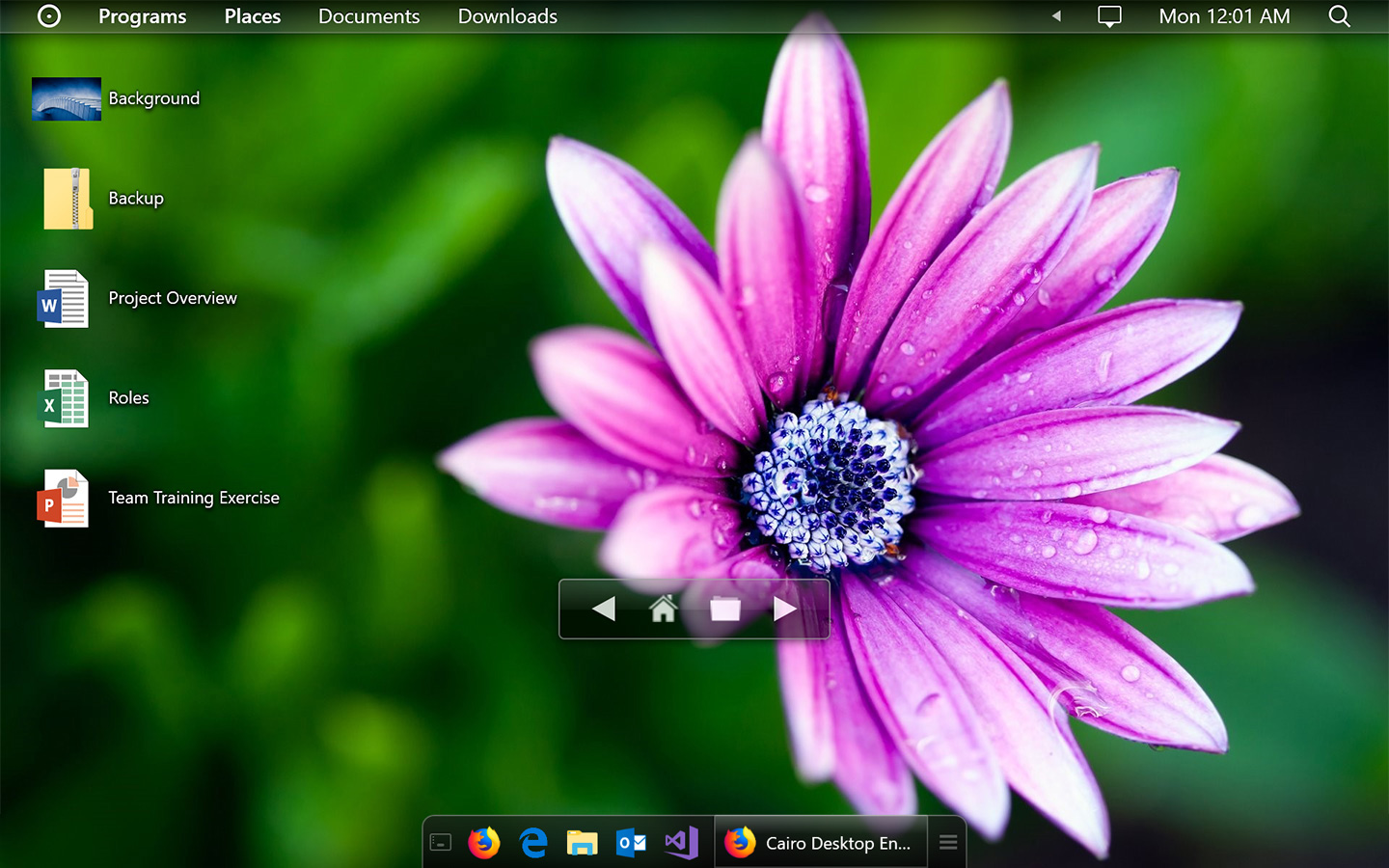
What it is
Cairo is a customizable, intuitive desktop environment for Windows. It is a C# application that provides a shell experience on the Windows desktop, and its listed topics identify it as a launcher, task manager, Windows desktop tool, and WPF project. The repository describes Cairo as a desktop environment whose stated goal is to increase productivity and advance current technology standards, with a focus on stability, performance, and ease of use. It lives in the Windows desktop ecosystem rather than a server or cloud application ecosystem.
The concrete problem Cairo addresses is the default Windows desktop experience. It aims to deliver a customizable interface for users who want a shell, launcher, and task-manager style workflow inside Windows. The project is distributed through GitHub Releases and requires Windows 7 SP1, Windows 8.1, Windows 10, or Windows 11. Additional information is available through the project website and wiki, which the README presents as sources for feature overviews and advanced user or developer guidance.
Key capabilities
- Cairo provides a customizable desktop environment for Windows.
- Cairo functions as a Windows shell, as indicated by the shell topic.
- Cairo includes launcher capability, as indicated by the launcher topic.
- Cairo includes task-manager capability, as indicated by the task-manager topic.
- Cairo is built for Windows desktop use, as indicated by the windows-desktop topic.
- Cairo uses WPF, as indicated by the wpf topic.
- Cairo is implemented in C# and distributed through GitHub Releases.
Who uses it and how
- Windows 7 SP1, Windows 8.1, Windows 10, or Windows 11 users can install Cairo from the GitHub Releases page.
- Users seeking a customizable Windows shell can use Cairo as a desktop interface.
- Users who need launcher and task-manager workflows can use the capabilities listed in the project topics.
- Advanced users and developers can consult the Cairo website and repository wiki for feature overviews and deeper guidance.
- Contributors or evaluators can review the Apache-2.0 license, C# language, and open issue count to assess licensing and maintenance.
Getting started
Download the latest version from the Cairo Desktop Environment GitHub Releases page and run it on Windows 7 SP1, Windows 8.1, Windows 10, or Windows 11. For more information, use the project website for feature overviews and the repository wiki for advanced users and developers.
When to use it — and when not to
Use Cairo when a user wants a Windows desktop environment, shell, launcher, and task-manager capabilities in an Apache-2.0 licensed C# and WPF project. Do not choose it if a user needs a server application, cloud service, Docker deployment, package manager installation, or a product that replaces a named paid desktop suite, because the project information mentions only a Windows desktop download and no such deployment options or paid replacements. The repository lists 246 open issues and no contributor count, so a user may encounter an active backlog or incomplete maintenance metadata, and the project requires manual installation and operation on a compatible Windows desktop.