
Busabase
The System of Record for AI Agents
Different agents. One shared base.
The open-source database & workspace where Claude Code, Codex, Cursor, and your own agents keep the records, docs, skills, and apps the next task builds on.







Quick Start · Features · Connect an Agent · Use Cases · Docs · Community

Busabase is an open-source database and workspace for AI agents — agents and people share the same structured data, docs, skills, and apps, and writes that matter become reviewed, trusted records.
Every agent session starts from zero. Your CLAUDE.md lives in one repo, the best output dies in a chat, and switching tools means explaining the project all over again.
Busabase keeps the agents stateless and the work durable: connect any agent, and it reads the same records, docs, skills, and apps your team and other agents already left behind — then writes its own work back, with a diff and a history.
Quick Start
npx busabase server
Open http://localhost:15419/dashboard/local — no database, account, or config. It starts with embedded PGlite, local file storage, and a demo workspace.
Then point your agent at it. Paste into Claude Code, Codex, Cursor, Gemini CLI, or any agent that can read a URL:
Read and follow the Busabase Agent Skill — it is the single source of truth:
http://localhost:15419/SETUP_SKILL.md

Follow its onboarding to connect to this workspace. Don't choose a merge policy yourself unless I ask for one — submit the change and let Busabase apply my permissions to decide whether it merges now or waits for review. Reply to me in English.
Try this: have one agent record a project's updates and conventions, then open a different agent and ask "What changed on this project this week?" It answers from the workspace, not from your clipboard.
Docker · Desktop · global install · from source
# Docker (Docker Hub: busabase/busabase · GHCR: ghcr.io/busabase/busabase)
docker run --rm -p 15419:15419 -v ~/.busabase/data:/data busabase/busabase

# Global install
npm i -g busabase       # then: busabase server
npx busabase-cli --help # API client for any Busabase server

# From source
pnpm install
cp apps/busabase/.env.example apps/busabase/.env
pnpm --filter busabase dev
Desktop for macOS, Windows, and Linux: busabase.com/download — runs locally and works offline.
Local data lives in ~/.busabase/data/ (pgdata/ for the embedded PGlite database, storage/ for files). Set BUSABASE_DATA_DIR, PG_DATABASE_URL, or STORAGE_URL to use another location, external Postgres, or S3-compatible storage. Only one process can hold the same PGlite database at a time.
Features
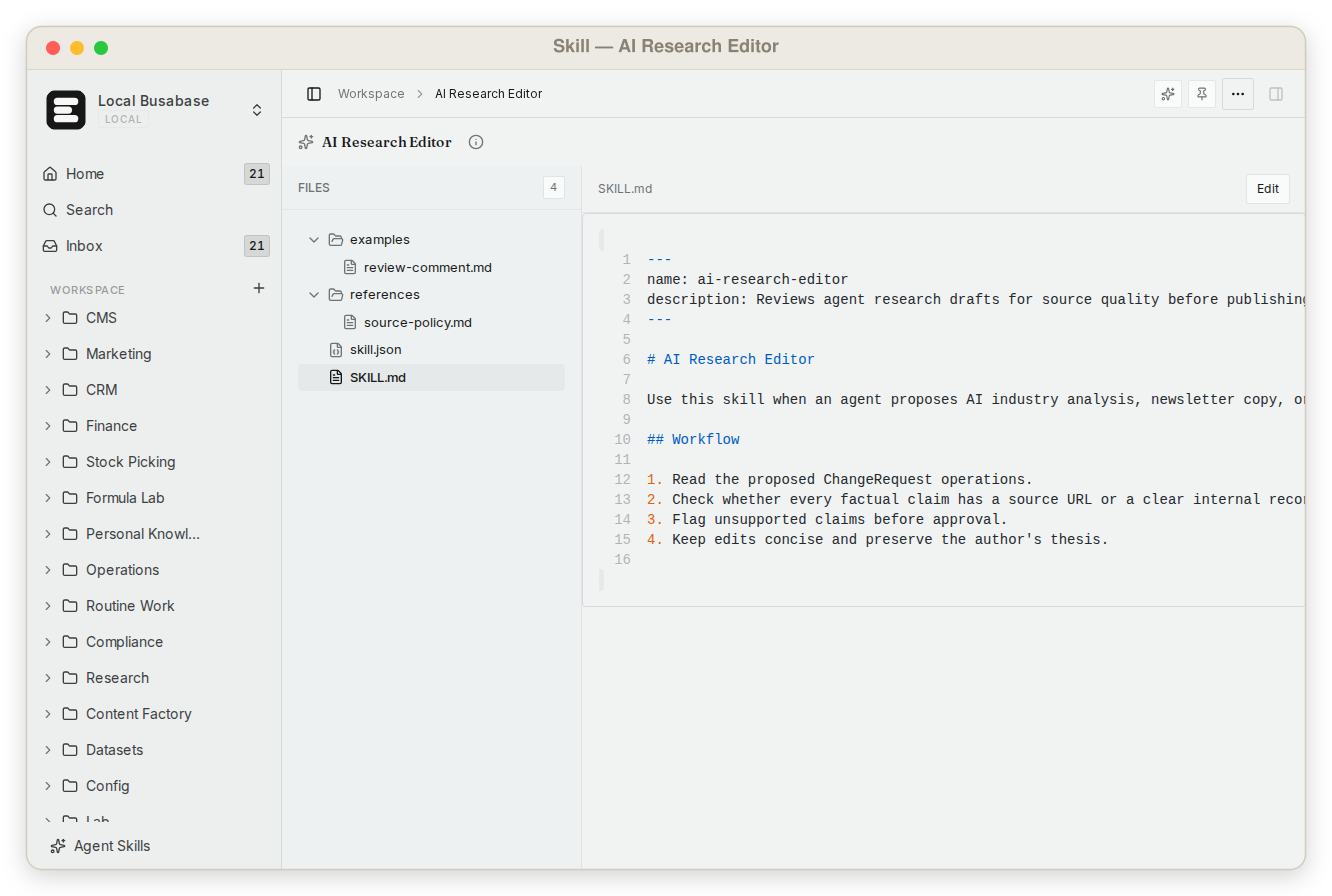
- One workspace for every kind of agent output — Bases (typed records, relations, views, forms), Docs, Files, Drives, Skills, AirApps, Whiteboards, and Workflows as first-class nodes in one tree. Node types →
- Shared skills across agents — keep
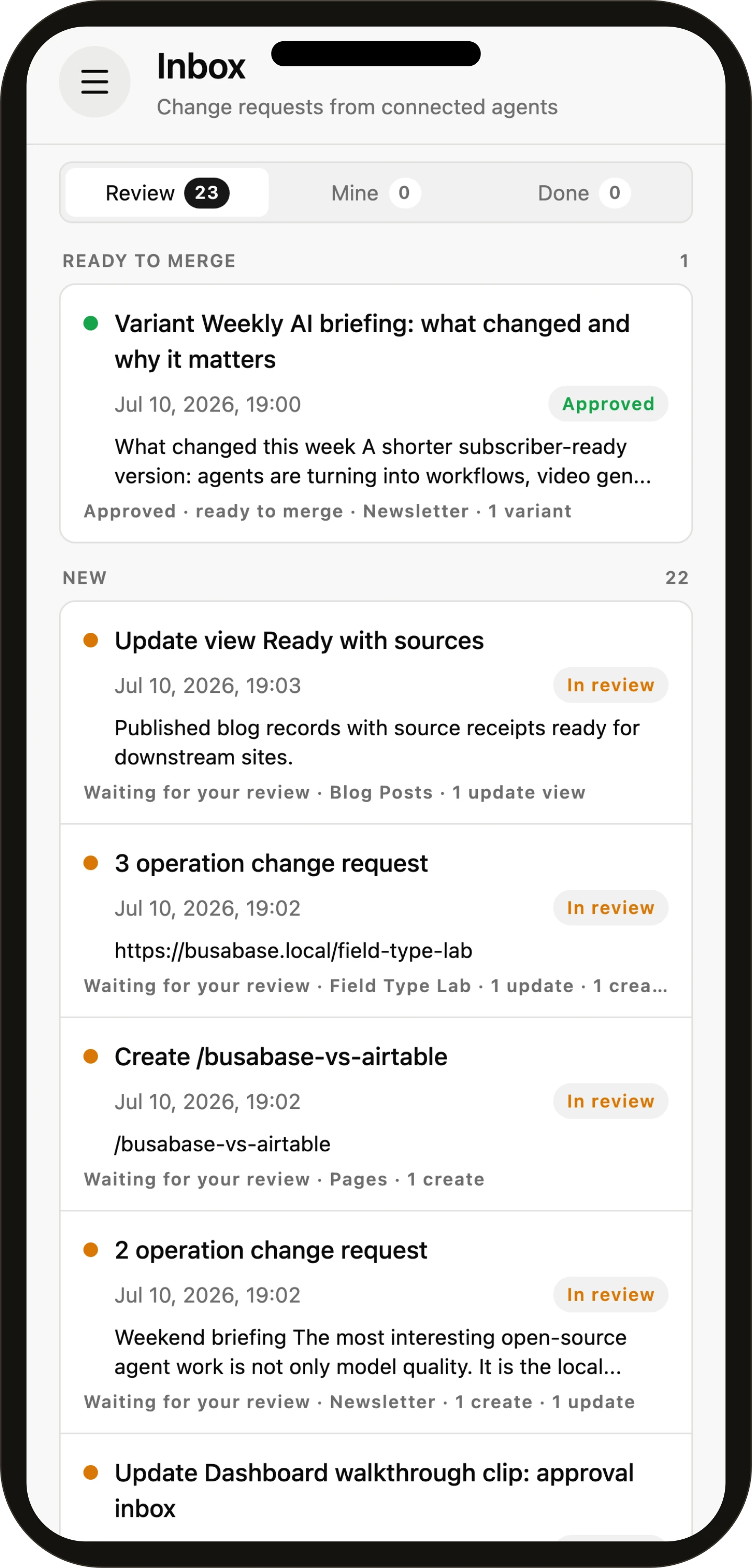
SKILL.mdplaybooks and custom prompts in the workspace. Playbooks collects them into one catalog every connected agent can look up before it acts. - Every write accounted for — agent writes travel as Change Requests with a message, a field-level diff, an author, and history. Permissions decide whether a change merges on the spot or waits for review.
- Apps on live data — ask an agent to turn a Base into a dashboard, CRM, or content desk. AirApps run inside Busabase on workspace data, with a
SKILL.mdthe next agent can read. - Bring any agent — no built-in model, no lock-in. Agent Skill, MCP, OpenAPI, CLI, or an ACP chat session.
- Templates — install a whole working setup (Bases, views, docs, sample data, apps, and its agent manual) in one command.
- Local-first and open source — MIT, embedded database, works offline. The same engine powers Busabase Cloud.

 |
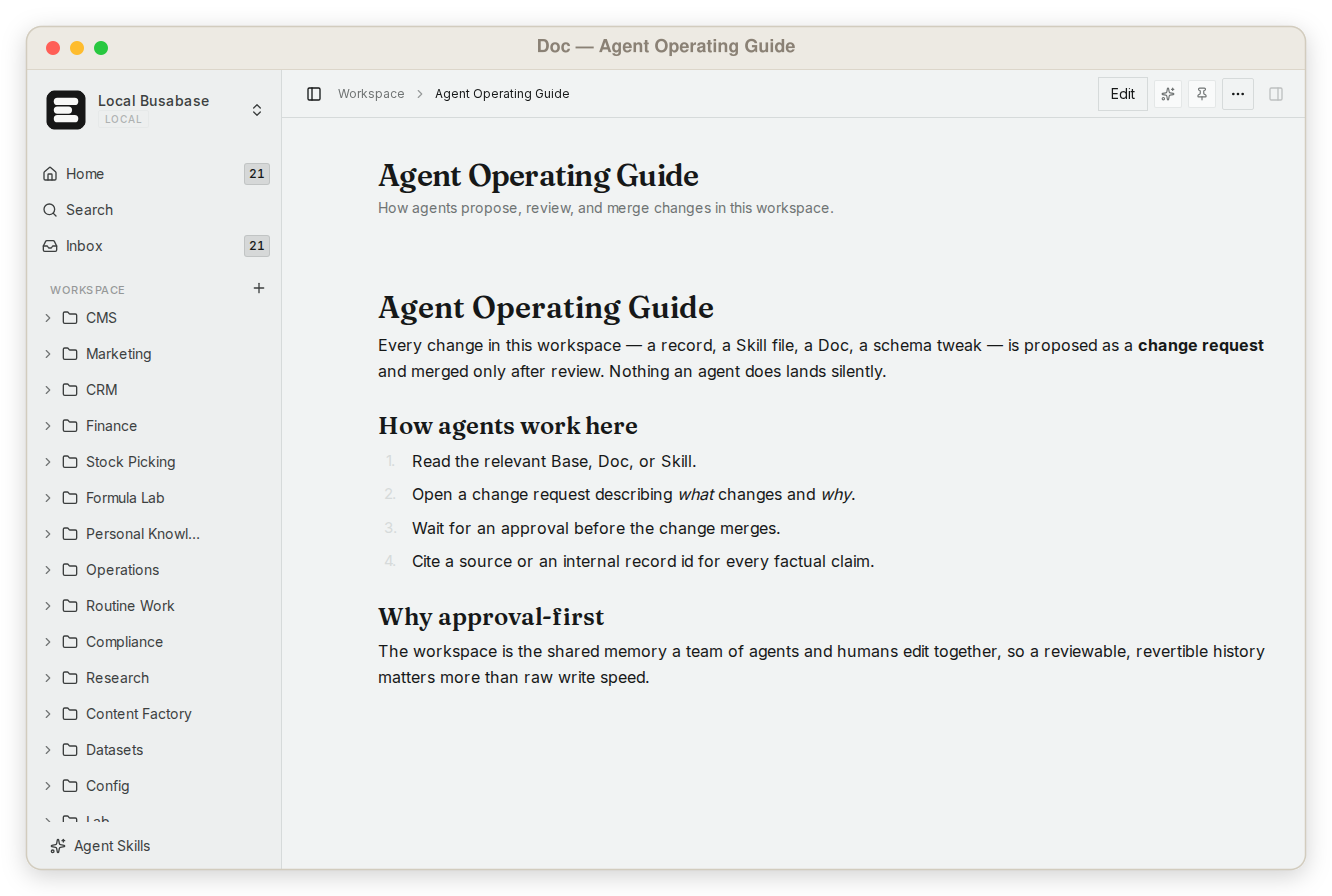 |
| Database — typed, related, queryable records | Knowledge base — durable docs with version history |
 |
 |
| Skills — reusable instructions and supporting files | Apps — focused interfaces built on workspace data |
 |
 |
| Change Requests — see exactly what an agent changed | History — source, reviewer, commit, and timeline |
 |
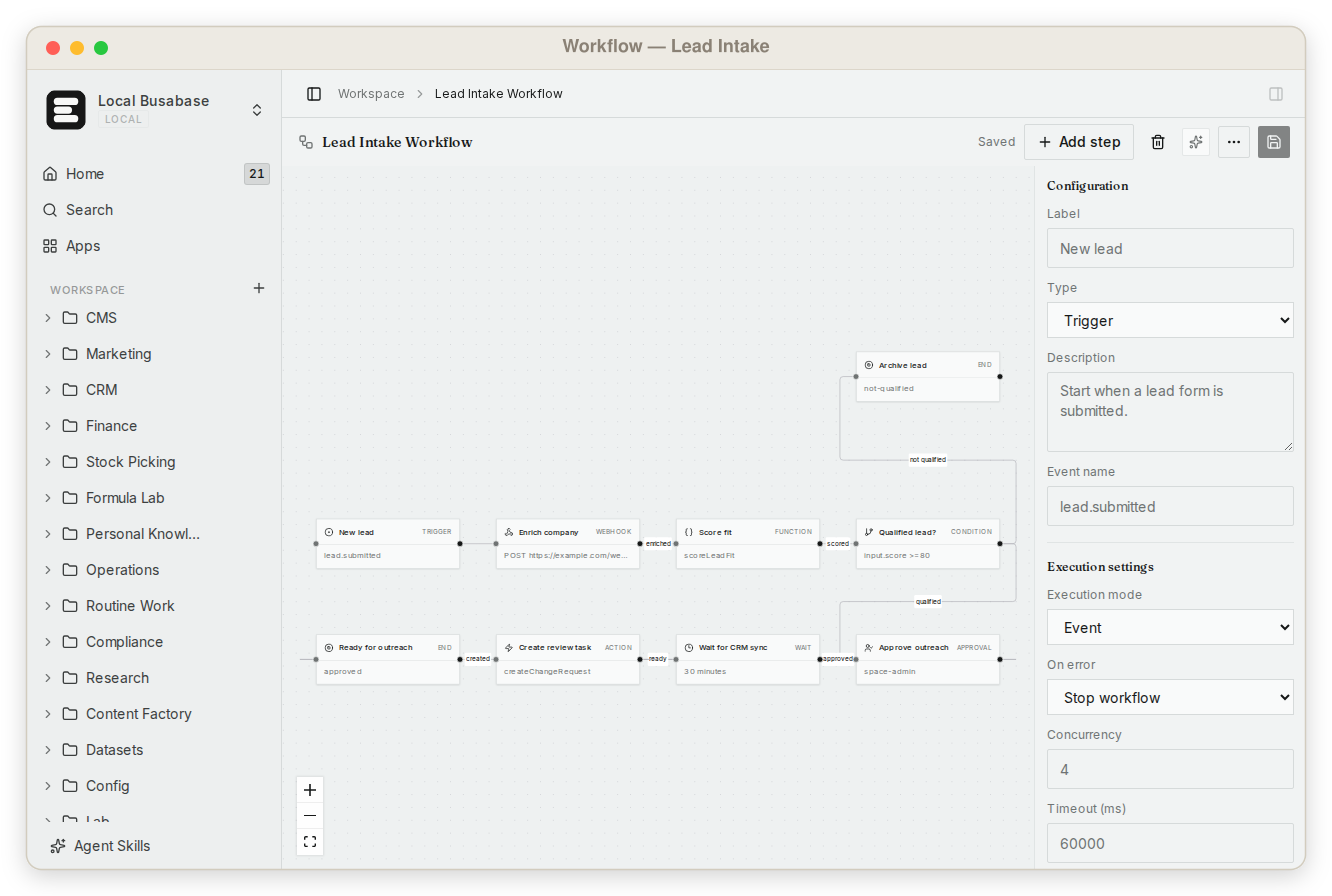 |
| Whiteboards — visual context shared with agents | Workflows — processes kept beside their data |


Connect Your Agent
Works with Claude Code · Codex · Cursor · Gemini CLI · OpenCode · OpenClaw · Hermes · Buda AI · n8n — or your own process.
| Connection | Best for |
|---|---|
| Agent Skill | Coding agents and local CLIs that can follow workspace instructions |
| MCP | Tool-aware agents and IDEs that need typed workspace operations |
| OpenAPI / CLI | Apps, scripts, automations, and custom agents |
| SDKs | TypeScript (busabase-sdk) and Python (pip install busabase) apps, scripts, and notebooks |
| Email SDK | busabase-email-sdk sends email through SMTP or SES, reads IMAP replies, and records conversations in your Bases |
| Agents view (ACP) | Conversational sessions with inline tool activity and permission requests |
Guides: Claude Code · DeepSeek Harness · Bring Your Own Agent. Open Agent Skills in the sidebar for the MCP endpoint and OpenAPI spec of your running instance (/api/v1/doc). Also on Glama's MCP directory.
How writes work
Agent reads workspace context
        ↓
Agent writes data, docs, skills, or app changes — always as a Change Request
        ↓
Your permissions decide: it merges on the spot, or it waits in the Inbox
        ↓
Either way the change stays inspectable, attributable, and reversible
A credential capped at changeRequest level can only propose; a single call can opt in with autoMerge: false; busabase-cli install … --require-review holds a package's content back for approval. Anything else that is allowed to write, writes — and still leaves a diff and a history behind.
Use Cases
| Workspace | What agents do | What stays in Busabase |
|---|---|---|
| Software delivery | Turn feedback into tasks, write and test code, ship, start the next cycle | Feedback, tasks, specs, conventions, release notes |
| SEO & content | Track search trends, plan, draft the next article in a shared CMS | Keyword research, briefs, drafts, published pages |
| CRM | Research prospects, follow up, log every visit | Companies, contacts, visit notes, follow-ups |
| Team memory | Capture decisions, sources, and operating context | A knowledge base the next agent starts from |
| Datasets | Label examples, attach evidence, score quality | Reviewed training and evaluation data |
Start from a template — the whole app, its data, and the manual that tells an agent how to use it:
busabase-cli install https://github.com/busabase/templates/tree/main/templates/busa-crm
Browse busabase.com/templates and all use cases.
How It Compares
| Designed for | Missing when agents do the work | |
|---|---|---|
| Airtable, Notion, Baserow, NocoDB | People editing directly | Agent-native access, shared skills and apps, a proposal boundary |
| Postgres | Applications reading and writing storage | A workspace UI, knowledge model, review loop, and provenance |
| Agent memory, vector DBs | One agent recalling context | Structured facts people can open, cite, and correct |
| Busabase | People and agents building one workspace | — |
Busabase runs on Postgres (or embedded PGlite) itself; it is the workspace on top, not a replacement for your app's database.
Editions
| Open source / Personal Desktop | Busabase Cloud |
|---|---|
| MIT-licensed and free | Hosted, multi-user workspace |
| Local PGlite and file storage | Managed Postgres and object storage |
| No login, works offline | Spaces, roles, permissions, Team Insights |
| Data stays on your machine | Web and mobile access |
Cloud Connect links a local workspace to Busabase Cloud through an authenticated tunnel — your machine keeps the data and runs local agents. See pricing.
Architecture

apps/busabase is the local, single-workspace Next.js shell. The workspace engine lives in packages/busabase-core: nodes, records, file trees, rich node types, review primitives, search, agents, and API contracts — exposed through MCP, OpenAPI, and busabase-cli. Cloud runs the same engine with multi-tenant identity, permissions, and hosted storage.
Security: the open-source server is designed for a trusted local machine or private network. Do not expose write endpoints to the public internet without authentication and a reverse proxy; use scoped credentials and Cloud Connect for remote access.
Contributing
pnpm install
pnpm --filter busabase dev
pnpm --filter busabase typecheck
pnpm --filter busabase lint:err
Bug reports, ideas, docs, and pull requests are welcome in Issues and Discussions.
Community
Website · Docs · Forum · YouTube · X · LinkedIn
If Busabase is useful to you, a ⭐ helps other agent builders find it.
License
MIT © Busabase