What it is
Bugsink is a self-hosted error tracking project written in Python and placed in the Infrastructure and Operations category, specifically Monitoring and Observability. It lives in the self-hosted error tracking ecosystem, especially for applications that already send error data with Sentry SDKs.
It solves the concrete problem of collecting application errors in a deployment where the operator keeps control of the service and can scale it for their own use. The README presents Bugsink as an error tracker, a built-to-self-host service, a Sentry-SDK compatible destination, and a scalable and reliable option. The provided repository data also shows 2070 stars, 131 forks, and 121 open issues.
Key capabilities
- It tracks application errors as an error tracking service.
- It is built to self-host the error tracking service.
- It is described as Sentry-SDK compatible.
- It provides a login screen and first-project setup flow on http://localhost:8000/.
- It can be started with the Docker image bugsink/bugsink:latest.
- It uses the SECRET_KEY, CREATE_SUPERUSER, and PORT environment variables in the README example.
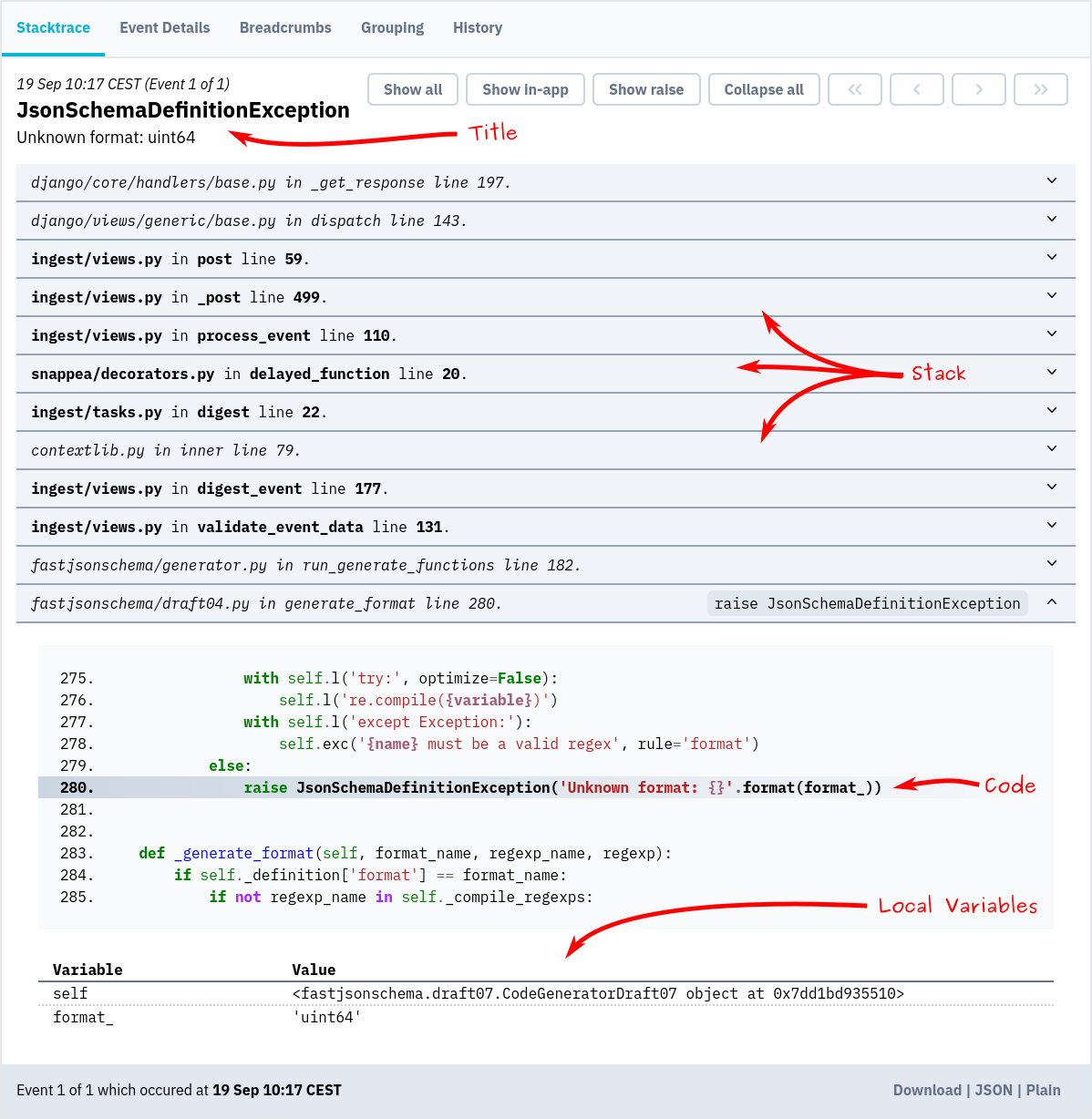
- It displays exception reports, as shown by the JsonSchemaDefinitionException screenshot.
Who uses it and how
- Teams can spin up a throw-away instance with Docker to evaluate Bugsink.
- Operators can run the container on port 8000 and open the login screen.
- Users can create the first project and start tracking errors.
- Developers can use it with Sentry SDKs, because the README describes Sentry-SDK compatibility.
- Organizations that want full control and scalability use it as a self-hosted error tracking service.
Getting started
The README shows a Docker quickstart: pull bugsink/bugsink:latest, run it with SECRET_KEY, CREATE_SUPERUSER, and PORT set, then open http://localhost:8000/ and sign in with the default admin credentials. Detailed installation instructions and documentation are on the Bugsink website.
When to use it — and when not to
Choose Bugsink when you want a self-hosted error tracker that is Sentry-SDK compatible and can be operated with Docker. A self-hoster must operate the Docker container, set the secret key, create the superuser, and expose the port. Avoid it if you need a clear license, a listed contributor base, or a low open-issue count, because the provided facts show NOASSERTION license, zero contributors, and 121 open issues. The README does not state a hosted option, so teams that want managed error tracking need another route.