
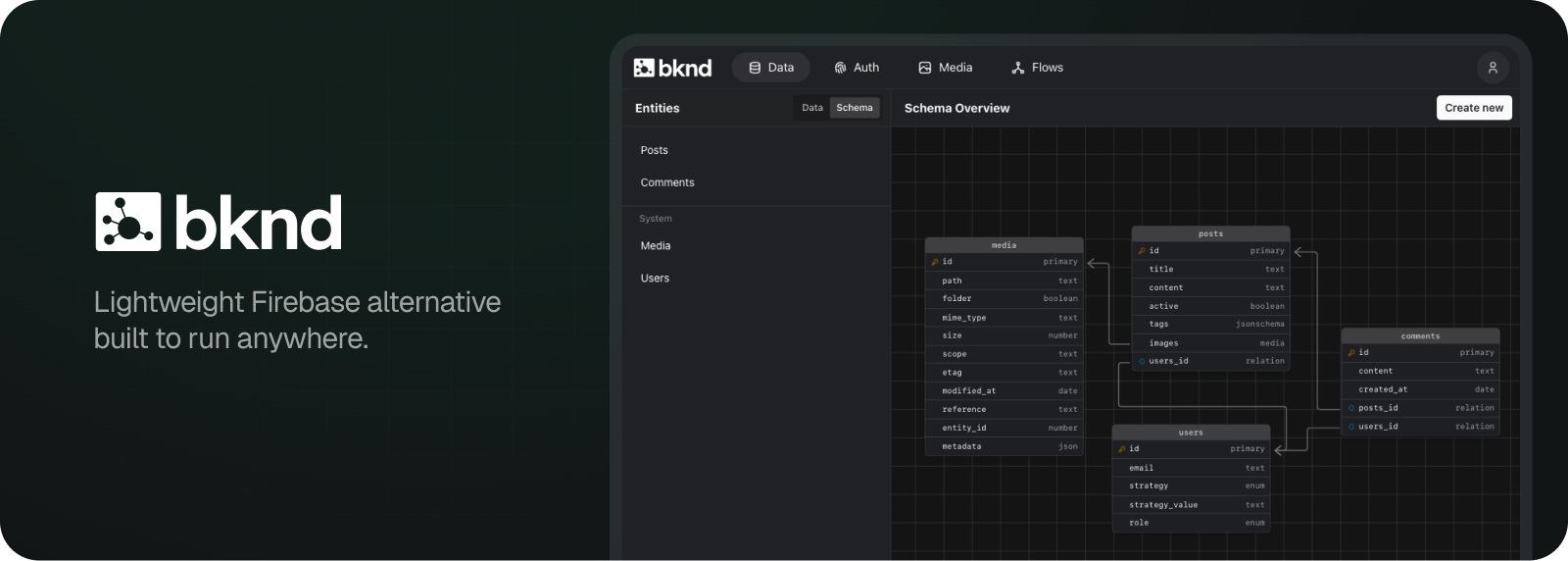
bknd simplifies app development by providing a fully functional visual backend for database management, authentication, media and workflows. Being lightweight and built on Web Standards, it can be deployed nearly anywhere, including running inside your framework of choice. No more deploying multiple separate services!
It's designed to avoid vendor lock-in and architectural limitations. Built exclusively on WinterTC Minimum Common Web Platform API for universal compatibility, all functionality (data, auth, media, flows) is modular and opt-in, and infrastructure access is adapter-based with direct access to underlying drivers giving you full control without abstractions getting in your way.
- Runtimes: Node.js 22+, Bun 1.0+, Deno, Browser, Cloudflare Workers/Pages, Vercel, Netlify, AWS Lambda, etc.
- Databases:
- SQLite: LibSQL, Node SQLite, Bun SQLite, Cloudflare D1, Cloudflare Durable Objects SQLite, SQLocal
- Postgres: Vanilla Postgres, Supabase, Neon, Xata
- Frameworks: React, Next.js, React Router, Astro, Vite, Waku
- Storage: AWS S3, S3-compatible (Tigris, R2, Minio, etc.), Cloudflare R2 (binding), Cloudinary, Filesystem, Origin Private File System (OPFS)
- Deployment: Standalone, Docker, Cloudflare Workers, Vercel, Netlify, Deno Deploy, AWS Lambda, Valtown etc.
For documentation and examples, please visit https://docs.bknd.io.
[!WARNING] This project requires Node.js 22.13 or higher (because of
node:sqlite).Please keep in mind that bknd is still under active development and therefore full backward compatibility is not guaranteed before reaching v1.0.0.
Use Cases
bknd is a general purpose backend system that implements the primitives almost any backend needs. This way, you can use it for any backend use case, including but not limited to:
- Content Management System (CMS) as Wordpress alternative, hosted separately or embedded in your frontend
- AI Agent Backends for managing agent state with built-in data persistence, regardless where it is hosted. Optionally communicate over the integrated MCP server.
- SaaS Products with multi-tenant data isolation (RLS) and user management, with freedom to choose your own database and storage provider
- Prototypes & MVPs to validate ideas quickly without infrastructure overhead
- API-First Applications where you need a reliable, type-safe backend without vendor lock-in either with the integrated TypeScript SDK or REST API using OpenAPI
- IoT & Embedded Devices where minimal footprint matters
Size


The size on npm is misleading, as the bknd package includes the backend, the ui components as well as the whole backend bundled into the cli including static assets.
Depending on what you use, the size can be higher as additional dependencies are getting pulled in. The minimal size of a full bknd app as an API is around 300 kB gzipped (e.g. deployed as Cloudflare Worker).
Motivation
Creating digital products always requires developing both the backend (the logic) and the frontend (the appearance). Building a backend from scratch demands deep knowledge in areas such as authentication and database management. Using a backend framework can speed up initial development, but it still requires ongoing effort to work within its constraints (e.g., "how to do X with Y?"), which can quickly slow you down. Choosing a backend system is a tough decision, as you might not be aware of its limitations until you encounter them.
The solution: A backend system that only assumes and implements primitive details, integrates into multiple environments, and adheres to industry standards.
Features
- ⚡ Instant backend with full REST API:
- Data: Define, query, and control your data with ease.
- Auth: Easily implement reliable authentication strategies.
- Media: Effortlessly manage and serve all your media files.
- Flows: Design and run workflows with seamless automation. (UI integration coming soon!)
- 🌐 Built on Web Standards for maximum compatibility
- 🛠️ MCP server, client and UI built-in to control your backend
- 🏃♂️ Multiple run modes
- standalone using the CLI
- using a JavaScript runtime (Node, Bun, workerd)
- using a React framework (Next.js, React Router, Astro)
- 📦 Official API and React SDK with type-safety
- ⚛️ React elements for auto-configured authentication and media components
Structure
The package is mainly split into 4 parts, each serving a specific purpose:
| Import | Purpose |
|---|---|
bkndbknd/adapter/* |
Backend including APIs and adapters |
bknd/ui |
Admin UI components for react frameworks |
bknd/client |
TypeScript SDK and React hooks for the API endpoints |
bknd/elements |
React components for authentication and media |
The backend (bknd)
Serve the backend as an API for any JS runtime or framework. The latter is especially handy, as it allows you to deploy your frontend and backend bundled together. Furthermore it allows adding additional logic in a way you're already familar with. Just add another route and you're good to go.
Here is an example of serving the API using node:
import { serve } from "bknd/adapter/node"
serve();
Integrated admin UI (bknd/ui)
The admin UI allows to manage your data including full configuration of your backend using a graphical user interface. Using vite, your admin route looks like this:
import { Admin } from "bknd/ui"
import "bknd/dist/styles.css";

export default function AdminPage() {
   return <Admin />
}
Using the REST API or TypeScript SDK (bknd/client)
If you're not using a JavaScript environment, you can still access any endpoint using the REST API:
curl -XGET <your-endpoint>/api/data/entity/<entity>
{
  "data": [
    { "id": 1, ... },
    { "id": 2, ... }
  ],
  "meta": { /* ... */ }
}
In a JavaScript environment, you can use the TypeScript SDK with type-safety. The above example would look like this:
import { Api } from "bknd/client";

const api = new Api({ host: "<endpoint>" });
const { data } = await api.data.readMany("<entity>");
If you're using React, there are 2 hooks exposed (useApi, useEntity), as well as an swr wrapper around each (useApiQuery, useEntityQuery). The swr wrapped hooks automatically handled query invalidation:
import { useState } from "react";
import { useEntityQuery } from "bknd/client";

export default function App() {
   const { data } = useEntityQuery("todos");
   return <ul>
      {data?.map(todo => (
         <li key={todo.id}>{todo.name}</li>
      ))}
   </ul>
}
React elements (bknd/elements)
You don't have to figure out API details to include media uploads to your app. For an user avatar upload, this is all you need:
import { Media } from "bknd/elements"
import "bknd/dist/main.css"

export function UserAvatar() {
   return <Media.Dropzone
     entity={{ name: "users", id: 1, field: "avatar" }}
     maxItems={1}
     overwrite
   />
}
The import path also exports components for login and registration forms which are automatically pointed to the bknd defaults.
🚀 Quick start
To quickly spin up an instance, run:
npx bknd run
Installation
npm install bknd
Contributing
We welcome contributions! Please read our CONTRIBUTING.md before getting started. It covers dev setup, project structure, testing, code style, and how to submit changes.
Before writing code, please open a GitHub Issue or start a conversation in Discord so we can align on the approach.
Contributors
Thank you to everyone who has contributed to bknd.
Made with contrib.rocks.