BICHON









A self-hosted email archiving server built in Rust. Download emails from IMAP accounts, builds a full-text search index, and serves a REST API with an embedded WebUI. Purpose-built for long-term preservation, unified cross-account search, and programmatic access to archived email.
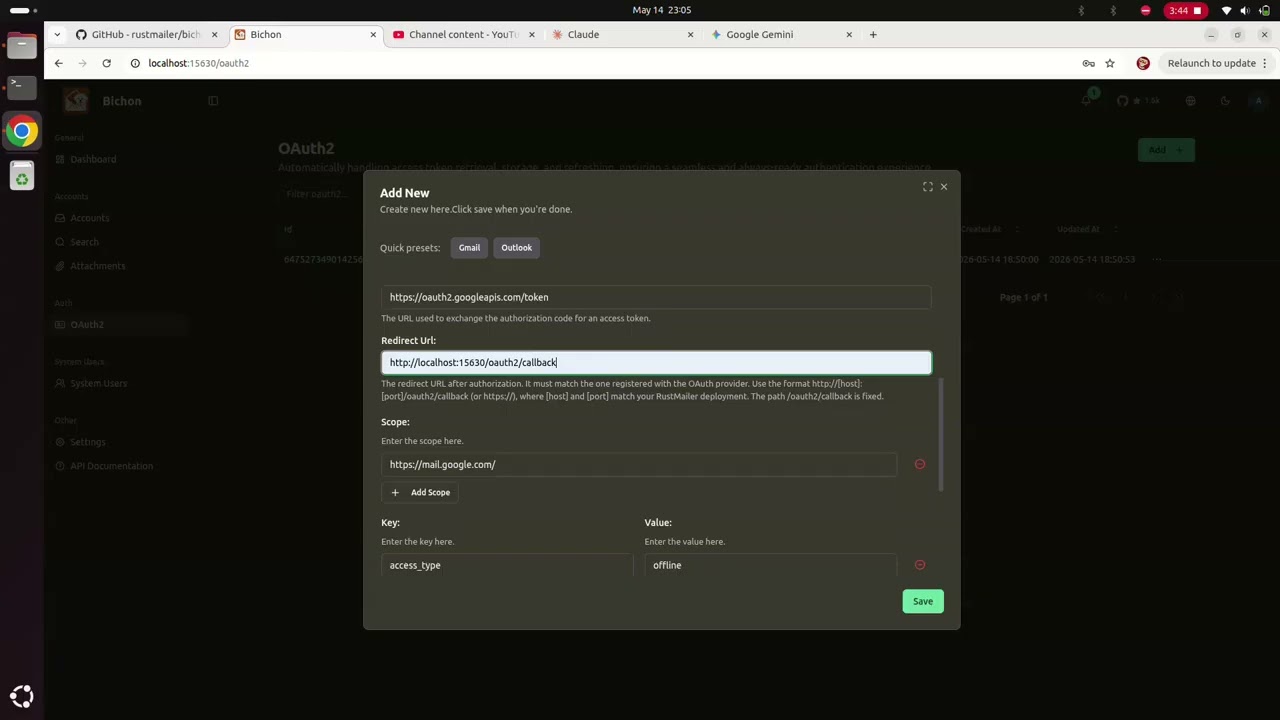
▶ Click to watch the demo
[!NOTE] Bichon is an archiver, not an email client. It does not send, compose, forward, or reply to emails. Its optional SMTP server is for receiving emails only.
Contents
- Features
- Quick Start
- Configuration Reference
- Authentication & RBAC
- CLI Tools
- API Reference
- Import & Export
- Architecture
- Storage & Backup
- Internationalization
- Data Migration (v0.x → v1.0)
- FAQ
- Roadmap
- Contributing
- Tech Stack
- License
Features
- Multi-Account IMAP Download: Download multi-account concurrently. Supports password (PLAIN/LOGIN) and OAuth 2.0 (SASL XOAUTH2) with automatic token refresh and PKCE. SSL/TLS, STARTTLS, or plain connections with optional self-signed certificate acceptance.
- Incremental Download: UID-based delta fetching downloads only new messages after the initial download. UIDVALIDITY changes are detected and trigger automatic cache rebuilds.
- Fetch Scoping: Filter download by date range, mailbox folder limit, or specific folder names. Configurable per-account SOCKS5 proxy routing.
- Auto-Configuration: Discover IMAP server settings automatically from an email domain.
- Full-Text Search: Search across subject, body, sender, recipients, attachment properties, and more. Optimized for European languages.
- Advanced Filters: Date range, size range, attachment presence, file type, content category, and facet-based tag combinations.
- Thread Grouping: Reconstruct and view complete conversation threads across folders.
- Attachment Search: Browse and filter attachments by sender, file type, size, and other attachment properties.
- Faceted Tags: Add, remove, or overwrite tags on messages and attachments. Filter by tag combinations with real-time count updates.
- Contacts View: Extracted and deduplicated sender/recipient address book across all authorized accounts.
- Three-Layer Storage: Tantivy for full-text indexing (Zstd compression), bichon-blob with Zstd for compressed blob storage, and memdb for relational metadata. All embedded — zero external dependencies.
- Content Deduplication: Identical email bodies and attachments stored once via BLAKE3 content hashing. Folder moves update metadata only.
- Dashboard Analytics: Email volume trends, top senders, storage usage breakdown, attachment statistics, and per-account activity. Scoped by user permissions.
- OpenAPI 3.0: Interactive API documentation at
/api-docs(Swagger UI, ReDoc, Scalar). All endpoints documented with request/response schemas. - Multi-User RBAC: 5 built-in roles (Admin, Manager, Member, AccountManager, AccountViewer) plus custom roles with 22 granular permissions.
- Account-Level Isolation: Grant users access to specific accounts with scoped roles. Permissions enforced at the API layer.
- CLI & WebUI Import Tools: Import from EML directories, MBOX files (including Gmail variants), Thunderbird profiles, and Outlook PST files via CLI. Import EML files directly from the WebUI.
- CLI Export: Download account data as MBOX via
bichon-cli. - Bulk Restore: Restore emails in bulk back to their original IMAP accounts.
- Embedded SMTP Server: Receive emails directly at the gateway level. STARTTLS or TLS encryption. AUTH PLAIN/LOGIN with API token authentication.
- Admin Tooling: Password reset for locked-out admins. Non-destructive migration from v0.3.7 and v1.x to v2.x.
- API Token Management: Create, list, and revoke long-lived API tokens for programmatic access.
- SOCKS5 Proxy Management: Configure and manage proxy profiles for routing IMAP traffic per account.
- Scheduled Download: Configure per-account download schedules using cron expressions. Run syncs at specific times or intervals — for example, nightly-only or business-hours-only archiving.
- Remote Content Blocking: External images and tracking pixels embedded in emails are blocked by default. Users can selectively allow remote content to load on a per-message basis from the WebUI.
- Async Index Deduplication: Duplicate detection in the search index is performed asynchronously, reducing write latency during high-throughput ingestion.
Quick Start
Docker (Recommended)
# Pull the image
docker pull rustmailer/bichon:latest

# Create data directory
mkdir -p ./bichon-data

# Run container
docker run -d \
  --name bichon \
  -p 15630:15630 \
  -v $(pwd)/bichon-data:/data \
  --user 1000:1000 \
  -e BICHON_ROOT_DIR=/data \
  -e BICHON_ENCRYPT_PASSWORD=your-secure-password-here \
  rustmailer/bichon:latest
Open http://localhost:15630 in your browser.
[!IMPORTANT] Default login: username
admin, passwordadmin@bichon. Change this immediately via Settings → Profile.
Docker Compose
services:
  bichon:
    image: rustmailer/bichon:latest
    container_name: bichon
    ports:
      - "15630:15630"
    volumes:
      - ./bichon-data:/data
    user: "1000:1000"
    environment:
      BICHON_ROOT_DIR: /data
      BICHON_ENCRYPT_PASSWORD: your-secure-password-here
      BICHON_LOG_LEVEL: info
Binary Installation
Download from the Releases page:
| Platform | Archive |
|---|---|
| Linux (GNU) | bichon-x.x.x-x86_64-unknown-linux-gnu.tar.gz |
| Linux (MUSL) | bichon-x.x.x-x86_64-unknown-linux-musl.tar.gz |
| macOS | bichon-x.x.x-x86_64-apple-darwin.tar.gz |
| Windows | bichon-x.x.x-x86_64-pc-windows-msvc.zip |
# Linux / macOS
./bichon --bichon-root-dir /path/to/data --bichon-encrypt-password your-password

# Windows
.\bichon.exe --bichon-root-dir E:\bichon-data --bichon-encrypt-password your-password
--bichon-root-dir must be an absolute path. All Bichon data lives under this directory.
Build from Source
Prerequisites: Rust (latest stable), Node.js 20+, pnpm
git clone https://github.com/rustmailer/bichon.git
cd bichon

# Build and run — frontend dependencies are installed and built automatically via build.rs
export BICHON_ENCRYPT_PASSWORD=dev-password
cargo run -- --bichon-root-dir /tmp/bichon-data
For frontend development:
cd web && pnpm run dev # Vite dev server with API proxy to Rust backend
Configuration Reference
All settings accept both CLI flags (--bichon-http-port) and environment variables (BICHON_HTTP_PORT). CLI flags take precedence over environment variables.
Required Settings
| Variable | CLI Flag | Description |
|---|---|---|
BICHON_ROOT_DIR |
--bichon-root-dir |
Required. Absolute path for all persistent data |
BICHON_ENCRYPT_PASSWORD |
--bichon-encrypt-password |
Password used to encrypt stored credentials (IMAP passwords, OAuth tokens) |
BICHON_ENCRYPT_PASSWORD_FILE |
--bichon-encrypt-password-file |
Alternative: read the encryption password from a file |
[!NOTE] If both password options are set, the direct value takes precedence over the file.
Server & Networking
| Variable | Default | Description |
|---|---|---|
BICHON_HTTP_PORT |
15630 |
HTTP server port |
BICHON_BIND_IP |
0.0.0.0 |
IP address to bind to (IPv4 or IPv6) |
BICHON_PUBLIC_URL |
http://localhost:15630 |
Public-facing URL used in OAuth redirects and docs |
BICHON_BASE_URL |
/ |
Base path for WebUI when behind a reverse proxy (e.g. /bichon) |
BICHON_WEBUI_TOKEN_EXPIRATION_HOURS |
168 |
Access token lifetime in hours (default 7 days) |
BICHON_HTTP_COMPRESSION_ENABLED |
true |
Enable gzip/brotli/zstd response compression |
Logging
| Variable | Default | Description |
|---|---|---|
BICHON_LOG_LEVEL |
info |
Log level: trace, debug, info, warn, error |
BICHON_ANSI_LOGS |
true |
Colorized terminal output |
BICHON_JSON_LOGS |
false |
JSON-formatted logs for log aggregators |
BICHON_LOG_TO_FILE |
false |
Persist logs to files under root dir |
BICHON_MAX_SERVER_LOG_FILES |
5 |
Max log files to retain |
CORS
| Variable | Default | Description |
|---|---|---|
BICHON_CORS_ORIGINS |
(allow all) | Comma-separated list of allowed origins: http://192.168.1.16:15630,http://myserver.local:15630 |
BICHON_CORS_MAX_AGE |
86400 |
Cache duration for CORS preflight in seconds |
[!WARNING] If
BICHON_CORS_ORIGINSis not set, all origins are allowed. If you set it, only exact matches pass. Wildcards (*) are not supported. Do not add trailing slashes. When using Docker, avoid wrapping the value in quotes.
TLS & HTTPS
| Variable | Default | Description |
|---|---|---|
BICHON_ENABLE_REST_HTTPS |
false |
Serve the API over HTTPS (requires valid certificate) |
SMTP Server
| Variable | Default | Description |
|---|---|---|
BICHON_ENABLE_SMTP |
false |
Enable the embedded SMTP receiver |
BICHON_SMTP_PORT |
2525 |
SMTP listening port |
BICHON_SMTP_ENCRYPTION |
starttls |
Encryption mode: none, starttls, or tls |
BICHON_SMTP_AUTH_REQUIRED |
true |
Require authentication for SMTP connections |
BICHON_SMTP_TLS_KEY_PATH |
— | Absolute path to SMTP TLS private key |
BICHON_SMTP_TLS_CERT_PATH |
— | Absolute path to SMTP TLS certificate chain |
Storage Paths
| Variable | Default | Description |
|---|---|---|
BICHON_INDEX_DIR |
{root}/bichon-indices |
Tantivy full-text index directory |
BICHON_DATA_DIR |
{root}/bichon-storage |
bichon-blob storage directory |
[!TIP] Place
BICHON_INDEX_DIRon fast SSD storage for responsive search, andBICHON_DATA_DIRon high-capacity HDD for cost-effective blob storage.
[!IMPORTANT] Bichon does NOT support writing data directly to a network file system (NFS, CIFS/SMB, etc.). All directories —
BICHON_ROOT_DIR,BICHON_DATA_DIR, andBICHON_INDEX_DIR— must reside on a local file system; otherwise, data corruption may occur.
Performance Tuning
| Variable | Default | Description |
|---|---|---|
BICHON_SYNC_CONCURRENCY |
num_cpus × 2 |
Max concurrent account sync tasks |
BICHON_METADATA_CACHE_SIZE |
134217728 (128 MB) |
Metadata DB cache in bytes |
BICHON_ENVELOPE_CACHE_SIZE |
134217728 (128 MB) |
Envelope index cache in bytes |
Authentication & RBAC
Authentication
POST /api/loginwith username + password returns a JWT access token- All
/api/v1/*endpoints requireAuthorization: Bearer - Tokens expire after the configured duration (
BICHON_WEBUI_TOKEN_EXPIRATION_HOURS, default 7 days) - Long-lived API tokens can be created via WebUI or API for programmatic access
Default Admin Account
On first start, Bichon creates a built-in admin user:
- Username:
admin - Password:
admin@bichon
[!IMPORTANT] Change the password immediately via WebUI: Settings → Profile. If locked out, use the
bichon-adminCLI tool to reset it.
Built-in Roles
| Role | Type | Scope | Description |
|---|---|---|---|
| Admin | Global | Unrestricted | Full system access — users, roles, tokens, all accounts, all data operations |
| Manager | Global | ACL-scoped | Create accounts, view users, manage authorized accounts and their data |
| Member | Global | Minimal | Basic login access; data access granted through account-level role assignments |
| AccountManager | Account | Per-account | Full control over an assigned account — config, sync, data read/write/delete, import, SMTP ingest |
| AccountViewer | Account | Per-account | Read-only access to an assigned account's messages and metadata |
Permission Reference
Global permissions:
| Permission | Description |
|---|---|
system:access |
Login and access the dashboard |
system:root |
Manage system configurations (OAuth providers, proxy settings) |
user:manage |
Create, update, and delete users |
user:view |
View user list and basic profiles |
token:manage |
View and revoke all API tokens |
account:create |
Connect new email accounts to the system |
account:manage:all |
Manage configurations for all email accounts |
data:read:all |
Search and read messages across all accounts |
data:manage:all |
Manage tags and metadata for all accounts |
data:raw:download:all |
Download raw EML files from any account |
data:delete:all |
Permanently delete messages from any account |
data:export:batch:all |
Export messages in bulk from all accounts |
Account-scoped permissions (require ACL assignment):
| Permission | Description |
|---|---|
account:manage |
Modify configuration and sync settings for authorized accounts |
account:read_details |
View status and details of authorized accounts |
data:read |
Read messages from authorized accounts |
data:manage |
Manage tags and metadata for authorized accounts |
data:raw:download |
Download raw EML files from authorized accounts |
data:delete |
Delete messages from authorized accounts |
data:export:batch |
Export messages from authorized accounts |
data:import:batch |
Import EML/PST data into authorized accounts |
data:smtp:ingest |
Receive and archive emails via SMTP for authorized accounts |
[!TIP] Built-in role permissions are immutable. Create custom roles via WebUI (
/users/roles) or API for any combination of the permissions above.
CLI Tools
bichon-cli — Import & Export
./bichon-cli --config config.toml
Creates a config.toml on first run with your server URL and API token.
| Operation | Description |
|---|---|
| EML Directory | Recursively scan a directory tree of .eml files; preserves folder structure |
| MBOX | Stream-import from a single .mbox archive (including Gmail's MBOX variant) |
| Thunderbird | Import directly from a local Thunderbird profile directory |
| PST | Import from Outlook Personal Storage .pst files |
| Export to MBOX | Download account data as an .mbox file |
All imports are processed server-side — the server handles MIME parsing, indexing, deduplication, and storage.
bichon-admin — Administration
./bichon-admin
Interactive menu with three operations:
| Operation | Description |
|---|---|
| Reset Admin Password | Reset the built-in admin password when locked out |
| Migrate v0.3.7 → v2.x | Non-destructive migration from legacy Tantivy-based storage to v2.x |
| Migrate v1.x → v2.x | Blob-only migration from Fjall to bichon-blob (indexes and metadata untouched) |
API Reference
Interactive API documentation is available at:
| Endpoint | UI |
|---|---|
/api-docs/swagger |
Swagger UI |
/api-docs/redoc |
ReDoc |
/api-docs/scalar |
Scalar |
/api-docs/spec.json |
Raw OpenAPI 3.0 JSON |
/api-docs/spec.yaml |
Raw OpenAPI 3.0 YAML |
All /api/v1/* endpoints require Authorization: Bearer .
Import & Export
Supported Formats
| Format | Tool | Notes |
|---|---|---|
| EML Directory | bichon-cli |
Recursive .eml scan; preserves folder hierarchy |
| MBOX | bichon-cli |
Single-file streaming import; supports Gmail's MBOX variant |
| Thunderbird | bichon-cli |
Reads directly from local Thunderbird profile directory |
| PST | bichon-cli |
Outlook Personal Storage (.pst) file parsing |
| WebUI Import | WebUI | Upload .eml files directly from the browser |
| API Import | POST /api/v1/import |
Base64-encoded EML payloads for programmatic use |
| MBOX Export | bichon-cli |
Download account data as .mbox file |
All imports flow through the Bichon REST API. The server parses MIME, extracts metadata, indexes content into Tantivy, deduplicates by BLAKE3 content hash, and stores raw blobs in bichon-blob.
Architecture
Workspace Crates
bichon/
├── crates/
│   ├── memdb/         Embedded key-value database layer (WAL, transactions)
│   ├── core/          Library — IMAP sync, search, storage, auth, models
│   ├── server/        Binary — Poem web server + embedded WebUI (rust-embed)
│   ├── cli/           Binary — bichon-cli import/export CLI
│   └── admin/         Binary — bichon-admin password reset & migration
└── web/               React + TypeScript + Vite + ShadCN UI frontend
Three-Layer Storage
Request Layer
    REST API (Poem)  │  WebUI (React)
─────────────────────┼────────────────────
Storage Layer         │
                      │
  ┌──────────────┐  ┌──────────────┐  ┌──────────────┐
  │    memdb     │  │   Tantivy    │  │ bichon-blob  │
  │  (metadata)  │  │  (full-text) │  │   (blobs)    │
  │              │  │              │  │              │
  │ • accounts   │  │ • envelope   │  │ • raw emails │
  │ • users      │  │ • attachment │  │ • attachments│
  │ • roles      │  │ • tags       │  │   Zstd compr.│
  │ • config     │  │ • contacts   │  │              │
  │ • proxies    │  │   Zstd compr.│  │ BLAKE3 hash  │
  └──────────────┘  └──────────────┘  └──────────────┘
- memdb: Key-value metadata store. Houses accounts, users, roles, OAuth2 configs, proxy settings, and system configuration.
- Tantivy: Full-text search indices with Zstd compression support. Two separate indices: envelope (email metadata + body text) and attachment (file metadata + extracted text). Batch-committed every 1,000 documents or 60 seconds.
- bichon-blob: Zstd-compressed log-structured storage engine. Append-only segment files (1 GB each) with a redb-backed index for O(1) key lookup. Content-hash addressed (BLAKE3) with insert-time deduplication. Supports global dedup, online GC, and crash-safe recovery.
IMAP Download Pipeline
Schedule tick (every 10s)
        │
        ▼
  reconcile_mailboxes()
  Compare local vs. remote
        │
   ┌────┴────┐
   ▼         ▼
UID OK    UID changed / new
(incremental)  (full rebuild)
   │         │
   ▼         ▼
fetch new   fetch all
(max+1:*)   (1:* batched)
   │         │
   └────┬────┘
        ▼
extract_envelope_and_store_it()
        │
   ┌────┼────┐
   ▼    ▼    ▼
Tantivy bichon-blob memdb
- Per-account background tasks managed by a global download-task singleton
- Concurrency controlled by semaphore (default:
num_cpus × 2) - Manual sync via
POST /api/v1/accounts/:id/start-download; cancel withcancel-download - Busy-check prevents overlapping manual and automatic syncs on the same account
Content Deduplication & Attachment Storage
                     ┌──────────────────────────────────────────┐
                     │              Raw EML bytes               │
                     └────────────────┬─────────────────────────┘
                                      │
                                      ▼
                     ┌──────────────────────────────────────────┐
                     │         BLAKE3 → email_content_hash      │
                     └────────────────┬─────────────────────────┘
                                      │
                                      ▼
                     ┌──────────────────────────────────────────┐
                     │          MIME parse → Message            │
                     └───────┬──────────────────┬──────────────┘
                             │                  │
                             │     ┌────────────┘
                             │     │  detach attachments
                             │     │
                             ▼     ▼
               ┌─────────────────┐   ┌──────────────────────────────┐
               │  EMAIL BODY     │   │  EACH ATTACHMENT             │
               │                 │   │                              │
               │  Replace raw    │   │  BLAKE3(decoded content)     │
               │  attachment     │   │  → attachment_content_hash   │
               │  bytes with     │   │                              │
               │  placeholder:   │   │  Store raw undecoded bytes   │
               │                 │   │  in bichon-blob               │
               │  <<BICHON_      │   │  (skip if hash exists)       │
               │   DETACH_HASH:  │   │                              │
               │   xxx>>         │   │  Extract text for indexing   │
               │                 │   │  (PDF, DOCX, etc.)           │
               └───────┬─────────┘   └──────────────┬───────────────┘
                       │                            │
                       ▼                            │
               ┌──────────────────────────────┐     │
               │  Stripped EML stored in      │     │
               │  bichon-blob                 │     │
               │  keyed by email_content_hash │     │
               │  (skip if hash exists)       │     │
               └──────────────┬───────────────┘     │
                              │                     │
                              ▼                     ▼
               ┌─────────────────────────────────────────────────┐
               │           Tantivy full-text index               │
               │  envelope index · attachment index              │
               └─────────────────────────────────────────────────┘

   ═══════════════════════════════════════════════════════════════

   Dedup layers
   ┌─────────────────────────────────────────────────────────────────┐
   │ bichon-blob (insert-time)                                       │
   │   contains_key(hash)? → skip : store with Zstd compression       │
   │                                                                 │
   │ Tantivy (periodic, every 12 h)                                  │
   │   Group by (account, mailbox, content_hash)                     │
   │   Keep latest ingest_at → soft-delete older copies              │
   │   Cascade-delete orphaned attachment index entries              │
   └─────────────────────────────────────────────────────────────────┘

   Reconstruction
   ┌─────────────────────────────────────────────────────────────────┐
   │ Fetch stripped EML by content_hash from bichon-blob            │
   │ Find <<BICHON_DETACH_HASH:xxx>> placeholders                    │
   │ Replace each with raw attachment blob from bichon-blob          │
   │ Result → byte-identical original EML                            │
   └─────────────────────────────────────────────────────────────────┘
Every ingested email is hashed with BLAKE3. Attachments are detached from the MIME tree, hashed independently (decoded content), and stored as raw undecoded bytes in bichon-blob. The email body is patched with hash-based placeholders and stored separately. Both email and attachment blobs are deduplicated by content hash — identical content is never stored twice, regardless of which account or folder it arrives in. A periodic index dedup task (every 12 hours) scans Tantivy for duplicate (account, mailbox, content_hash) tuples, keeps the most recently ingested copy, and cascade-deletes orphaned attachment entries so UID-based incremental sync remains accurate. The original EML reconstructs byte-for-byte by swapping placeholders back with their attachment blobs.
Storage & Backup
Data Directory Layout
{root}/
├── bichon-indices/         Tantivy full-text index (envelope + attachment)
├── bichon-storage/         bichon-blob Zstd-compressed blob store
├── memdb/                  Metadata database (accounts, users, roles, config)
├── logs/                   Server logs (when BICHON_LOG_TO_FILE=true)
Backup
Back up the entire BICHON_ROOT_DIR (and BICHON_INDEX_DIR / BICHON_DATA_DIR if overridden). All three layers must be backed up together for consistency.
[!WARNING] Do not place
BICHON_ROOT_DIRor index/data directories directly on network-mounted storage (NFS, SMB, etc.). This can cause index corruption and data loss. Always run Bichon on local storage and use rsync or similar tools to sync to remote destinations.
# Example with rsync
rsync -avz /path/to/bichon-data/ backup-server:/backups/bichon/
Encryption
Stored credentials (IMAP passwords, OAuth tokens) are encrypted with AES-256-GCM via ring. The encryption key is derived from BICHON_ENCRYPT_PASSWORD.
[!NOTE] Re-encrypting stored secrets after a password change is not yet supported. If this is a required feature for your use case, please open an issue.
Internationalization
The WebUI is available in 18 languages:
| Code | Language | Code | Language |
|---|---|---|---|
ar |
العربية | it |
Italiano |
da |
Dansk | jp |
日本語 |
de |
Deutsch | ko |
한국어 |
en |
English | nl |
Nederlands |
es |
Español | no |
Norsk |
fi |
Suomi | pl |
Polski |
fr |
Français | pt |
Português |
it |
Italiano | ru |
Русский |
zh |
中文 | sv |
Svenska |
zh-tw |
繁體中文 |
Language preference and UI theme are saved to your user profile and can be changed anytime from the WebUI settings.
Data Migration
Bichon v2.x replaces the Fjall blob engine with bichon-blob. Two migration paths are available:
| Layer | v0.3.7 (Legacy) | v1.x | v2.x |
|---|---|---|---|
| Index | Tantivy (inline) | Tantivy (separate envelope + attachment) | Tantivy (unchanged from v1.x) |
| Blobs | Tantivy (inline) | Fjall (LZ4-compressed LSM tree) | bichon-blob (Zstd-compressed log-structured) |
| Metadata | native_db (redb-backed) | memdb | memdb (unchanged from v1.x) |
v0.3.7 → v2.x (full migration):
./bichon-admin
# Select "Migrate Legacy v0.3.7 Storage to v2.x"
Rebuilds Tantivy indexes, migrates metadata to memdb, and converts blobs to bichon-blob.
v1.x → v2.x (blob-only):
./bichon-admin
# Select "Migrate v1.x Storage to v2.x"
Copies blobs from Fjall to bichon-blob. Tantivy indexes and memdb are left untouched.
[!NOTE] Both migrations are non-destructive — legacy files are never modified. After verifying the migration was successful, see the Migration Guide for cleanup instructions.
FAQ
CORS errors when accessing the WebUI
- Enable debug logging:
BICHON_LOG_LEVEL=debug - Check the server logs for the incoming
Originheader and configured origins - Ensure the browser's exact origin matches an entry in
BICHON_CORS_ORIGINS(no trailing slash, no wildcards) - In Docker, do not quote the value:
-e BICHON_CORS_ORIGINS=http://192.168.1.16:15630
"Legacy data layout detected" error on startup
Your data was created by an older version of Bichon and must be migrated. Run ./bichon-admin and select the appropriate migration option.
How do I run Bichon behind a reverse proxy?
Set BICHON_BASE_URL=/bichon (or your sub-path) and configure your proxy:
# nginx example
location /bichon/ {
    proxy_pass http://127.0.0.1:15630/;
    proxy_set_header Host $host;
    proxy_set_header X-Forwarded-For $proxy_add_x_forwarded_for;
}
Can Bichon send emails?
No. Bichon is an archiver, not an email client. The optional SMTP server receives emails only — it cannot send, forward, or reply.
What hardware does Bichon need?
- Recommended: 4+ CPU cores, 2+ GB RAM (sufficient for 10+ accounts and 200+ GB of archived data)
- Filesystem: use a mainstream Linux filesystem such as ext4 or XFS; avoid network / virtual filesystems (NFS, VirtIO-FS) for all data directories
- Indices benefit from SSD storage; blob storage can use HDD
How do I reset the admin password?
./bichon-admin
# Select "Reset Admin Password"
Where can I get help?
Roadmap
- Multi-account IMAP Download (Password + OAuth2)
- Full-text search with faceted tags
- Multi-user support with RBAC and custom roles
- WebUI in 18 languages with dark/light themes
- Dashboard with analytics
- CLI import: EML, MBOX, Thunderbird, PST
- CLI export: MBOX
- Embedded SMTP server
- Data migration tooling (v0.3.7 / v1.x → v2.x)
- On-demand manual download controls
- Post-download server cleanup (free remote mailbox space)
- Account-to-account email merge / migration
- MCP Server for LLM-powered email search and analysis
- S3-compatible storage backend
- Enterprise SSO (OIDC / SAML)
Contributing
Contributions of all kinds are welcome — code, bug reports, documentation, or feature suggestions.
[!IMPORTANT] By submitting a Pull Request, you agree to the terms of the Contributor License Agreement.
git clone https://github.com/rustmailer/bichon.git
cd bichon

# Build backend — frontend dependencies and build are handled automatically via build.rs
cargo build

# Run tests
cargo test
[!IMPORTANT] For new features: Please open a feature request issue first before starting implementation. PRs that introduce new functionality without a prior issue may be rejected to avoid unnecessary wasted effort.
For major bug fixes with wide-ranging impact, please open an issue and discuss with the maintainer before acting and submitting. This ensures the fix approach is aligned and avoids duplicate or conflicting work.
Large, hard-to-review PRs that touch many modules or contain substantial changes may be rejected outright. Break your work into smaller, focused PRs — one logical change per PR.
Feel free to open an Issue or join the Discord to discuss ideas.
Guidelines
- AI-assisted, not AI-authored. Use AI to help analyze, debug, or draft code when unsure — but understand and review every change yourself before submitting. Don't submit unreviewed AI-generated content.
- Keep PRs scoped to one issue. Don't bundle unrelated changes (CI config, dependency bumps, fixes to other modules) into the same PR. Split them into separate PRs.
- Frontend/backend changes go together. If a change affects an API, data structure, or behavior with a frontend consumer, update the frontend in the same PR (or a clearly linked companion PR).
- Unit tests are required. New or fixed logic must include tests that reproduce the original issue and verify the fix. PRs without tests won't be merged.
- Maintain backward compatibility. Changes to data formats, protocols, configs, or APIs must state whether they're backward compatible. If not, include a migration plan.
- State the blast radius. PR descriptions must specify which modules/APIs/data are affected and any downstream impact.
Commit Messages
Format: ():
- type:
fix,feat,refactor,ci,test,docs,chore - scope: affected module/component (e.g.
rustmailer#286,dedup_cache) - subject: imperative, present tense, no period
Rules:
- One logical change per commit — don't mix a fix with CI tweaks or unrelated module changes.
- Reference the issue number when applicable (e.g.
fix(#286): ...). - Body explains why, not just what — include root cause and how it was verified for non-trivial fixes.
- Rebase before submitting — squash WIP/fixup commits into a clean, logical sequence.
- No vague messages like
update,fix bug,wip.
Tech Stack
| Layer | Technology |
|---|---|
| Backend | Rust, Tokio, Poem + Poem OpenAPI |
| Full-text search | Tantivy (Zstd compression) |
| Blob storage | bichon-blob (log-structured, Zstd compression, BLAKE3 dedup) |
| Metadata DB | memdb (embedded key-value store with WAL) |
| IMAP | async-imap, rustls (ring), SOCKS5 proxy support |
| SMTP | Embedded receiver (AUTH PLAIN/LOGIN, STARTTLS/TLS) |
| Cryptography | AES-256-GCM (ring), BLAKE3 (content hashing) |
| Frontend | React 18, TypeScript, Vite 6, ShadCN UI, TanStack Router/Query/Table |
| Charts | Recharts |
| i18n | i18next (18 languages) |
| Container | Ubuntu 24.04, Docker |
License
Bichon is licensed under the GNU Affero General Public License v3.0. Copyright © 2025–2026 rustmailer.com