

beacon is a free, open source content management systems (cms) project written in Elixir and released under MIT. It has 1,264 GitHub stars, 135 forks and 70 open issues, and was last pushed 1 months ago. On this registry it ranks #47 of 70 tracked projects in Content Management Systems (CMS), with 5 head-to-head comparisons available. It gained 4 stars over the last 30 tracked days.

What is beacon?

Beacon is an open-source content management system built with Phoenix LiveView for Elixir teams that need fast render times on content-heavy pages and the SEO performance that depends on them.

What it is

Beacon is a CMS written in Elixir and built on the Phoenix framework and Phoenix LiveView, released under the MIT licence. It lives in the Elixir and Phoenix ecosystem, publishes packages to Hex as beacon and beacon_live_admin, and has project documentation and a homepage at beaconcms.org. The project is organised into three main components. Core is the rendering and data layer: a functional website can be built and deployed by inserting components into the database and running a server. Admin is a LiveView interface for managing layouts, pages, and all other resources. Page Builder is a drag-and-drop interface for building pages, aimed at non-technical users, and is still in early development.

The concrete problem Beacon solves is rendering speed on content-heavy sites. It brings the rendering speed benefits of Phoenix to even the most content-heavy pages, with faster render times aimed at boosting SEO performance rather than bolting a slow rendering layer onto a fast application. In practice it replaces the hand-built content layer a Phoenix team would otherwise maintain itself: site structure, layouts, pages, and an editing interface are provided as packages instead of being written from scratch and kept alive alongside the application code.

Key capabilities

  • Core stores layouts, pages, and components in the database, so a site can be assembled and deployed by running a server rather than shipping every content change through code.
  • Admin provides a LiveView UI to manage layouts, pages, and all other resources, at the /admin path in a generated site.
  • Page Builder offers a drag-and-drop page building UI targeted at non-technical users, and is in the initial stages of development.
  • Igniter-based installers generate a working site: mix igniter.new for a fresh project and mix igniter.install for an existing Phoenix project, both accepting the --beacon.site flag to name the new site.
  • dev.exs is a self-contained Phoenix application running Beacon with sample data and code reloading enabled, started with iex --sname core@localhost -S mix dev.
  • A reference sample application running the latest Beacon is published as BeaconCMS/beacon_demo.
  • Installation guides and recipes are published at hexdocs.pm/beacon, including the "Your First Site" guide and the installation page.

Who uses it and how

  • Existing Phoenix teams with Phoenix LiveView already in place add Beacon with mix igniter.install beacon,beacon_live_admin --beacon.site my_site, keeping their current application and gaining the CMS inside it.
  • New projects start with mix igniter.new my_app --install beacon,beacon_live_admin --with phx.new --beacon.site my_site, generating an application and a named site together.
  • Publishers of content-heavy pages deploy a Phoenix application whose rendering path is the selling point, which is the SEO case the project is built around.
  • Non-technical editors work through the Admin LiveView interface for layouts and pages, with Page Builder as the intended drag-and-drop path once it matures.
  • Developers running Beacon locally use the dev.exs application with sample data and code reloading, or run a named node when developing against Beacon LiveAdmin.

Getting started

Install the Phoenix and Igniter installers with mix archive.install hex phx_new and mix archive.install hex igniter_new, then add Beacon with mix igniter.install beacon,beacon_live_admin --beacon.site my_site for an existing project or use mix igniter.new for a new one. After generation, run mix setup and mix phx.server, then open http://localhost:4000 for the default home page or http://localhost:4000/admin to manage the site.

How it compares

No comparable CMS products are named in the facts provided for this listing, and Beacon stands alone in this registry on that basis.

When to use it — and when not to

Beacon is pre-1.0 and the maintainers state that incomplete features and breaking changes are expected before a stable v1.0 release, so teams that need a frozen API or a zero-migration upgrade path should look elsewhere for now, and teams outside Elixir, Phoenix, and Phoenix LiveView cannot adopt it at all. Self-hosting means operating a Phoenix application end to end: database setup and asset building are part of the mix setup step, and the deployment model is a running server backed by a database rather than a hosted content service. The Page Builder, which is what makes the CMS usable by non-technical editors, is explicitly in early development, and the repository carries 70 open issues, so the editing experience is the least settled part of the project.

project readme (upstream, from github) — read inline

Beacon

Beacon logo

GitHub Release Version GitHub Release Date GitHub License Documentation

Beacon is a content management system (CMS) built with Phoenix LiveView. It brings the rendering speed benefits of Phoenix to even the most content-heavy pages with faster render times to boost SEO performance.

Getting Started

Install both Phoenix and Igniter installers:

mix archive.install hex phx_new && mix archive.install hex igniter_new

Now you can either create a new Phoenix project with Beacon or add Beacon to an existing Phoenix project:

Create a new project
mix igniter.new my_app --install beacon,beacon_live_admin --with phx.new --beacon.site my_site
  • Or using the unreleased projects from GitHub from the main branch:
mix igniter.new my_app \
--install beacon@github:BeaconCMS/beacon,beacon_live_admin@github:BeaconCMS/beacon_live_admin \
--with phx.new \
--beacon.site my_site

Replace my_app and my_site with the names you want to generate and follow the prompts.

Add to existing project

If you already have a Phoenix project with Phoenix LiveView then you can just add Beacon into that project.

Similar to starting a new project, you can install Beacon and BeaconLiveAdmin and generate a new site:

mix igniter.install beacon,beacon_live_admin --beacon.site my_site
  • Or using the unreleased projects from GitHub from the main branch:
mix igniter.install \
beacon@github:BeaconCMS/beacon,beacon_live_admin@github:BeaconCMS/beacon_live_admin \
--beacon.site my_site

Replace my_site with the names you want to generate and follow the prompts.

To finish, install dependencies, run the server, and open http://localhost:4000 to see the default home page or http://localhost:4000/admin to manage your new site.

mix setup
mix phx.server

For more info, check out the guides and recipes. If you're new to Beacon you can start with Your First Site guide.

Demo

A sample application running latest Beacon is available at https://github.com/BeaconCMS/beacon_demo

Status

You can expect incomplete features and breaking changes before a stable v1.0 is released.

Main components:

Contributing

Check out the CONTRIBUTING.md doc for overall guidelines to contribute to this project, then follow the Local Development steps to run a local project or watch the video below to understand more about Beacon internals:
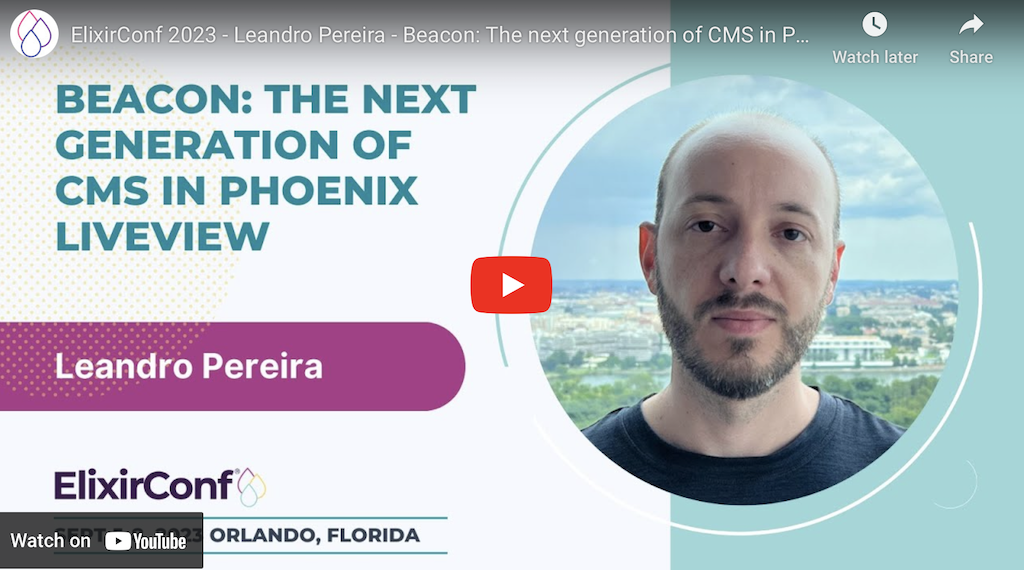
YouTube card - ElixirConf 2023 - Leandro Pereira - Beacon: The next generation of CMS in Phoenix LiveView

Local Development

The file dev.exs is a self-contained Phoenix application running Beacon with sample data and code reloading enabled. Follow these steps to get a site up and running:

  1. Install dependencies, build assets, and run database setup:
mix setup
  1. Execute the dev script:
iex --sname core@localhost -S mix dev

Note that running a named node isn't required unless you're running Beacon LiveAdmin for local development as well.

Finally, visit any of the routes defined in dev.exs, eg: http://localhost:4001/dev or http://localhost:4001/dev/sample

Looking for help with your Elixir project?

At DockYard we are ready to help you build your next Elixir project. We have a unique expertise in Elixir and Phoenix development that is unmatched and we love to write about Elixir.

Have a project in mind? Get in touch!

Frequently asked questions

Is beacon free to use?

beacon is open source under the MIT licence. There is no licence fee and no seat count — you can self-host it or, where the project offers one, pay a vendor for a managed version instead.

What does beacon do?

Open-source Content Management System (CMS) built with Phoenix LiveView. Faster render times to boost SEO performance, even for the most content-heavy pages.

What is beacon written in?

beacon is primarily written in Elixir. Its source is publicly available at https://github.com/BeaconCMS/beacon, and it has 1,264 GitHub stars.