[!NOTE] We are also working on Open Computer which gives an entire computer environment for AI Agents to use.
This will bring AnythingLLM's agent capabilities to a new level and a novel UX paradigm for AI Agent use.
⭐ Star the repo to stay updated!

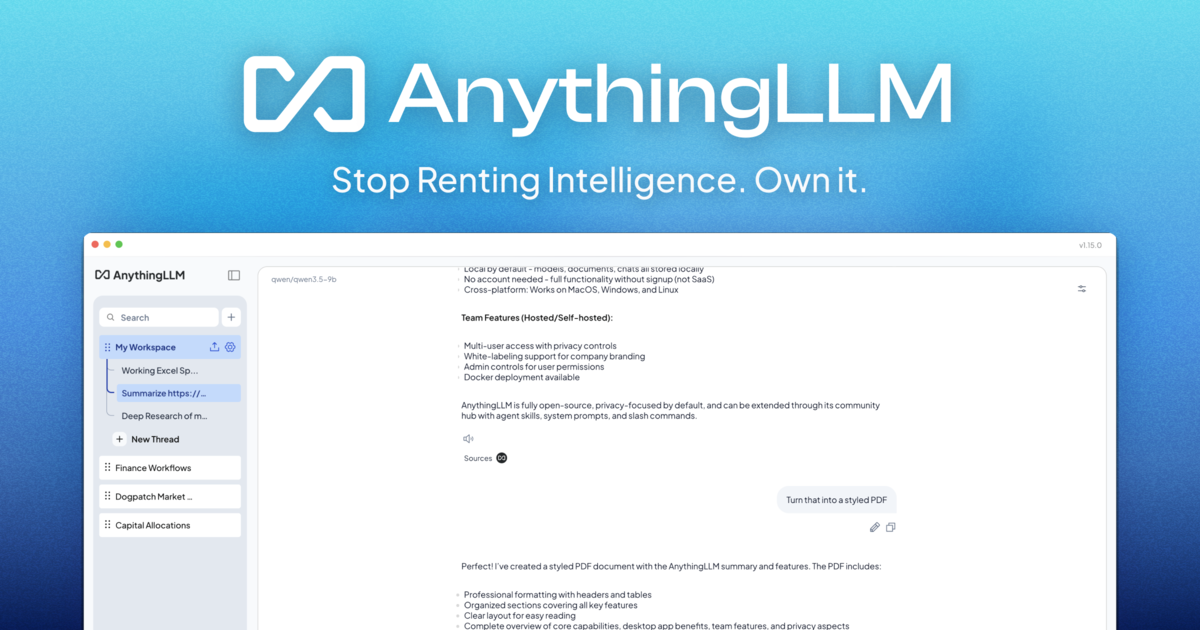
AnythingLLM: The all-in-one AI app you were looking for.
Chat with your docs, use AI Agents, hyper-configurable, multi-user, & no frustrating setup required.
 |

👉 AnythingLLM for desktop (Mac, Windows, & Linux)! Download Now
Chat with your docs. Automate complex workflows with AI Agents. Hyper-configurable, multi-user ready, battle-tested—and runs locally by default with zero setup friction.

Watch the demo!
Product Overview
AnythingLLM is the all-in-one AI application that lets you build a private, fully-featured ChatGPT—without compromises. Connect your favorite local or cloud LLM, ingest your documents, and start chatting in minutes. Out of the box you get built-in agents, multi-user support, vector databases, and document pipelines — no extra configuration required.
AnythingLLM supports multiple users as well where you can control the access and experience per user without compromising the security or privacy of the instance or your intellectual property.
Cool Features of AnythingLLM
- Dynamic Model Routing - Automatically route chats to the best provider & model for the conversation based on rules you define.
- Automatic & User Managed Memories - Have your LLM remember important information about you or your workspace.
- Scheduled Tasks - Run recurring tasks or prompts on a cron schedule with full agent capabilities.
- Intelligent Skill Selection Enable unlimited tools for your models while reducing token usage by up to 80% per query
- No-code AI Agent builder
- MCP-compatibility
- Multi-modal support (both closed and open-source LLMs!)
- Custom AI Agents
- 👤 Multi-user instance support and permissioning Docker version only
- 🦾 Agents inside your workspace (browse the web, etc)
- 💬 Custom Embeddable Chat widget for your website Docker version only
- 📖 Multiple document type support (PDF, TXT, DOCX, etc)
- Intuitive chat UI with drag-and-drop uploads and source citations.
- Production-ready for any cloud deployment.
- Works with all popular closed and open-source LLM providers.
- Built-in optimizations for large document sets—lower costs and faster responses than other chat UIs.
- Full Developer API for custom integrations!
- ...and much more—install in minutes and see for yourself.
Supported LLMs, Embedder Models, Speech models, and Vector Databases
Large Language Models (LLMs):
- Any open-source llama.cpp compatible model
- OpenAI
- OpenAI (Generic)
- Azure OpenAI
- AWS Bedrock
- Anthropic
- NVIDIA NIM (chat models)
- Google Gemini Pro
- Ollama (chat models)
- LM Studio (all models)
- LocalAI (all models)
- Together AI (chat models)
- Fireworks AI (chat models)
- Perplexity (chat models)
- OpenRouter (chat models)
- DeepSeek (chat models)
- Mistral
- Groq
- Cohere
- KoboldCPP
- LiteLLM
- Text Generation Web UI
- Apipie
- xAI
- Z.AI (chat models)
- Novita AI (chat models)
- PPIO
- Gitee AI
- Moonshot AI
- Microsoft Foundry Local
- CometAPI (chat models)
- llmman
- PrivateModeAI (chat models)
- SambaNova Cloud (chat models)
- Lemonade by AMD
- Minimax
- Cerebras (chat models)
- oMLX
Embedder models:
- AnythingLLM Native Embedder (default)
- OpenAI
- Azure OpenAI
- Gemini
- LocalAI (all)
- Ollama (all)
- LM Studio (all)
- Lemonade
- OpenRouter
- LiteLLM
- Cohere
- Voyage AI
- Mistral
- Generic OpenAI-compatible embedding APIs
Audio Transcription models:
- AnythingLLM Built-in (default)
- OpenAI
TTS (text-to-speech) support:
- Native Browser Built-in (default)
- PiperTTSLocal - runs in browser
- OpenAI TTS
- ElevenLabs
- Any OpenAI Compatible TTS service.
STT (speech-to-text) support:
- Native Browser Built-in (default)
Vector Databases:
Technical Overview
This monorepo consists of six main sections:
frontend: A viteJS + React frontend that you can run to easily create and manage all your content the LLM can use.server: A NodeJS express server to handle all the interactions and do all the vectorDB management and LLM interactions.collector: NodeJS express server that processes and parses documents from the UI.docker: Docker instructions and build process + information for building from source.embed: Submodule for generation & creation of the web embed widget.browser-extension: Submodule for the chrome browser extension.
🛳 Self-Hosting
Mintplex Labs & the community maintain a number of deployment methods, scripts, and templates that you can use to run AnythingLLM locally. Refer to the table below to read how to deploy on your preferred environment or to automatically deploy.
| Docker | AWS | GCP | Digital Ocean | Render.com |
|---|---|---|---|---|
 |
 |
 |
 |
 |
| Railway | RepoCloud | Elestio | Northflank | Sealos |
|---|---|---|---|---|
 |
 |
 |
 |
 |
or set up a production AnythingLLM instance without Docker →
How to setup for development
yarn setupTo fill in the required.envfiles you'll need in each of the application sections (from root of repo).- Go fill those out before proceeding. Ensure
server/.env.developmentis filled or else things won't work right.
- Go fill those out before proceeding. Ensure
yarn dev:serverTo boot the server locally (from root of repo).yarn dev:frontendTo boot the frontend locally (from root of repo).yarn dev:collectorTo then run the document collector (from root of repo).
Telemetry & Privacy
AnythingLLM by Mintplex Labs Inc contains a telemetry feature that collects anonymous usage information.
More about Telemetry & Privacy for AnythingLLM
Why?
We use this information to help us understand how AnythingLLM is used, to help us prioritize work on new features and bug fixes, and to help us improve AnythingLLM's performance and stability.
Opting out
Set DISABLE_TELEMETRY in your server or docker .env settings to "true" to opt out of telemetry. You can also do this in-app by going to the sidebar > Privacy and disabling telemetry.
What do you explicitly track?
We will only track usage details that help us make product and roadmap decisions, specifically:
Type of your installation (Docker or Desktop)
When a document is added or removed. No information about the document. Just that the event occurred. This gives us an idea of use.
Type of vector database in use. This helps us prioritize changes when updates arrive for that provider.
Type of LLM provider & model tag in use. This helps us prioritize changes when updates arrive for that provider or model, or combination thereof. eg: reasoning vs regular, multi-modal models, etc.
When a chat is sent. This is the most regular "event" and gives us an idea of the daily-activity of this project across all installations. Again, only the event is sent - we have no information on the nature or content of the chat itself.
You can verify these claims by finding all locations Telemetry.sendTelemetry is called. Additionally these events are written to the output log so you can also see the specific data which was sent - if enabled. No IP or other identifying information is collected. The Telemetry provider is PostHog - an open-source telemetry collection service.
We take privacy very seriously, and we hope you understand that we want to learn how our tool is used, without using annoying popup surveys, so we can build something worth using. The anonymous data is never shared with third parties, ever.
View all telemetry events in source code
Other outbound connections
If you disable telemetry, you would still see outbound connections to the following services:
- If using an external tool, LLM, Embedding models, or Vector databases, you will still see outbound connections to the respective service provider.
cdn.anythingllm.comfor pulling models from our mirror CDN. This is not tracked by telemetry and is actually useful for those in VPN restricted regions.github/githubusercontent.comThere are some various flat files that are downloaded from these domains for context window caching.
Basically, if telemetry is disabled we don't collect anything. However, depending on your setup you may still see outbound connections and would be subject to the terms of service of the respective service provider.
👋 Contributing
- Contributing to AnythingLLM - How to contribute to AnythingLLM.
💖 Sponsors
All Sponsors


🌟 Contributors
🔗 More Products
- AnythingLLM Mobile (MIT Licensed): A mobile application that allows you to use AnythingLLM on your mobile device.
- AnythingLLM Browser Extension: A browser extension that allows you to use AnythingLLM in your browser.
- AnythingLLM Embed: A widget that allows you to embed AnythingLLM in your website.

Copyright © 2026 Mintplex Labs.
This project is MIT licensed.