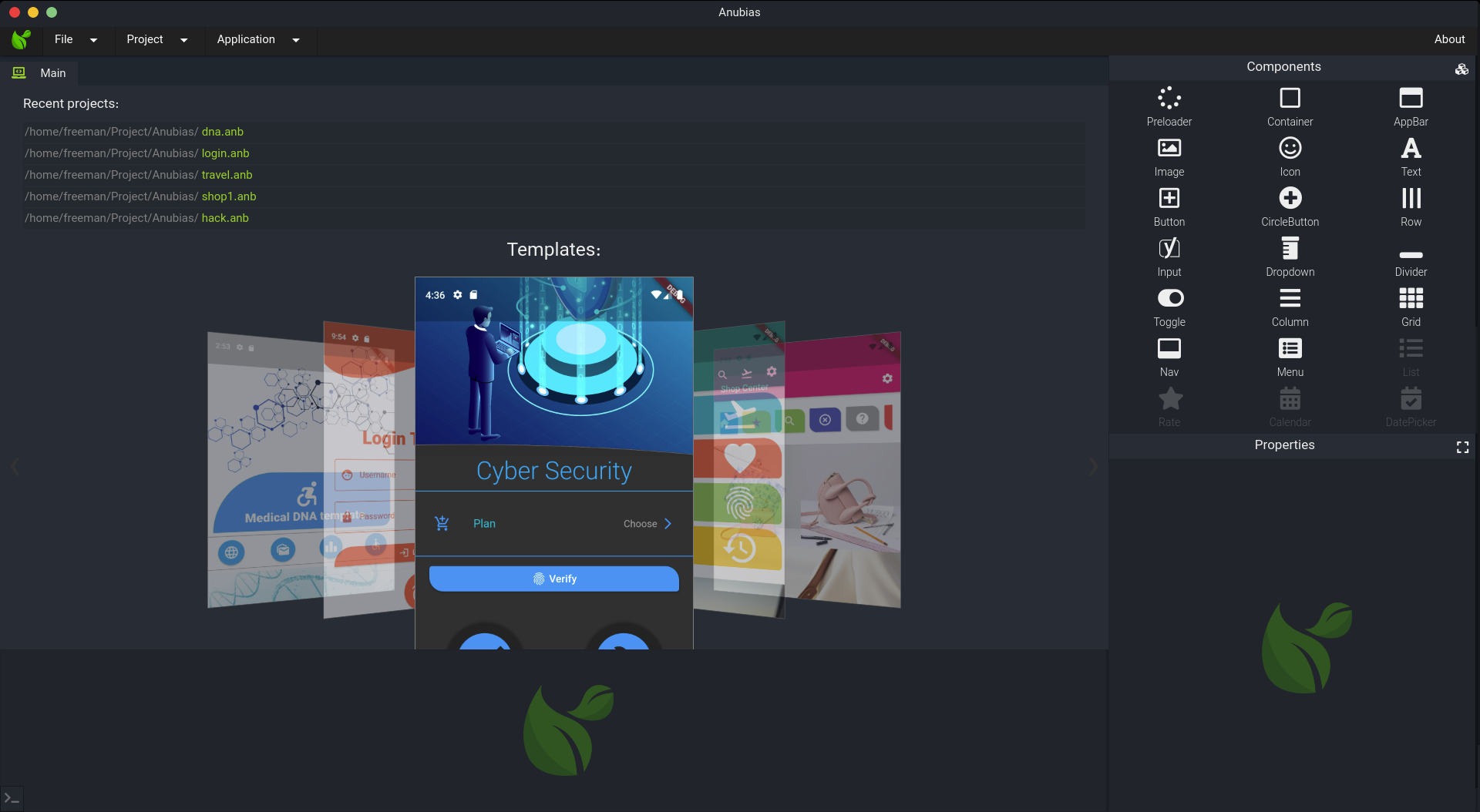
Anubias is a free, GPL-3.0-licensed desktop IDE with a drag-and-drop GUI for building Android, iOS, desktop, and web applications from one place.
What it is
Anubias is a cross-platform desktop application, written with Vue.js 3 and Vuex 4 and built on Tauri v2 with Rust, that presents a graphical environment for developing mobile, desktop, and web applications. Rather than writing interface code by hand, a developer assembles screens with a drag-and-drop component palette and then extends behaviour with xScript, a scripting language the project describes as looking like JavaScript. The tool targets Android and iOS as well as Windows, Linux, and macOS desktop targets and web applications.
The concrete problem Anubias addresses is the friction of setting up separate toolchains and writing layout code for each platform when a developer wants to produce an app for several of them. By giving one GUI-driven workspace that covers mobile, desktop, and web output, it removes the need to hand-author native interfaces for each target and lowers the entry barrier for people who prefer composing components visually rather than coding layouts directly.
Key capabilities
- Build Android and iOS mobile applications from the same workspace as Windows, Linux, and macOS desktop applications.
- Design interfaces with a drag-and-drop component GUI rather than by writing layout markup.
- Write application logic in xScript, a scripting language the project states looks like JavaScript.
- Produce web applications alongside the mobile and desktop targets.
- Start from free, ready-made templates described as easy to use.
- Run on all three desktop platforms, with downloads for Windows (including a portable build), macOS, Linux, and a hosted WebApp demo.
- Inspect and contribute to the source under the GPL v3 licence, with the repository's
v1 branch preserving version 1 documentation.
Who uses it and how
- Developers who want to ship the same app to Android and iOS without switching to a separate mobile toolchain.
- Hobbyists and beginners who prefer assembling screens with a visual palette over writing native interface code by hand.
- Teams building a single product that must also exist as a Windows, Linux, and macOS desktop application and as a web application.
- Contributors working through the documented fork, clone, change, and pull-request workflow, or reporting bugs as issues against
Anubias-Desktop.
- Users who take the hosted WebApp demo at
anubias.app/demo for a trial before installing anything locally.
Getting started
On Linux, install from the Snapcraft store with snap install anubias --classic; Windows, macOS, and portable builds are available from the download links on anubias.app, which also hosts the WebApp demo.
How it compares
Among the cross-platform desktop and app toolchains named in the project's own metadata, Anubias sits alongside Electron and Flutter but differs by centring the workflow on a drag-and-drop visual editor with its own xScript language rather than on hand-written code in an existing language. The README does not present direct comparisons with those tools, so the practical distinction is the GUI-first authoring model.
When to use it — and when not to
Choose it when a visual, template-driven workflow covering mobile, desktop, and web output from one desktop app is what you want, and skip it if you need a conventional code-first toolchain in a mainstream language or rely on documentation that must match the current release. Note that the README still describes version 1 while the master branch is version 2, so documentation may not reflect what the repository now contains; the project lists no open issues, and the Snapcraft package is the only install method the README documents.