What it is
Allure Report is a flexible, lightweight, multi-language test reporting tool that produces clear graphical reports from test execution data. It lives in the Data & Analytics / Business Intelligence & Reporting category, is written primarily in HTML, and is distributed under the Apache-2.0 license. The project is hosted at allurereport.org and maintained under the allure-framework organization, with topics covering allure, reporting, and reporting-engine. It has been in development for roughly ten years and carries 5,536 stars, 782 forks, and 87 open issues.
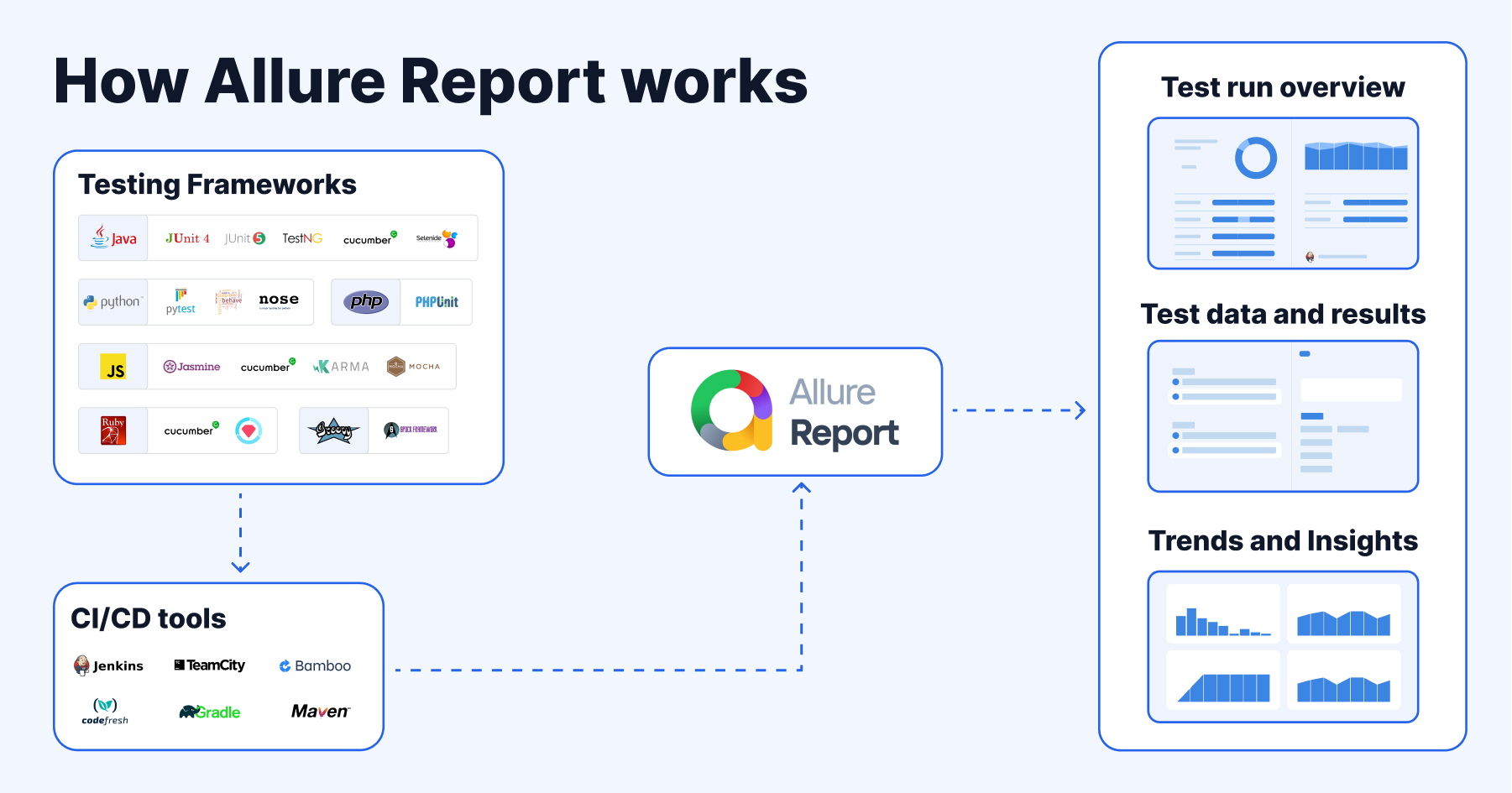
The concrete problem it solves is the gap between raw test output and information a team can act on. Test runners across different languages emit results in their own formats, which makes it hard to see what has been tested and to extract maximum value from everyday test execution. Allure Report addresses this by building unified reports for dozens of testing tools across eleven programming languages on several CI/CD systems, so results from heterogeneous stacks land in one graphical report rather than scattered logs.
Key capabilities
- Builds unified reports for dozens of testing tools across eleven programming languages.
- Runs on several CI/CD systems, so reports can be produced inside existing pipelines.
- Generates graphical reports that show a detailed representation of what has been tested.
- Supports extraction of information from everyday test execution rather than only pass/fail status.
- Ships as a command-line tool published to Maven Central as
io.qameta.allure:allure-commandline.
- Provides a live demo at demo.allurereport.org for exploring report output before installing.
- Maintains official documentation and a questions-and-support discussion category for users.
Who uses it and how
- QA and development teams running test suites in multiple languages who need one consolidated report format.
- Teams wiring reporting into CI/CD systems so each pipeline run produces a graphical report artifact.
- Engineers installing the command line through Homebrew with
brew install allure on macOS or Linux.
- Windows users installing through Scoop with
scoop install allure from the PowerShell command line.
- Organizations evaluating the commercial Allure TestOps platform from Qameta Software as a DevOps-ready testing platform layered on the same reporting approach.
Getting started
Grab the tool from the GitHub releases page under the Assets section, install with brew install allure via Homebrew, or run scoop install allure on Windows after installing Scoop. The command line artifact is also available from Maven Central, and a live demo is hosted at demo.allurereport.org.
When to use it — and when not to
Allure Report is the open-source reporting layer, while Allure TestOps is the commercial DevOps-ready testing platform offered by Qameta Software for product quality control and team productivity, so teams wanting a hosted management platform should look there instead. Self-hosters get a command-line tool rather than a server product: the README documents release assets, Homebrew, Scoop, and Maven Central distribution, and does not describe a bundled database, object storage, or mail service to operate. The main weakness visible in the facts is that deployment guidance stops at installing the command line, leaving pipeline integration and report hosting to the user.