




Web server with built-in support for HTTP/2, HTTP/3 (QUIC), Lua, Teal, Markdown, Pongo2, HyperApp, Amber, Sass(SCSS), GCSS, JSX, TypeScript, Ollama (LLMs), BoltDB (built-in, stores the database in a file, like SQLite), Redis, Valkey, PostgreSQL, SQLite, MariaDB, MySQL, MSSQL, IPv6, npm-less React 19, rate limiting, graceful shutdown, plugins, users and permissions.
All in one small self-contained executable.
Distro Packages

Quick installation
Requires Go 1.26 or later.
go install github.com/xyproto/algernon@latest
Or manually (development version):
git clone https://github.com/xyproto/algernon
cd algernon
go build -mod=vendor
./welcome.sh
Releases and pre-built images
See the release page for releases for a variety of platforms and architectures.
Getting Started
See TUTORIAL.md.
Docker
The Docker image is less than 17MB and can be tried out (on x86_64) with:
mkdir localhost
echo 'hi!' > localhost/index.md
docker run -it -p4000:4000 -v .:/srv/algernon xyproto/algernon
And then visiting http://localhost:4000 in a browser.
Technologies
Written in Go. Uses Bolt (built-in), MySQL, PostgreSQL, SQLite or Valkey/Redis (recommended) for the database backend, permissions2 for handling users and permissions, gopher-lua for interpreting and running Lua, optional Teal for type-safe Lua scripting, http2 for serving HTTP/2, quic-go for serving QUIC, gomarkdown/markdown for Markdown rendering, amber for Amber templates, Pongo2 for Pongo2 templates, Sass(SCSS) and GCSS for CSS preprocessing. logrus is used for logging, esbuild for bundling and converting JSX/TSX to JavaScript, tollbooth for rate limiting and pie for plugins.
Design decisions
- HTTP/2 over SSL/TLS (https) is used by default, if a certificate and key is given.
- If not, regular HTTP is used.
- HTTP/3 (QUIC) can be enabled with a flag.
- /data and /repos have user permissions, /admin has admin permissions and / is public, by default. This is configurable.
- The following filenames are special, in prioritized order:
- index.lua is Lua code that is interpreted as a handler function for the current directory.
- index.html is HTML that is outputted with the correct Content-Type.
- index.md is Markdown code that is rendered as HTML.
- index.txt is plain text that is outputted with the correct Content-Type.
- index.pongo2, index.po2 or index.tmpl is Pongo2 code that is rendered as HTML.
- index.amber is Amber code that is rendered as HTML.
- index.hyper.js, index.hyper.jsx or index.happ is JSX+HyperApp code that is rendered as HTML.
- index.jsx is a React JSX/JavaScript file that is rendered as HTML with bundled JavaScript.
- index.tsx is a React TSX/TypeScript file that is rendered as HTML with bundled JavaScript.
- index.tl is Teal code that is interpreted as a handler function for the current directory.
- index.prompt is a content-type, an Ollama model, a blank line and a prompt, for generating content with LLMs.
- data.lua is Lua code, where the functions and variables are made available for Pongo2, Amber and Markdown pages in the same directory.
- If a single Lua script is given as a command line argument, it will be used as a standalone server. It can be used for setting up handlers or serving files and directories for specific URL prefixes.
- style.gcss is GCSS code that is used as the style for all Pongo2, Amber and Markdown pages in the same directory.
- The following filename extensions are handled by Algernon:
- Markdown: .md (rendered as HTML)
- Pongo2: .po2, .pongo2 or .tpl (rendered as any text, typically HTML)
- Amber: .amber (rendered as HTML)
- Sass: .scss (rendered as CSS)
- GCSS: .gcss (rendered as CSS)
- JSX: .jsx (rendered as JavaScript/ECMAScript)
- TypeScript: .ts, .tsx (rendered as JavaScript/ECMAScript)
- Lua: .lua (a script that provides its own output and content type)
- Teal: .tl (same as .lua but with type safety)
- HyperApp: .hyper.js or .hyper.jsx (rendered as HTML)
- Other files are given a mimetype based on the extension.
- Directories without an index file are shown as a directory listing, where the design is hard coded.
- UTF-8 is used whenever possible.
- The server can be configured by command line flags or with a lua script, but no configuration should be needed for getting started.
Features and limitations
- Supports HTTP/2, with or without HTTPS (browsers may require HTTPS when using HTTP/2).
- Also supports HTTP/3 (QUIC) and regular HTTP.
- Can use Lua scripts as handlers for HTTP requests.
- The Algernon executable is compiled to native and is reasonably fast.
- Works on Linux, macOS and 64-bit Windows.
- The Lua interpreter is compiled into the executable.
- The Teal typechecker is loaded into the Lua VM.
- Live editing/preview when using the auto-refresh feature.
- The use of Lua allows for short development cycles, where code is interpreted when the page is refreshed (or when the Lua file is modified, if using auto-refresh).
- Self-contained Algernon applications can be zipped into an archive (ending with
.zipor.alg) and be loaded at start. - Built-in support for Markdown, Pongo2, Amber, Sass(SCSS), GCSS and JSX/TSX.
- Redis is used for the database backend, by default.
- Algernon will fall back to the built-in Bolt database if no Redis server is available.
- The HTML title for a rendered Markdown page can be provided by the first line specifying the title, like this:
title: Title goes here. This is a subset of MultiMarkdown. - No file converters needs to run in the background (like for SASS). Files are converted on the fly.
- If
-autorefreshis enabled, the browser will automatically refresh pages when the source files are changed. Works for Markdown, Lua error pages and Amber (including Sass, GCSS and data.lua). This only works on Linux and macOS, for now. If listening for changes on too many files, the OS limit for the number of open files may be reached. - Includes an interactive REPL.
- If only given a Markdown filename as the first argument, it will be served on port 3000, without using any database, as regular HTTP. This can be handy for viewing
README.mdfiles locally. Use-mto display it in a browser and only serve it once. - Full multi-threading. All available CPUs will be used.
- Supports rate limiting, by using tollbooth.
- The
helpcommand is available at the Lua REPL, for a quick overview of the available Lua functions. - Can load plugins written in any language. Plugins must offer the
Lua.CodeandLua.Helpfunctions and talk JSON-RPC over stderr+stdin. See pie for more information. Sample plugins for Go and Python are in thepluginsdirectory. - Thread-safe file caching is built-in, with several available cache modes (for only caching images, for example).
- Can read from and save to JSON documents. Supports simple JSON path expressions (like a simple version of XPath, but for JSON).
- If cache compression is enabled, files that are stored in the cache can be sent directly from the cache to the client, without decompressing.
- Files that are sent to the client are compressed with gzip, unless they are under 4096 bytes.
- When using PostgreSQL, the HSTORE key/value type is used (available in PostgreSQL version 9.1 or later).
- No external dependencies, only pure Go.
- Requires Go >= 1.26 or a version of GCC/
gccgothat supports Go 1.26. - The Lua implementation used in Algernon (gopherlua) does not support
package.loadlib. - Full support for IPv6.
Q&A
Q:
What is the benefit of using this? In what scenario would this excel? Thanks. -- mtw@HN.
A:
Good question. I'm not sure if it excels in any scenario. There are specialized web servers that excel at caching or at raw performance. There are dedicated backends for popular front-end toolkits like Vue or React. There are dedicated editors that excel at editing and previewing Markdown, or HTML.
I guess the main benefit is that Algernon covers a lot of ground, with a minimum of configuration, while being powerful enough to have a plugin system and support for programming in Lua. There is an auto-refresh feature that uses Server Sent Events, when editing Markdown or web pages. There is also support for the latest in Web technologies, like HTTP/2, QUIC and TLS 1.3. The caching system is decent. And the use of Go ensures that also smaller platforms like NetBSD and systems like Raspberry Pi are covered. There are no external dependencies, so Algernon can run on any system that Go can support.
The main benefit is that is is versatile, fresh, and covers many platforms and use cases.
For a more specific description of a potential benefit, a more specific use case would be needed.
Installation
macOS
- Install Homebrew, if needed.
brew install algernon
Arch Linux
pacman -S algernon
Any system where Go is available
This method is using the latest commit from the main branch:
go install github.com/xyproto/algernon@main
If neeed, add ~/go/bin to the path. For example: export PATH=$PATH:$HOME/go/bin.
Utilities
- Comes with the
alg2dockerutility (incontainers/alg2docker), for creating Docker images from Algernon web applications (.algfiles). - http2check can be used for checking if a web server is offering HTTP/2.
Overview
Running Algernon:
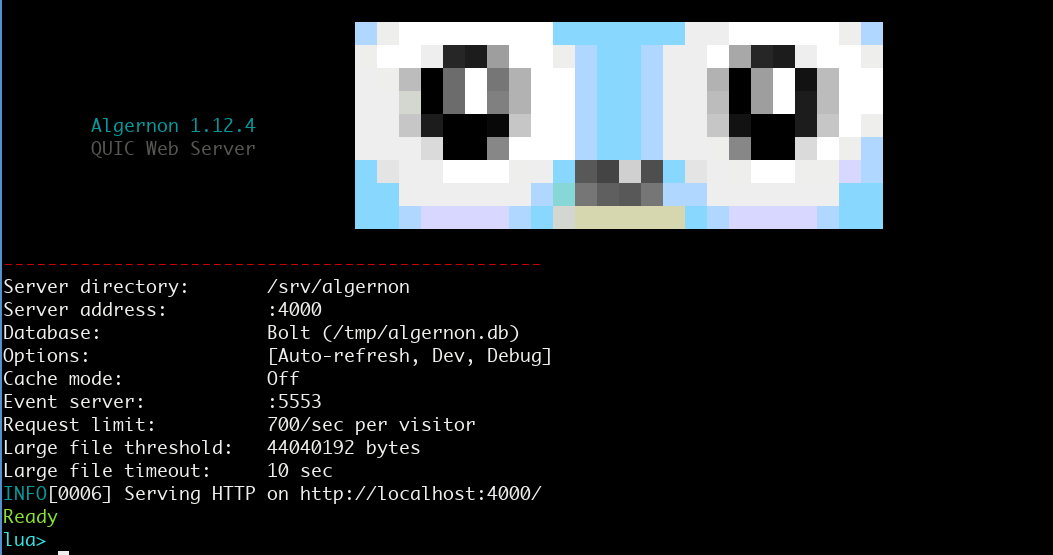
Screenshot of an earlier version:
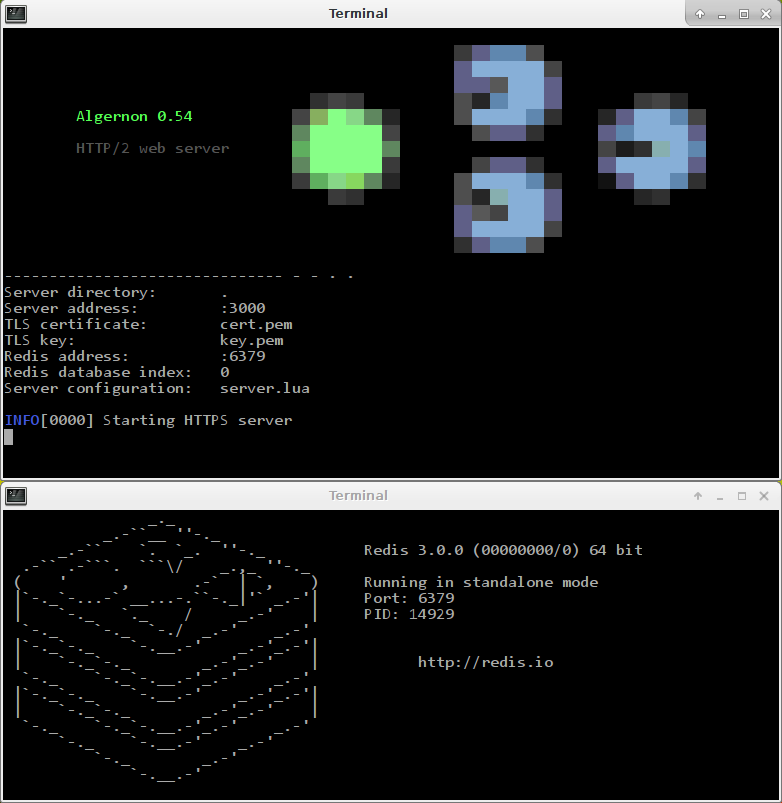
The idea is that web pages can be written in Markdown, Pongo2, Amber, HTML or JSX (+React or HyperApp), depending on the need, and styled with CSS, Sass(SCSS) or GCSS, while data can be provided by a Lua or Teal script that talks to Redis, BoltDB, PostgreSQL, MSQL or MariaDB/MySQL.
Amber and GCSS is a good combination for static pages, that allows for more clarity and less repetition than HTML and CSS. It˙s also easy to use Lua for providing data for the Amber templates, which helps separate model, controller and view.
Pongo2, Sass and Lua or Teal also combines well. Pongo2 is more flexible than Amber.
The auto-refresh feature is supported when using Markdown, Pongo2 or Amber, and is useful to get an instant preview when developing.
The JSX to JavaScript (ECMAscript) transpiler is built-in.
Redis is fast, scalable and offers good data persistence. This should be the preferred backend.
Bolt is a pure key/value store, written in Go. It makes it easy to run Algernon without having to set up a database host first. MariaDB/MySQL support is included because of its widespread availability.
PostgreSQL is a solid and fast database that is also supported.
Screenshots
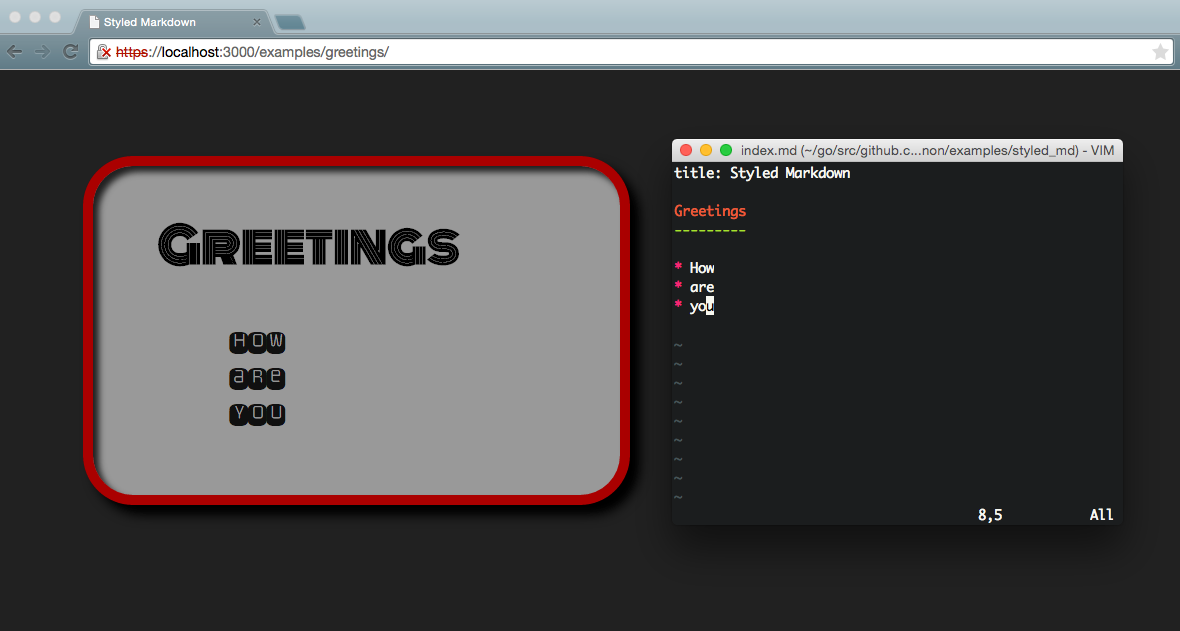
Markdown can easily be styled with Sass or GCSS.
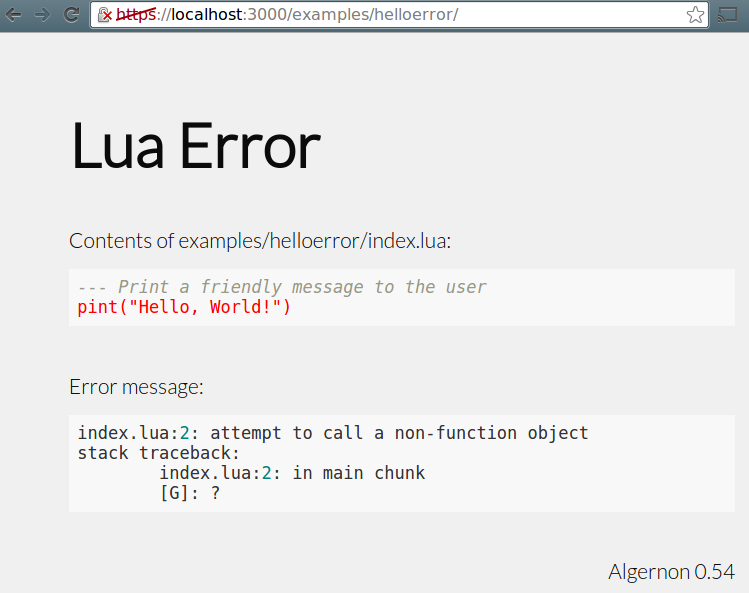
This is how errors in Lua scripts are handled, when Debug mode is enabled.
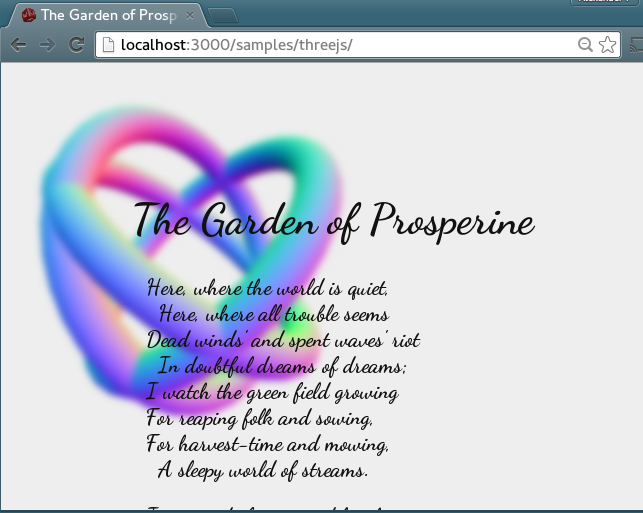
One of the poems of Algernon Charles Swinburne, with three rotating tori in the background. Uses CSS3 for the Gaussian blur and three.js for the 3D graphics.
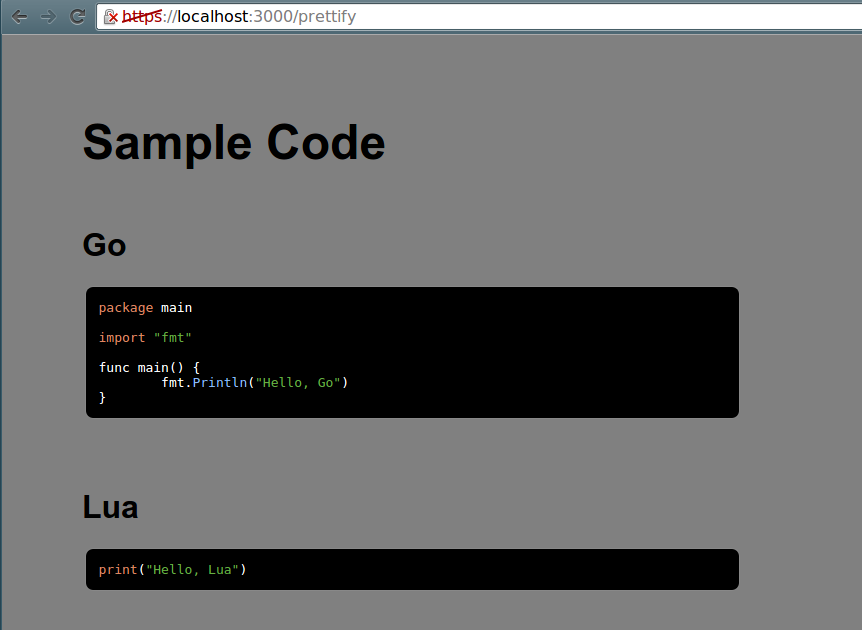
Screenshot of the prettify sample. Served from a single Lua script.
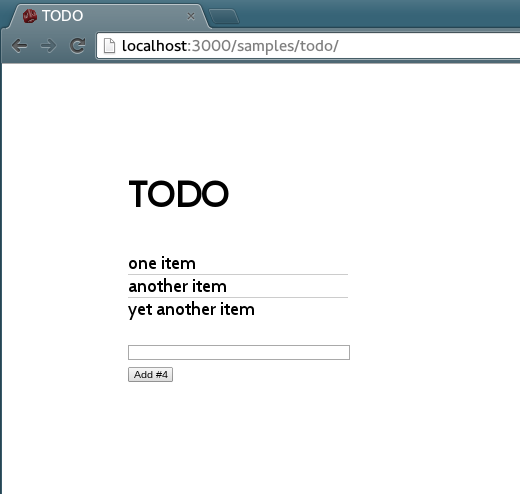
JSX transforms are built-in. Using React together with Algernon is easy.
Samples
The sample collection can be downloaded from the samples directory in this repository, or here: samplepack.zip.
Getting started
Run Algernon in "dev" mode
This enables debug mode, uses the internal Bolt database, uses regular HTTP instead of HTTPS+HTTP/2 and enables caching for all files except: Pongo2, Amber, Lua, Teal, Sass, GCSS, Markdown and JSX.
algernon -e
Then try creating an index.lua file with print("Hello, World!") and visit the served web page in a browser.
Configure the required ports for local use
- You may need to change the firewall settings for port 3000, if you wish to use the default port for exploring the samples.
- For the auto-refresh feature to work, port 5553 must be available (or another host/port of your choosing, if configured otherwise).
Prepare for running the samples
git clone https://github.com/xyproto/algernon
cd algernon
make
Launch the "welcome" page
- Run
./welcome.shto start serving the "welcome" sample. - Visit
http://localhost:3000/
Create your own Algernon application, for regular HTTP
mkdir mypagecd mypage- Create a file named
index.lua, with the following contents:print("Hello, Algernon") - Start
algernon --httponly --autorefresh. - Visit
http://localhost:3000/. - Edit
index.luaand refresh the browser to see the new result. - If there were errors, the page will automatically refresh when
index.luais changed. - Markdown, Pongo2 and Amber pages will also refresh automatically, as long as
-autorefreshis used.
Create your own Algernon application, for HTTP/2 + HTTPS
mkdir mypagecd mypage- Create a file named
index.lua, with the following contents:print("Hello, Algernon") - Create a self-signed certificate, just for testing:
openssl req -x509 -newkey rsa:4096 -keyout key.pem -out cert.pem -days 3000 -nodes- Press return at all the prompts, but enter
localhostat Common Name. - For production, store the keys in a directory with as strict permissions as possible, then specify them with the
--certand--keyflags. - Start
algernon. - Visit
https://localhost:3000/. - If you have not imported the certificates into the browser, nor used certificates that are signed by trusted certificate authorities, perform the necessary clicks to confirm that you wish to visit this page.
- Edit
index.luaand refresh the browser to see the result (or a Lua error message, if the script had a problem).
There is also a small tutorial.
Using AI / LLMs / Ollama
- The
ollamaserver must be running locally, or ahost:portmust be set in theOLLAMA_HOSTenvironment variable.
For example, using the default qwen2.5-coder:1.5b model (will be downloaded at first use, the size is 637 MiB and it should run anywhere).
lua> ollama()
Autumn leaves, crisp air, poetry flowing - this is what comes to mind when I think of Algernon.

lua> ollama("Write a haiku about software developers")
The software developer,
In silence, tapping at keys,
Creating digital worlds.
Using OllamaClient and the mixtral model (will be downloaded at first use, the size is 26 GiB and it might require quite a bit of RAM and also a fast CPU and/or GPU).
lua> oc = OllamaClient("mixtral")
lua> oc:ask("Write a quicksort function in OCaml")
Sure! Here's an implementation of the quicksort algorithm in OCaml:

let rec qsort = function
  | [] -> []
  | pivot :: rest ->
      let smaller, greater = List.partition (fun x -> x < pivot) rest in
      qsort smaller @ [pivot] @ qsort greater

This function takes a list as input and returns a new list with the same elements but sorted in ascending order using the quicksort algorithm. The `qsort` funct.

Here are some examples of using the `qsort` function:

# qsort [5; 2; 9; 1; 3];;
- : int list = [1; 2; 3; 5; 9]

# qsort ["apple"; "banana"; "cherry"];;
- : string list = ["apple"; "banana"; "cherry"]

# qsort [3.14; 2.718; 1.618];;
- : float list = [1.618; 2.718; 3.14]

I hope this helps! Let me know if you have any questions or need further clarification.
Example use of finding the distance between how the LLM models interpret the prompts:
lua> oc = OllamaClient("llama3")
lua> oc:distance("cat", "dog")
0.3629187146002938
lua> oc:distance("cat", "kitten")
0.3584441305547792
lua> oc:distance("dog", "puppy")
0.2825554473355113
lua> oc:distance("dog", "kraken", "manhattan")
7945.885516248905
lua> oc:distance("dog", "kraken", "cosine")
0.5277307399621305
As you can tell, according to Llama3, "dog" is closer to "puppy" (0.28) than "cat" is to "kitten" (0.36) and "dog" is very different from "kraken" (0.53).
The available distance measurement algorithms are: cosine, euclidean, manhattan, chebyshev and hamming. The default metric is cosine.
Available Ollama models are available here: Ollama Library.
There is also support for .prompt files that can generate contents, such as HTML pages, in a reproducible way. The results will be cached for as long as Algernon is running.
Example index.prompt file:
text/html
gemma

Generate a fun and over the top web page that demonstrates the use of CSS animations and JavaScript.
Everything should be inline in one HTML document. Only output the full and complete HTML document.
The experimental prompt format is very simple:
- The first line is the
content-type. - The second line is the Ollama model, such as
qwen2.5-coder:1.5b:latestor justqwen2.5-coder:1.5b. - The third line is blank.
- The rest of the lines are the prompt that will be passed to the large language model.
Note that the Ollama server must be fast enough to reply within 10 seconds for this to work!
qwen2.5-coder:1.5b should be fast enough with a good GPU or on an M1/M2/M3 processor.
For more fine-grained control, try using the Ollama-related Lua functions instead, and please create a PR or issue if something central is missing.
The ClearCache() function can be used at the Algernon Lua prompt to also clear the AI cache.
Basic Lua functions
// Return the version string for the server.
version() -> string

// Sleep the given number of seconds (can be a float).
sleep(number)

// Log the given strings as information. Takes a variable number of strings.
log(...)

// Log the given strings as a warning. Takes a variable number of strings.
warn(...)

// Log the given strings as an error. Takes a variable number of strings.
err(...)

// Return the number of nanoseconds from 1970 ("Unix time")
unixnano() -> number

// Convert Markdown to HTML
markdown(string) -> string

// Sanitize HTML
sanhtml(string) -> string

// Return the directory where the REPL or script is running. If a filename (optional) is given, then the path to where the script is running, joined with a path separator and the given filename, is returned.
scriptdir([string]) -> string

// Read a glob, ie. "*.md" in the current script directory, or the given directory (optional). The contents of all found files are returned as a table.
readglob(string[, string]) -> table

// Return the directory where the server is running. If a filename (optional) is given, then the path to where the server is running, joined with a path separator and the given filename, is returned.
serverdir([string]) -> string
Lua functions for handling requests
// Set the Content-Type for a page.
content(string)

// Return the requested HTTP method (GET, POST etc).
method() -> string

// Output text to the browser/client. Takes a variable number of strings.
print(...)

// Same as print, but does not add a newline at the end.
print_nonl(...)

// Return the requested URL path.
urlpath() -> string

// Return the remote address ("host:port") of the connected client.
remoteaddr() -> string

// Return the HTTP header in the request, for a given key, or an empty string.
header(string) -> string

// Set an HTTP header given a key and a value.
setheader(string, string)

// Return the HTTP headers, as a table.
headers() -> table

// Return the HTTP body in the request (will only read the body once, since it's streamed).
body() -> string

// Set a HTTP status code (like 200 or 404). Must be used before other functions that writes to the client!
status(number)

// Set a HTTP status code and output a message (optional).
error(number[, string])

// Serve a file that exists in the same directory as the script. Takes a filename.
serve(string)

// Serve a Pongo2 template file, with an optional table with template key/values.
serve2(string[, table)

// Return the rendered contents of a file that exists in the same directory as the script. Takes a filename.
render(string) -> string

// Return a table with keys and values as given in a posted form, or as given in the URL.
formdata() -> table

// Return a table with keys and values as given in the request URL, or in the given URL (`/some/page?x=7` makes the key `x` with the value `7` available).
urldata([string]) -> table

// Redirect to an absolute or relative URL. May take an HTTP status code that will be used when redirecting.
// Returns false if the connection has been closed.
redirect(string[, number]) -> bool

// Permanent redirect to an absolute or relative URL. Uses status code 302.
// Returns false if the connection has been closed.
permanent_redirect(string) -> bool

// Send "Connection: close" as a header to the client, flush the body and also
// stop Lua functions from writing more data to the HTTP body.
close()

// Transmit what has been outputted so far, to the client. Returns true if it worked out and the connection has not been closed.
flush() -> bool
Lua functions for formatted output
// Output rendered Markdown to the browser/client. The given text is converted from Markdown to HTML. Takes a variable number of strings. A script tag may also be added.
mprint(...)

// Output rendered Markdown to the browser/client. The given text is converted from Markdown to HTML. Takes a variable number of strings. If a script tag needs to be added to the HTML, it is returned as a string.
mprint_ret(...) -> string

// Output rendered Amber to the browser/client. The given text is converted from Amber to HTML. Takes a variable number of strings.
aprint(...)

// Output rendered GCSS to the browser/client. The given text is converted from GCSS to CSS. Takes a variable number of strings.
gprint(...)

// Output rendered HyperApp JSX to the browser/client. The given text is converted from JSX to JavaScript. Takes a variable number of strings.
hprint(...)

// Output rendered React JSX to the browser/client. The given text is converted from JSX to JavaScript. Takes a variable number of strings.
jprint(...)

// Output rendered HTML to the browser/client. The given text is converted from Pongo2 to HTML. The first argument is the Pongo2 template and the second argument is a table. The keys in the table can be referred to in the template.
poprint(string[, table])

// Output a simple HTML page with a message, title and theme.
// The title and theme are optional.
msgpage(string[, string][, string])
Lua functions related to JSON
Tips:
- Use
JFile(filename)to use or store a JSON document in the same directory as the Lua script. - A JSON path is on the form
x.mapkey.listname[2].mapkey, where[,]and.have special meaning. It can be used for pinpointing a specific place within a JSON document. It's a bit like a simple version of XPath, but for JSON. - Use
tostring(userdata)to fetch the JSON string from the JFile object.
// Use, or create, a JSON document/file.
JFile(filename) -> userdata

// Takes a JSON path. Returns a string value, or an empty string.
jfile:getstring(string) -> string

// Takes a JSON path. Returns a JNode or nil.
jfile:getnode(string) -> userdata

// Takes a JSON path. Returns a value or nil.
jfile:get(string) -> value

// Takes a JSON path (optional) and JSON data to be added to the list.
// The JSON path must point to a list, if given, unless the JSON file is empty.
// "x" is the default JSON path. Returns true on success.
jfile:add([string, ]string) -> bool

// Take a JSON path and a string value. Changes the entry. Returns true on success.
jfile:set(string, string) -> bool

// Remove a key in a map. Takes a JSON path, returns true on success.
jfile:delkey(string) -> bool

// Convert a Lua table, where keys are strings and values are strings or numbers, to JSON.
// Takes an optional number of spaces to indent the JSON data.
// (Note that keys in JSON maps are always strings, ref. the JSON standard).
json(table[, number]) -> string

// Create a JSON document node.
JNode() -> userdata

// Add JSON data to a node. The first argument is an optional JSON path.
// The second argument is a JSON data string. Returns true on success.
// "x" is the default JSON path.
jnode:add([string, ]string) -> bool

// Given a JSON path, retrieves a JSON node.
jnode:get(string) -> userdata

// Given a JSON path, retrieves a JSON string.
jnode:getstring(string) -> string

// Given a JSON path and a JSON string, set the value.
jnode:set(string, string)

// Given a JSON path, remove a key from a map.
jnode:delkey(string) -> bool

// Return the JSON data, nicely formatted.
jnode:pretty() -> string

// Return the JSON data, as a compact string.
jnode:compact() -> string

// Sends JSON data to the given URL. Returns the HTTP status code as a string.
// The content type is set to "application/json; charset=utf-8".
// The second argument is an optional authentication token that is used for the
// Authorization header field.
jnode:POST(string[, string]) -> string

// Alias for jnode:POST
jnode:send(string[, string]) -> string

// Same as jnode:POST, but sends HTTP PUT instead.
jnode:PUT(string[, string]) -> string

// Fetches JSON over HTTP given an URL that starts with http or https.
// The JSON data is placed in the JNode. Returns the HTTP status code as a string.
jnode:GET(string) -> string

// Alias for jnode:GET
jnode:receive(string) -> string

// Convert from a simple Lua table to a JSON string
JSON(table) -> string
Lua functions for making HTTP requests
Quick example: GET("http://ix.io/1FTw")
// Create a new HTTP Client object
HTTPClient() -> userdata

// Select Accept-Language (ie. "en-us")
hc:SetLanguage(string)

// Set the request timeout (in milliseconds)
hc:SetTimeout(number)

// Set a cookie (name and value)
hc:SetCookie(string, string)

// Set the user agent (ie. "curl")
hc:SetUserAgent(string)

// Perform a HTTP GET request. First comes the URL, then an optional table with
// URL parameters, then an optional table with HTTP headers.
hc:Get(string, [table], [table]) -> string

// Perform a HTTP POST request. It's the same arguments as for `Get`, except
// the fourth optional argument is the POST body.
hc:Post(string, [table], [table], [string]) -> string

// Like `Get`, except the first argument is the HTTP method (like "PUT")
hc:Do(string, string, [table], [table]) -> string

// Shorthand for HTTPClient():Get()
GET(string, [table], [table]) -> string

// Shorthand for HTTPClient():Post()
POST(string, [table], [table], [string]) -> string

// Shorthand for HTTPClient():Do()
DO(string, string, [table], [table]) -> string
Lua functions for AI
// Connect to the local Ollama server and use either the `qwen2.5-coder:1.5b` model, or the supplied model string (like ie. mixtral:latest).
// Also takes an optional host address.
OllamaClient([string], [string]) -> userdata

// Download the required model, if needed. This may take a while if the model is large.
oc:pull()

// Pass a prompt to Ollama and return the reproducible generated output. If no prompt is given, it will request a poem about Algernon.
// Can also take an optional model name, which will trigger a download if the model is missing.
oc:ask([string], [string]) -> string

// Pass a prompt to Ollama and return the generated output that will differ every time.
// Can also take an optional model name, which will trigger a download if the model is missing.
oc:creative([string], [string]) -> string

// Check if the given model name is downloaded and ready
oc:has(string)

// List all models that are downloaded and ready
oc:list()

// Get or set the currently active model name, but does not pull anything
oc:model([string])

// Get the size of the given model name as a human-friendly string
oc:size(string) -> string

// Get the size of the given model name, in bytes
oc:bytesize(string) -> number

// Given two prompts, return how similar they are.
// The first optional string is the algorithm for measuring the distance: cosine, euclidean, manhattan, chebyshev or hamming.
// Only the two first letters of the algorithm name are needed, so "co" or "ma" are also valid. The default is cosine.
// The second optional string is the model name.
oc:distance(string, string, [string], [string]) -> number

// Convenience function for the local Ollama server that takes an optional prompt and an optional model name.
// Generates a poem with the `qwen2.5-coder:1.5b` model by default.
ollama([string], [string]) -> string

// Convenience function for Base64-encoding the given file
base64EncodeFile(string) -> string

// Describe the given base64-encoded image using Ollama (and the `llava-llama3` model, by default)
describeImage(string, [string]) -> string

// Given two embeddings (tables of floats, representing text or data), return how similar they are.
// The optional string is the algorithm for measuring the distance: cosine, euclidean, manhattan, chebyshev or hamming.
// Only the two first letters of the algorithm name are needed, so "co" or "ma" are also valid. The default is cosine.
embeddedDistance(table, table, [string]) -> number
Lua functions for plugins
// Load a plugin given the path to an executable. Returns true on success. Will return the plugin help text if called on the Lua prompt.
// Pass in true as the second argument to keep it running.
Plugin(string, [bool])

// Returns the Lua code as returned by the Lua.Code function in the plugin, given a plugin path. May return an empty string.
// Pass in true as the second argument to keep it running.
PluginCode(string, [bool]) -> string

// Takes a plugin path, function name and arguments. Returns an empty string if the function call fails, or the results as a JSON string if successful.
CallPlugin(string, string, ...) -> string
Lua functions for code libraries
These functions can be used in combination with the plugin functions for storing Lua code returned by plugins when serverconf.lua is loaded, then retrieve the Lua code later, when handling requests. The code is stored in the database.
// Create or uses a code library object. Optionally takes a data structure name as the first parameter.
CodeLib([string]) -> userdata

// Given a namespace and Lua code, add the given code to the namespace. Returns true on success.
codelib:add(string, string) -> bool

// Given a namespace and Lua code, set the given code as the only code in the namespace. Returns true on success.
codelib:set(string, string) -> bool

// Given a namespace, return Lua code, or an empty string.
codelib:get(string) -> string

// Import (eval) code from the given namespace into the current Lua state. Returns true on success.
codelib:import(string) -> bool

// Completely clear the code library. Returns true on success.
codelib:clear() -> bool
Lua functions for file uploads
// Creates a file upload object. Takes a form ID (from a POST request) as the first parameter.
// Takes an optional maximum upload size (in MiB) as the second parameter.
// Returns nil and an error string on failure, or userdata and an empty string on success.
UploadedFile(string[, number]) -> userdata, string

// Return the uploaded filename, as specified by the client
uploadedfile:filename() -> string

// Return the size of the data that has been received
uploadedfile:size() -> number

// Return the mime type of the uploaded file, as specified by the client
uploadedfile:mimetype() -> string

// Return the full textual content of the uploaded file
uploadedfile:content() -> string

// Save the uploaded data locally. Takes an optional filename. Returns true on success.
uploadedfile:save([string]) -> bool

// Save the uploaded data as the client-provided filename, in the specified directory.
// Takes a relative or absolute path. Returns true on success.
uploadedfile:savein(string)  -> bool

// Return the uploaded data as a base64-encoded string
uploadedfile:base64() -> string
Lua functions for the file cache
// Return information about the file cache.
CacheInfo() -> string

// Clear the file cache.
ClearCache()

// Load a file into the cache, returns true on success.
preload(string) -> bool
Lua functions for data structures
Set
// Get or create a database-backed Set (takes a name, returns a set object)
Set(string) -> userdata

// Add an element to the set
set:add(string)

// Remove an element from the set
set:del(string)

// Check if a set contains a value
// Returns true only if the value exists and there were no errors.
set:has(string) -> bool

// Get all members of the set
set:getall() -> table

// Remove the set itself. Returns true on success.
set:remove() -> bool

// Clear the set
set:clear() -> bool
List
// Get or create a database-backed List (takes a name, returns a list object)
List(string) -> userdata

// Add an element to the list
list:add(string)

// Get all members of the list
list:getall() -> table

// Get the last element of the list
// The returned value can be empty
list:getlast() -> string

// Get the N last elements of the list
list:getlastn(number) -> table

// Remove the list itself. Returns true on success.
list:remove() -> bool

// Clear the list. Returns true on success.
list:clear() -> bool

// Return all list elements (expected to be JSON strings) as a JSON list
list:json() -> string
HashMap
// Get or create a database-backed HashMap (takes a name, returns a hash map object)
HashMap(string) -> userdata

// For a given element id (for instance a user id), set a key
// (for instance "password") and a value.
// Returns true on success.
hash:set(string, string, string) -> bool

// For a given element id (for instance a user id), and a key
// (for instance "password"), return a value.
// Returns a value only if they key was found and if there were no errors.
hash:get(string, string) -> string

// For a given element id (for instance a user id), and a key
// (for instance "password"), check if the key exists in the hash map.
// Returns true only if it exists and there were no errors.
hash:has(string, string) -> bool

// For a given element id (for instance a user id), check if it exists.
// Returns true only if it exists and there were no errors.
hash:exists(string) -> bool

// Get all keys of the hash map
hash:getall() -> table

// Remove a key for an entry in a hash map
// (for instance the email field for a user)
// Returns true on success
hash:delkey(string, string) -> bool

// Remove an element (for instance a user)
// Returns true on success
hash:del(string) -> bool

// Remove the hash map itself. Returns true on success.
hash:remove() -> bool

// Clear the hash map. Returns true on success.
hash:clear() -> bool
KeyValue
// Get or create a database-backed KeyValue collection (takes a name, returns a key/value object)
KeyValue(string) -> userdata

// Set a key and value. Returns true on success.
kv:set(string, string) -> bool

// Takes a key, returns a value.
// Returns an empty string if the function fails.
kv:get(string) -> string

// Takes a key, returns the value+1.
// Creates a key/value and returns "1" if it did not already exist.
// Returns an empty string if the function fails.
kv:inc(string) -> string

// Remove a key. Returns true on success.
kv:del(string) -> bool

// Remove the KeyValue itself. Returns true on success.
kv:remove() -> bool

// Clear the KeyValue. Returns true on success.
kv:clear() -> bool
Lua functions for external databases
SQLite
// Query a SQLite database with a SQL query and an optional filename
// The default filename is "sqlite.db" and the default query is "SELECT sqlite_version()"
SQLite([string], [string]) -> table
Database connections are re-used if they still answer to .Ping(), for the same filename.
// Open (or reuse) a SQLite database file and return a handle object
// The default filename is "sqlite.db"
SQLiteFile([string]) -> userdata

// Execute a SQL query and return the results as a table of rows
// Each row is a table with column names as keys
db:query(string, [table]) -> table

// Execute a SQL statement and return the number of affected rows and success
db:exec(string, [table]) -> number, bool

// Execute a function within a transaction (BEGIN/COMMIT/ROLLBACK)
// All db:query, db:exec, and doc store operations inside the callback use the transaction
db:transaction(function) -> bool

// Add a JSON document to a named collection and return the row ID
db:add(string, table) -> string

// Retrieve a single document from a named collection by its row ID
db:get(string, string) -> table

// Retrieve documents from a named collection, with an optional filter table
db:docs(string, [table]) -> table

// Delete documents from a named collection matching the given filter
db:del(string, table) -> bool

// Update documents in a named collection matching the where-filter, setting fields from the set-table
db:update(string, table, table) -> bool

// Return the number of documents in a named collection
db:len(string) -> number

// Close the database connection
db:close() -> bool
- The
db:queryanddb:execmethods accept an optional parameter table for parameterized queries:db:query("SELECT * FROM users WHERE name = ?", {"Alice"}) - The document store methods (
add,docs,del,update,len) automatically create the collection table if it does not exist. - Collection names must be valid identifiers (letters, digits and underscores).
- Filter tables match document fields by equality:
db:docs("users", {role = "admin"})returns all documents whereroleis"admin". - Example document store usage:
db = SQLiteFile("app.db")
db:add("users", {name = "Alice", age = 30})
db:add("users", {name = "Bob", age = 25})
docs = db:docs("users", {name = "Alice"})  -- returns {{name = "Alice", age = 30}}
db:update("users", {name = "Alice"}, {age = 31})
db:del("users", {name = "Bob"})
count = db:len("users")  -- returns 1
// Query a PostgreSQL database with a SQL query and a connection string
PQ([string], [string]) -> table
The default connection string is host=localhost port=5432 user=postgres dbname=test sslmode=disable and the default SQL query is SELECT version(). Database connections are re-used if they still answer to .Ping(), for the same connection string.
// Query a MSSQL database with SQL, a connection string, and a parameter table
MSSQL([string], [string], [table]) -> table
- The default connection string is
server=localhost;user=sa;password=Password123,port=1433and the default SQL query is"SELECT @@VERSION. Database connections are re-used if they still answer to.Ping(), for the same connection string. - If the param table is numerically indexed, positional placeholders are expected:
MSSQL("SELECT * FROM users WHERE first = @p1 AND last = @p2", conn, {"John", "Smith"}) - If the param table is keyed with strings, named placeholders are expected:
MSSQL("SELECT * FROM users WHERE first = @first AND last = @last", conn, {first = "John", last = "Smith"})
Lua functions for handling users and permissions
// Check if the current user has "user" rights
UserRights() -> bool

// Check if the given username exists (does not look at the list of unconfirmed users)
HasUser(string) -> bool

// Check if the given username exists in the list of unconfirmed users
HasUnconfirmedUser(string) -> bool

// Get the value from the given boolean field
// Takes a username and field name
BooleanField(string, string) -> bool

// Save a value as a boolean field
// Takes a username, field name and boolean value
SetBooleanField(string, string, bool)

// Check if a given username is confirmed
IsConfirmed(string) -> bool

// Check if a given username is logged in
IsLoggedIn(string) -> bool

// Check if the current user has "admin rights"
AdminRights() -> bool

// Check if a given username is an admin
IsAdmin(string) -> bool

// Get the username stored in a cookie, or an empty string
UsernameCookie() -> string

// Store the username in a cookie, returns true on success
SetUsernameCookie(string) -> bool

// Clear the login cookie
ClearCookie()

// Get a table containing all usernames
AllUsernames() -> table

// Get the email for a given username, or an empty string
Email(string) -> string

// Get the password hash for a given username, or an empty string
PasswordHash(string) -> string

// Get all unconfirmed usernames
AllUnconfirmedUsernames() -> table

// Get the existing confirmation code for a given user,
// or an empty string. Takes a username.
ConfirmationCode(string) -> string

// Add a user to the list of unconfirmed users
// Takes a username and a confirmation code
// Remember to also add a user, when registering new users.
AddUnconfirmed(string, string)

// Remove a user from the list of unconfirmed users
// Takes a username
RemoveUnconfirmed(string)

// Mark a user as confirmed
// Takes a username
MarkConfirmed(string)

// Removes a user
// Takes a username
RemoveUser(string)

// Make a user an admin
// Takes a username
SetAdminStatus(string)

// Make an admin user a regular user
// Takes a username
RemoveAdminStatus(string)

// Add a user
// Takes a username, password and email
AddUser(string, string, string)

// Set a user as logged in on the server (not cookie)
// Takes a username
SetLoggedIn(string)

// Set a user as logged out on the server (not cookie)
// Takes a username
SetLoggedOut(string)

// Log in a user, both on the server and with a cookie
// Takes a username
Login(string)

// Log out a user, on the server (which is enough)
// Takes a username
Logout(string)

// Get the current username, from the cookie
Username() -> string

// Get the current cookie timeout
// Takes a username
CookieTimeout(string) -> number

// Set the current cookie timeout
// Takes a timeout number, measured in seconds
SetCookieTimeout(number)

// Get the current server-wide cookie secret. This is used when setting
// and getting browser cookies when users log in.
CookieSecret() -> string

// Set the current server-side cookie secret. This is used when setting
// and getting browser cookies when users log in. Using the same secret
// makes browser cookies usable across server restarts.
SetCookieSecret(string)

// Get the current password hashing algorithm (bcrypt, bcrypt+ or sha256)
PasswordAlgo() -> string

// Set the current password hashing algorithm (bcrypt, bcrypt+ or sha256)
// ‘bcrypt+‘ accepts bcrypt or sha256 for old passwords, but will only use
// bcrypt for new passwords.
SetPasswordAlgo(string)

// Hash the password
// Takes a username and password (username can be used for salting sha256)
HashPassword(string, string) -> string

// Change the password for a user, given a username and a new password
SetPassword(string, string)

// Check if a given username and password is correct
// Takes a username and password
CorrectPassword(string, string) -> bool

// Checks if a confirmation code is already in use
// Takes a confirmation code
AlreadyHasConfirmationCode(string) -> bool

// Find a username based on a given confirmation code,
// or returns an empty string. Takes a confirmation code
FindUserByConfirmationCode(string) -> string

// Mark a user as confirmed
// Takes a username
Confirm(string)

// Mark a user as confirmed, returns true on success
// Takes a confirmation code
ConfirmUserByConfirmationCode(string) -> bool

// Set the minimum confirmation code length
// Takes the minimum number of characters
SetMinimumConfirmationCodeLength(number)

// Generates a unique confirmation code, or an empty string
GenerateUniqueConfirmationCode() -> string
Lua functions that are available for server configuration files
// Set the default address for the server on the form [host][:port].
// May be useful in Algernon application bundles (.alg or .zip files).
SetAddr(string)

// Set the HTTP (non-TLS) listen address.
SetHTTPAddr(string)

// Set the HTTPS (TLS) listen address.
SetHTTPSAddr(string)

// Enable or disable HTTP to HTTPS redirect.
SetRedirect(bool)

// Enable or disable Let's Encrypt / CertMagic.
SetLetsEncrypt(bool)

// Enable or disable interactive mode (the REPL).
SetInteractive(bool)

// Set a base URL for the links in the directory listing, like "/files".
// Useful when Algernon is behind a proxy that serves it from a sub-path.
SetDirBaseURL(string)

// Configure listeners with full control over protocol, port and TLS.
// Takes a table of tables: SetPorts{{":8080","http",false},{":8443","http2",true}}
// Named keys are also supported: SetPorts{{addr=":8080", protocol="http", tls=false}}
// Valid protocols: "http", "http2", "http3" (or "quic"), "event"
SetPorts(table)

// Reset the URL prefixes and make everything *public*.
ClearPermissions()

// Add an URL prefix that will have *admin* rights.
AddAdminPrefix(string)

// Add a reverse proxy given a path prefix and an endpoint URL
// For example: "/api" and "http://localhost:8080"
AddReverseProxy(string, string)

// Add an URL prefix that will have *user* rights.
AddUserPrefix(string)

// Provide a lua function that will be used as the permission denied handler.
DenyHandler(function)

// Return a string with various server information.
ServerInfo() -> string

// Direct the logging to the given filename. If the filename is an empty
// string, direct logging to stderr. Returns true on success.
LogTo(string) -> bool

// Returns the version string for the server.
version() -> string

// Logs the given strings as INFO. Takes a variable number of strings.
log(...)

// Logs the given strings as WARN. Takes a variable number of strings.
warn(...)

// Logs the given string as ERROR. Takes a variable number of strings.
err(...)

// Provide a lua function that will be run once, when the server is ready to start serving.
OnReady(function)

// Use a Lua file for setting up HTTP handlers instead of using the directory structure.
ServerFile(string) -> bool

// Serve files from this directory.
ServerDir(string) -> bool

// Get the cookie secret from the server configuration.
CookieSecret() -> string

// Set the cookie secret that will be used when setting and getting browser cookies.
SetCookieSecret(string)
Functions that are only available for Lua server files
This function is only available when a Lua script is used instead of a server directory, or from Lua files that are specified with the ServerFile function in the server configuration.
// Given an URL path prefix (like "/") and a Lua function, set up an HTTP handler.
// The given Lua function should take no arguments, but can use all the Lua functions for handling requests, like `content` and `print`.
handle(string, function)

// Given an URL prefix (like "/") and a directory, serve the files and directories.
servedir(string, string)
Commands that are only available in the REPL
helpdisplays a syntax highlighted overview of most functions.webhelpdisplays a syntax highlighted overview of functions related to handling requests.confighelpdisplays a syntax highlighted overview of functions related to server configuration.
Extra Lua functions
// Pretty print. Outputs the values in, or a description of, the given Lua value(s).
pprint(...)

// Takes a Python filename, executes the script with the `python` binary in the Path.
// Returns the output as a Lua table, where each line is an entry.
py(string) -> table

// Takes one or more system commands (separated by `;`) and runs them.
// Returns the output lines as a table.
run(string) -> table

// Takes one or more system commands (separated by `;`) and runs them.
// Returns stdout as a table, stderr as a table and the exit code as a number.
run3(string) -> table, table, number

// Lists the keys and values of a Lua table. Returns a string.
// Lists the contents of the global namespace `_G` if no arguments are given.
dir([table]) -> string
Markdown
Algernon can be used as a quick Markdown viewer with the -m flag.
Try algernon -m README.md to view README.md in the browser, serving the file once on a port >3000.
In addition to the regular Markdown syntax, Algernon supports setting the page title and syntax highlight style with a header comment like this at the top of a Markdown file:
Code is highlighted with highlight.js and several styles are available.
The string that follows replace_with_theme will be used for replacing the current theme string (like dark) with the given string. This makes it possible to use one image (like logo_default_theme.png) for one theme and another image (logo_dark.png) for the dark theme.
The theme can be light, dark, redbox, bw, github, wing, material, neon, default, werc, setconf or a path to a CSS file. Or style.gcss can exist in the same directory.
An overview of available syntax highlighting styles can be found at the Chroma Style Gallery.
Serving several domains
With the --domain flag (or -D), the directory that is served is chosen from the Host header of each request. If /srv is served, then a request for myhappydomain.com is served from /srv/myhappydomain.com, while a request for otherweb.com is served from /srv/otherweb.com.
Requests that are addressed to this machine, instead of to one of the domains, are served from the localhost directory. This covers localhost, 127.0.0.1, ::1 and the IP addresses of the network interfaces of this machine, so that /srv/localhost can be used while developing, no matter if the browser is on the same machine or on the same network.
Requests for a domain that has no directory result in a "Not found" page.
HTTPS certificates with Let's Encrypt and Algernon
Method 1
Follow the guide at certbot.eff.org for the "None of the above" web server, then start algernon with --cert=/etc/letsencrypt/live/myhappydomain.com/cert.pem --key=/etc/letsencrypt/live/myhappydomain.com/privkey.pem where myhappydomain.com is replaced with your own domain name.
First make Algernon serve a directory for the domain, like /srv/myhappydomain.com, then use that as the webroot when configuring certbot with the certbot certonly command.
Remember to set up a cron-job or something similar to run certbot renew every once in a while (every 12 hours is suggested by certbot.eff.org). Also remember to restart the algernon service after updating the certificates.
Method 2
Use the --letsencrypt flag together with the --domain flag to automatically fetch and use certificates from Let's Encrypt.
For instance, if /srv/myhappydomain.com exists, then algernon --letsencrypt --domain /srv can be used to serve myhappydomain.com if it points to this server, and fetch certificates from Let's Encrypt.
When --letsencrypt is used, it will try to serve on port 443 and 80 (which redirects to 443).
Use --testcert together with --letsencrypt to use the Let's Encrypt staging CA instead of the production CA. This is useful when first setting up a domain, to avoid hitting rate limits before the configuration is correct.
Releases
- Arch Linux package in the AUR.
- Windows executable.
- macOS homebrew package
- Algernon Tray Launcher for macOS, in App Store
- Source releases are tagged with a version number at release.
Requirements
- Go >= 1.26.
- For older versions of Go (
1.10to `
The jump in Stargazers happened when Algernon reached the front page of Hacker News: