AIdea is an MIT-licensed, open-source Flutter application that gathers mainstream large language models and image generation models behind one interface, built both for end users who want a single chat-and-image client and for operators who would rather run that client on their own infrastructure than depend on a managed cloud service.
What it is
AIdea lives in the Flutter and Dart ecosystem on the client side, with a companion Golang backend and a separate deployment repository. The three repositories are the client (mylxsw/aidea), the server (mylxsw/aidea-server) and the Docker deployment assets (mylxsw/aidea-docker). The app integrates mainstream large language models and image generation models in one interface, and the topic list names the concrete providers involved: GPT and GPT-4 for text, Stable Diffusion for image generation, and the Chinese models Tongyi Qianwen (tongyiqianwen) and Wenxin Yiyan (wenxinyiyan). The repository is written in Dart, carries the MIT licence, holds roughly 6,932 stars and 1,043 forks, with 23 open issues, and its README is published in both English and Chinese.
The concrete problem it addresses is fragmented access to models. A user who wants to converse with several language models and also generate images otherwise moves between separate vendor apps and web consoles, each with its own account, interface and behaviour. AIdea puts those models behind one installable client, and the project also publishes its own hosted service at ai.aicode.cc. That hosted service is the thing self-hosting replaces: an operator who deploys the server and builds the client no longer routes usage through the project's cloud instance.
Key capabilities
- One Flutter client covering both conversational models and image generation, rather than a text-only chat app.
- Provider coverage evidenced by the topic tags: GPT, GPT-4, Stable Diffusion, Tongyi Qianwen and Wenxin Yiyan.
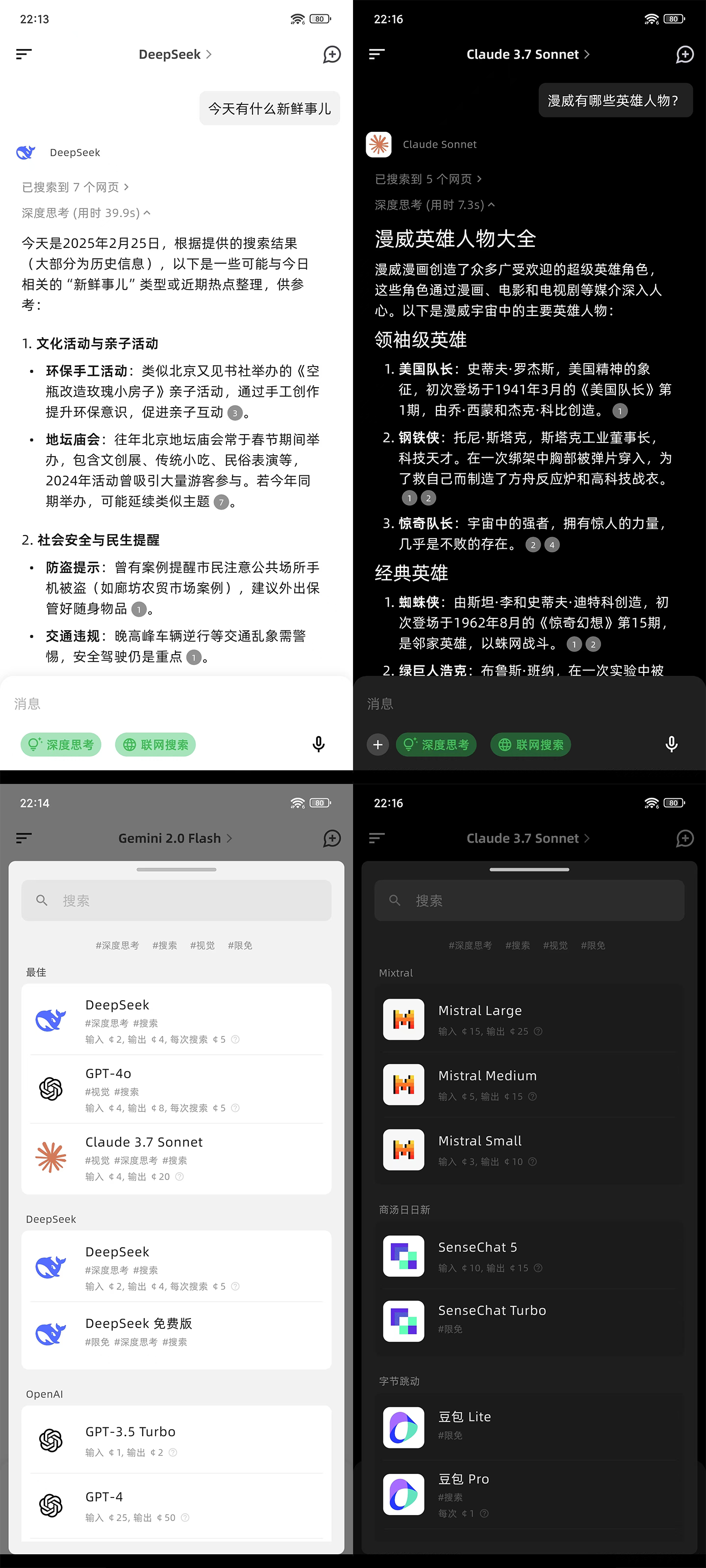
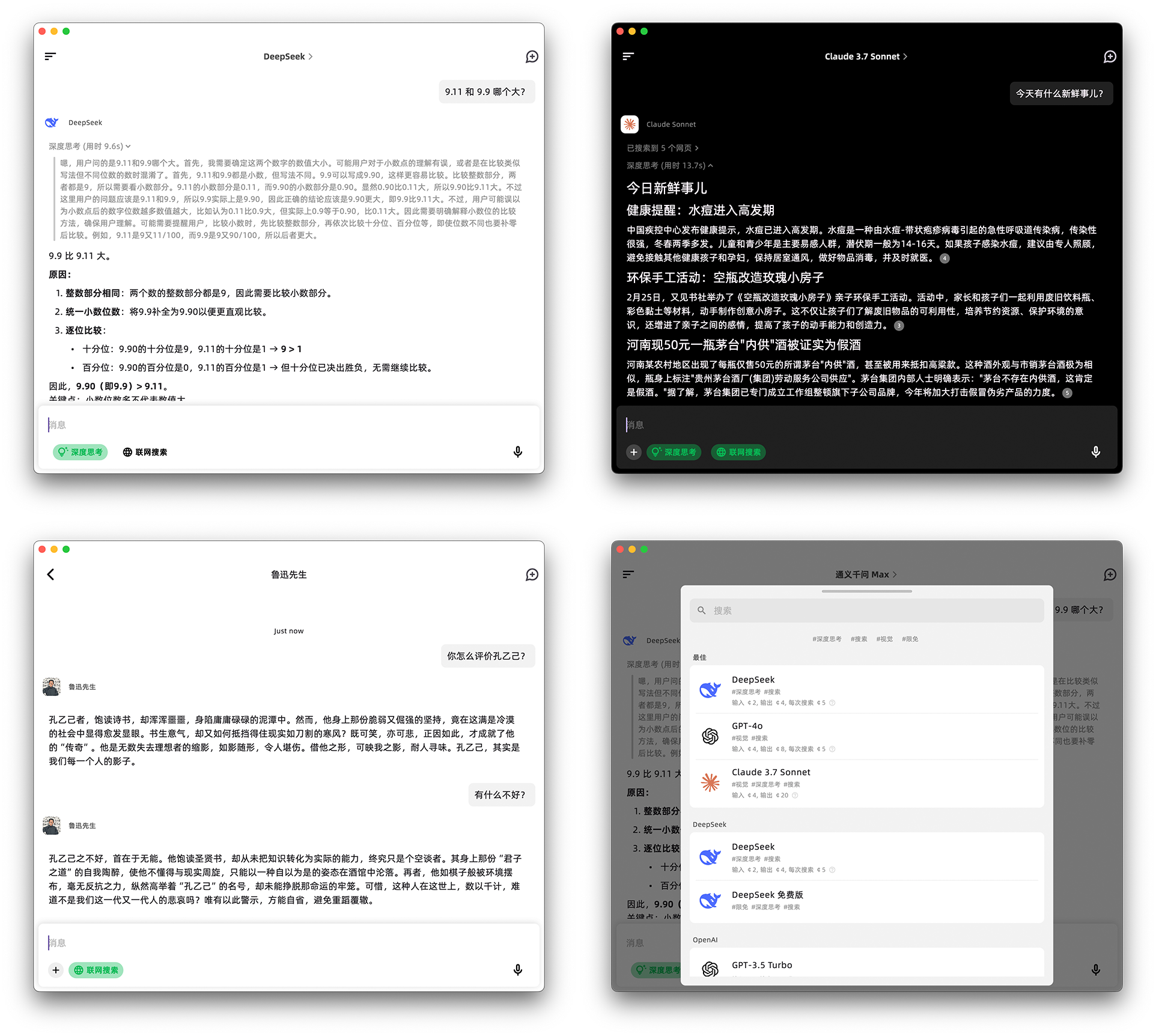
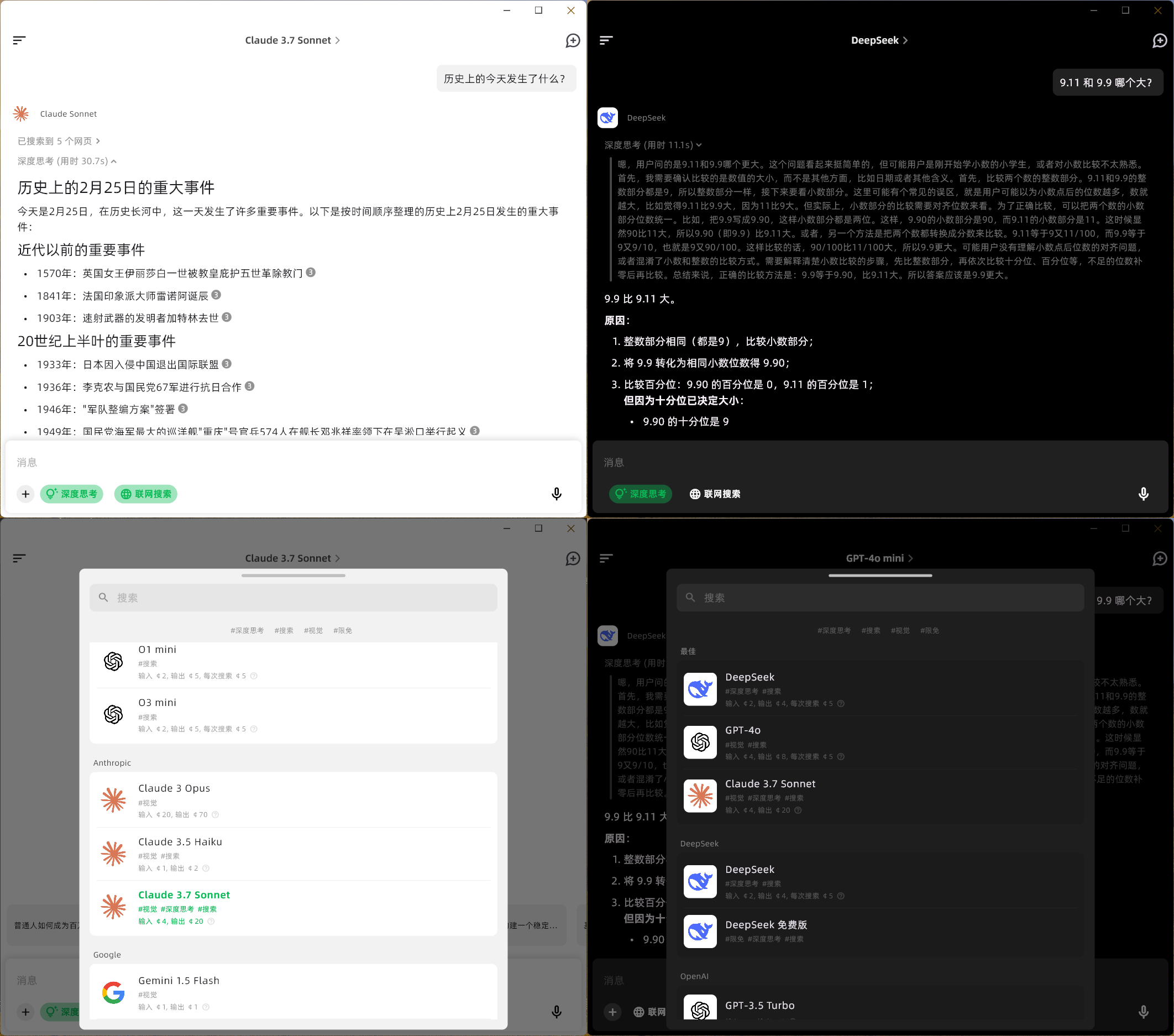
- Cross-platform targets evidenced by the screenshots committed to the repository: mobile, macOS and Windows, plus a dedicated Windows installer tutorial.
- A split client and server design, with the Dart client in mylxsw/aidea and the Golang backend in mylxsw/aidea-server.
- A Docker deployment path through the mylxsw/aidea-docker repository, alongside the server deployment document at docs/deploy.md.
- A hosted option at ai.aicode.cc for users who do not want to build or operate anything.
- An OSI-approved MIT licence, with a FOSSA status badge reporting the licence scan.
Who uses it and how
- Self-hosters who want private deployment: they build the Flutter client and run the Golang server according to the server repository's docs/deploy.md instructions, and they must check out the v1.x branch because the default main branch is the v2 line still under active development.
- Operators who do not want to run the stack themselves: the README points them at an assisted deployment arrangement documented in docs/deploy-vip.md.
- Developers building from source: the README links three separate setup tutorials covering the Flutter frontend, the Golang server, and a Windows build environment, which suits contributors working through packaging rather than only using the app.
- Cross-platform end users who install a released build for mobile, macOS or Windows and never touch the server code.
- Community members who seek help through the WeChat tech group, joined by adding the ID x-prometheus, or through the project's WeChat official account.
Getting started
The fastest route is the hosted service or a released build at ai.aicode.cc and aidea.aicode.cc. To self-host, check out the v1.x branch, build the Flutter client, and deploy the server from mylxsw/aidea-server using docs/deploy.md, or use the mylxsw/aidea-docker repository.
How it compares
The facts provided do not name any paid products that AIdea replaces, and they name no comparable open-source alternatives either. On the available evidence it stands alone in this registry: a single Flutter client with a Golang backend under the MIT licence, contrasted in the README only against the project's own managed cloud service.
When to use it — and when not to
A self-hoster must operate two toolchains rather than one: a Flutter build environment for the client and a Golang server, including whatever deployment work the server document specifies. The README states plainly that Flutter build failures are common as the Flutter version changes and that this is a known characteristic of the framework rather than a bug, so expect maintenance friction when compiling from source. Because the main branch is the still-in-development v2 and self-hosting requires the v1.x branch, anyone who needs a settled release line rather than an actively moving codebase should look elsewhere.