The fastest developer workflow for every AI coding agent.








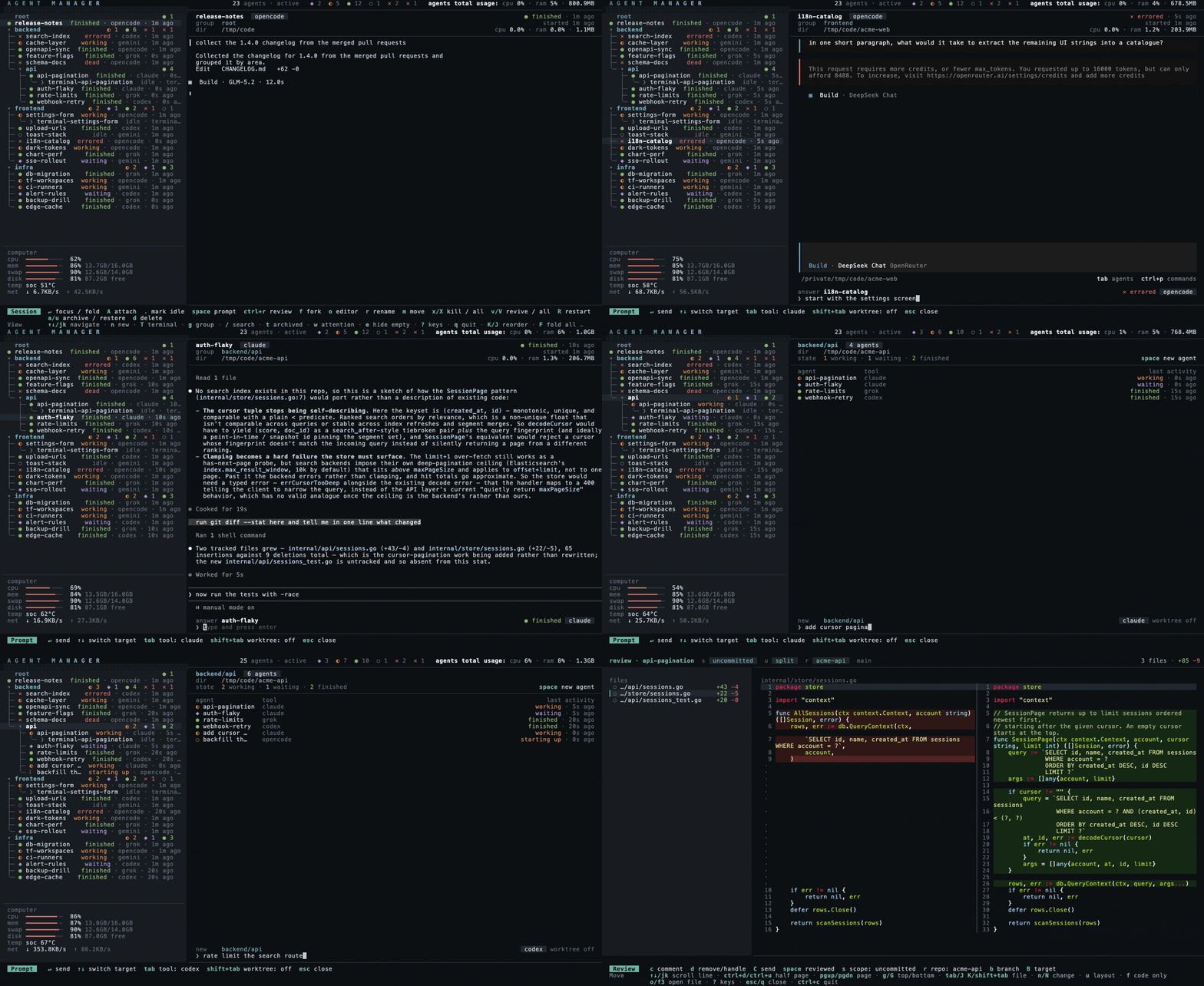
Claude Code, Codex, OpenCode, Grok, Gemini CLI, Pi, Command Code, and Hermes Agent run side by side. Each tool runs in its own persistent tmux session.
agent-manager is a thin layer over the CLIs you already have. Each session launches your own installed tool as-is: your login, your subscription, your config files, your MCP servers, and every feature the tool ships all carry over, exactly as they behave in a plain terminal.
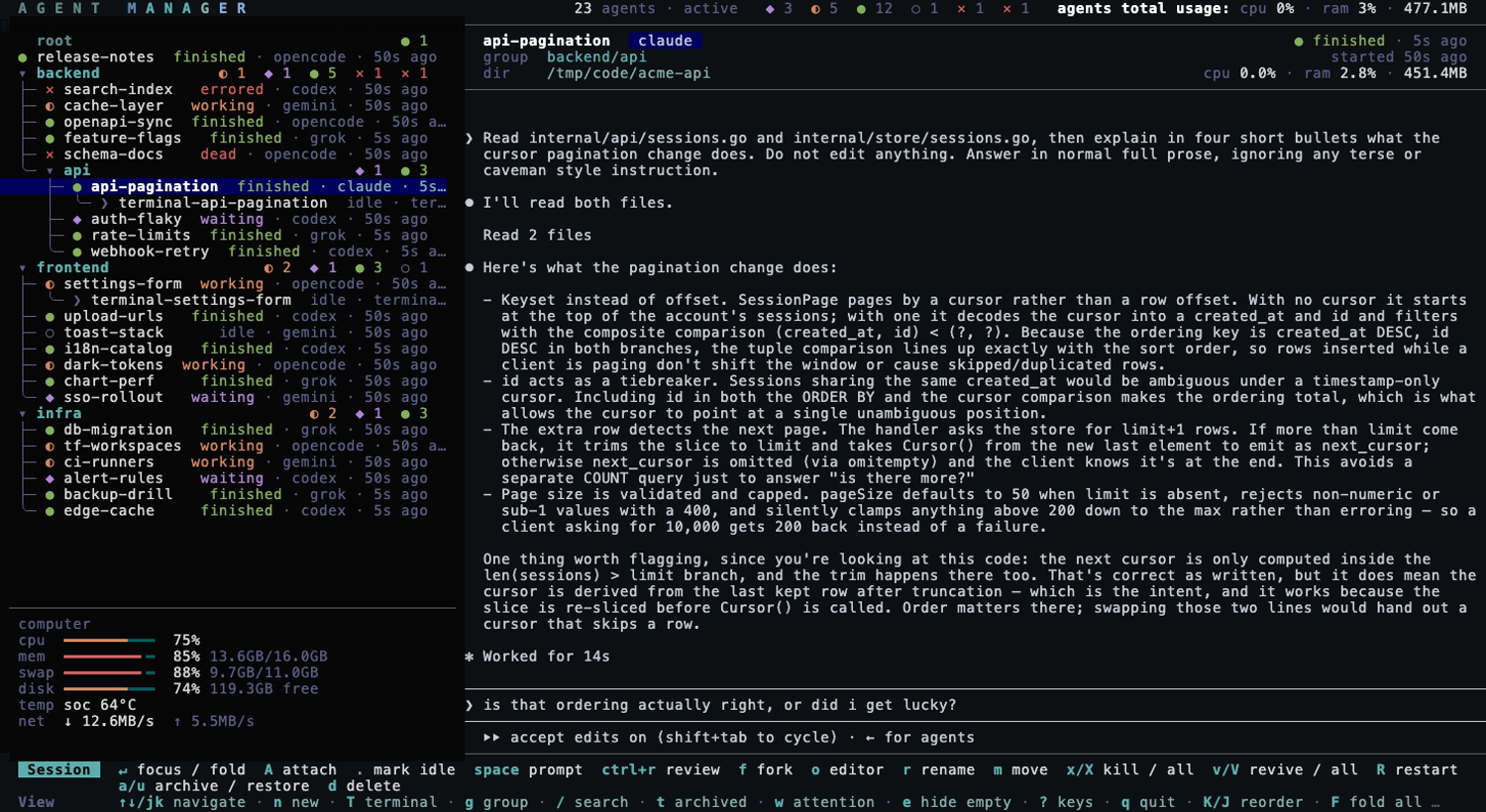
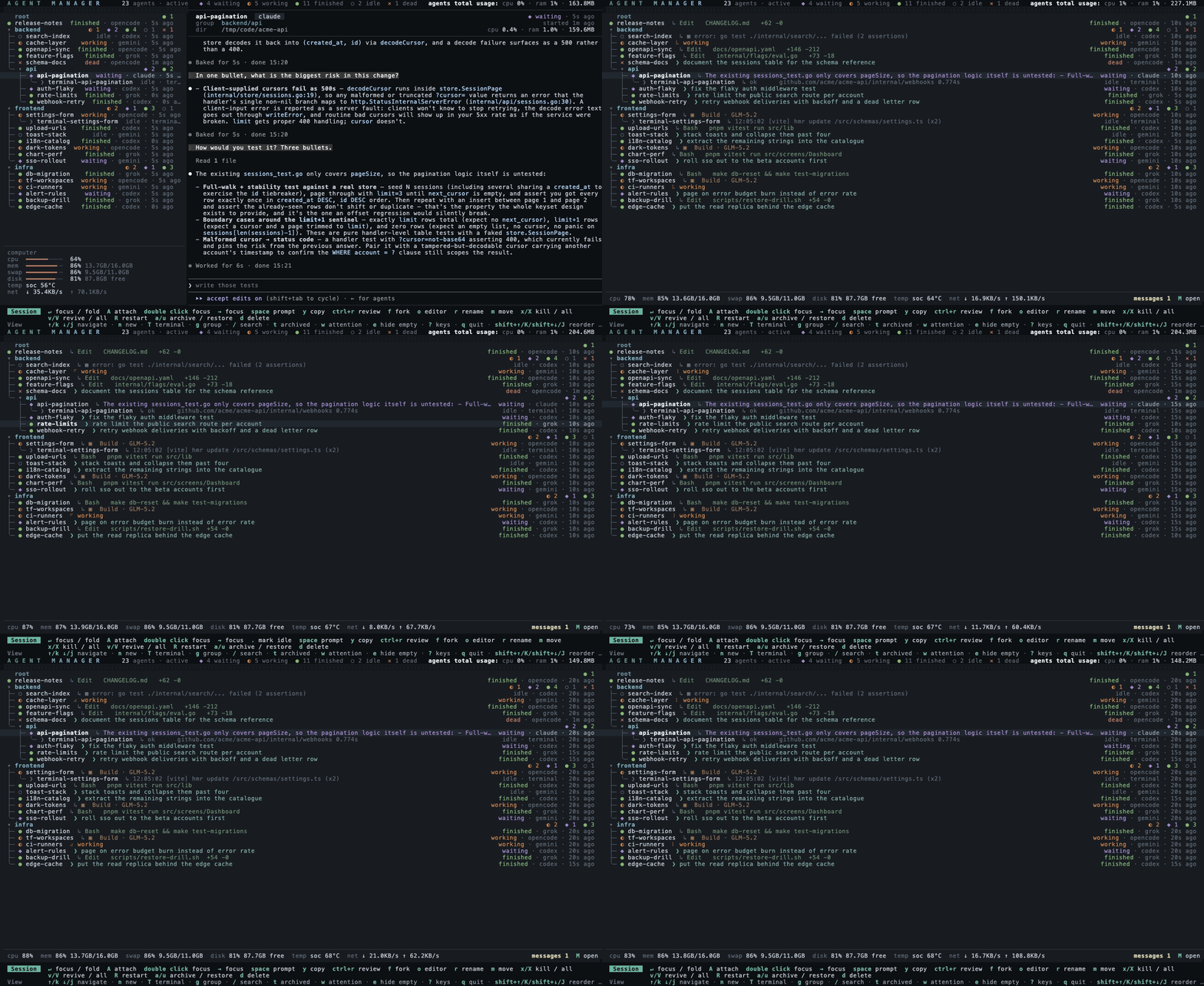
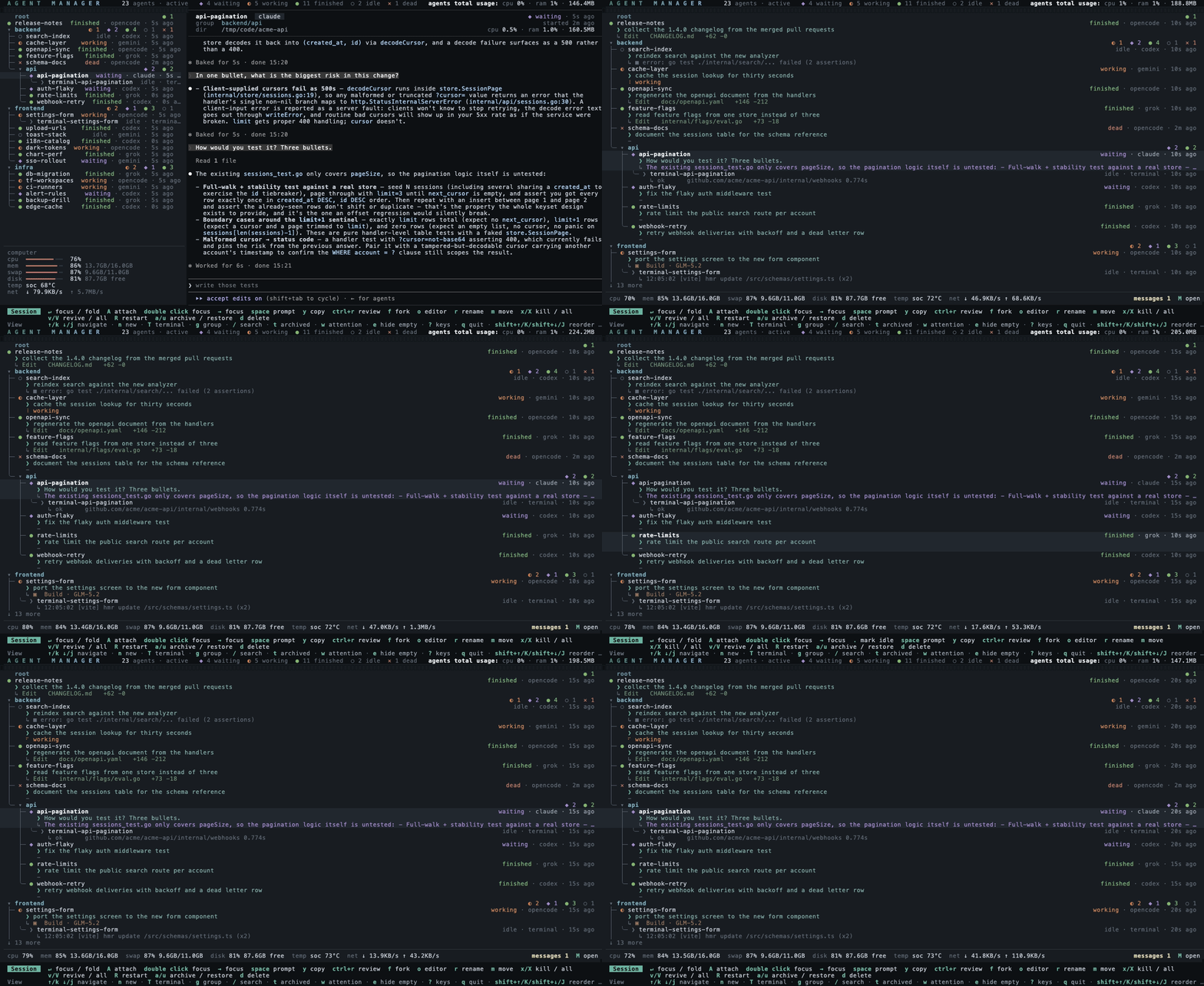
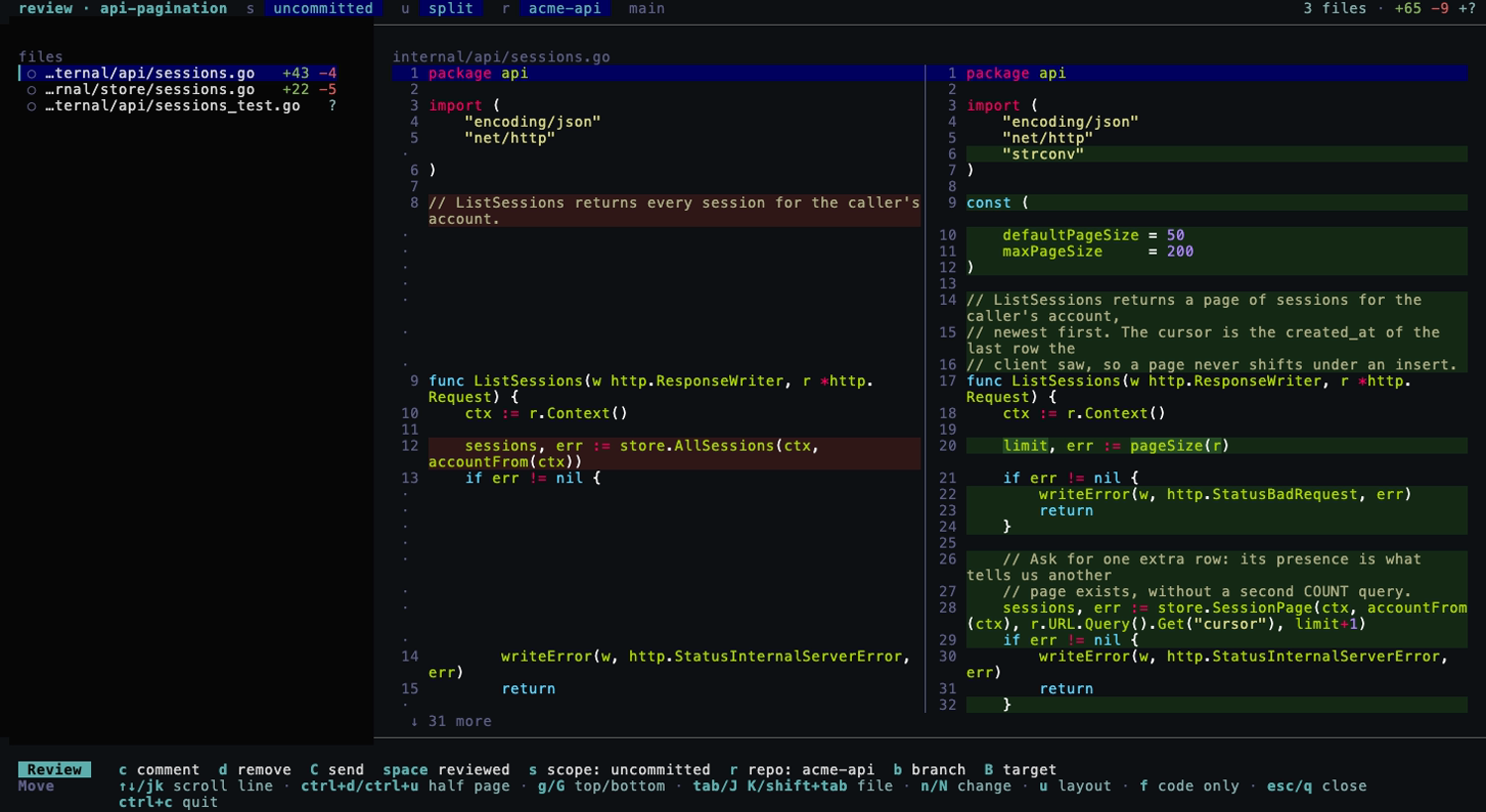
Instead of hunting through terminal tabs to see which agent is done and which is stuck, every session shows up in one list with live status, grouped into a project tree you can fold and reorder. You answer any of them without attaching: space sends a prompt straight into a session's pane, or spawns a new agent in the selected group. A dead session revives on its own conversation with v. And ctrl+r opens a full-file diff of what an agent changed, syntax-highlighted, where the comments you leave on lines go back to the agent's pane as one review prompt when you press C.
Press f on a session to continue its conversation in a separate named fork.
The mouse works across the whole manager. The wheel moves the cursor, a click on a session focuses it, and a click on its row or the mouse back button brings you back. Drag a row by its ⠿ handle to reorder it or move it into another group, and the […] at the end of every row opens its actions. The divider between the list and the preview drags, and a click on the messages card opens it. In a focused pane a drag selects and copies text, and a click on a link opens it in your browser. Settings has a mouse toggle for terminals where you want native selection back.
![the mouse in the list: the wheel moves the cursor, a click focuses a session, a click on its row comes back, the ⠿ handle drags a row within its group and into another one, and […] opens the row's actions](docs/demo-mouse.gif)
The tools you use alongside agents live in the same list: T opens a shell under the selected agent, or in the selected group, for builds, Git, and one-off commands. An agent can spawn another, send it a message, and wait until it is done: every MCP-capable session carries those tools on launch.
Not here yet: cost tracking.
Jump to: Install · Usage · Keys · Diff review · Configuration · Docs site
Supported tools
Status detection supports Claude Code, OpenCode, Codex, Grok Build, Gemini CLI, Pi, Command Code, Hermes Agent, and Muse Code. Each one's launch, revive, fork, and status rules ship in the binary (Hermes has no fork), so an upgrade brings the current version of all of them (see Configuration). A CLI that is not on the list is a feature request.
Install
Runs on macOS and Linux, and on Windows inside WSL2.
Homebrew (macOS / Linux)
brew install agent-manager
Installs tmux with it if missing, and Homebrew runs on git, so both dependencies are covered. This is the homebrew-core formula, which builds from source. For the prebuilt binary, brew install --cask yoanwai/tap/agent-manager.
Install script (macOS / Linux)
curl -fsSL https://raw.githubusercontent.com/YoanWai/agent-manager/main/install.sh | sh
Downloads the latest release for your platform, verifies it against the published checksums, and installs it to ~/.local/bin. Then it checks for tmux 3.1+ and git and offers to install whichever is missing through the package manager it finds (Homebrew, apt, dnf, pacman, zypper, or apk), printing the exact command when you decline. Set AGENT_MANAGER_INSTALL_DIR for another directory, AGENT_MANAGER_VERSION to pin a version, and AGENT_MANAGER_INSTALL_DEPS=1 to answer the dependency prompt up front (=0 to skip it).
Arch Linux, mise, go install, prebuilt binaries, Windows (WSL2), dependencies, and updating: docs/install.md.
Usage
agent-manager
Sessions run inside tmux (am_* namespace), so they survive the manager quitting. Inside a session, Ctrl+Q detaches back to the manager when your terminal and tmux leave it available; Ctrl+\ is an alternate under the same rule. Ctrl+R opens the session's diff review and F3 opens its directory in your editor; a [keybindings.session] table in config.toml moves any of them, or hands one back to the agent, and [keybindings.list] moves or turns off any action of the manager's own list, with esc and ctrl+c staying as they are (see Key bindings). In a full-screen attach, the session footer also shows an inner tmux prefix followed by d when configured. When nested inside another tmux, send the inner prefix shown in the footer, then press d. If both tmux servers use the same prefix, invoke the outer tmux's send-prefix binding; if the outer tmux otherwise captures the inner prefix, configure it to forward that key. agent-manager --version prints the version.
Agent sessions live on a private tmux server named agentmgr, so they never mix with the tmux you run yourself and a kill-server on your own socket leaves them alone. To reach one from a plain shell, name that server: tmux -L agentmgr ls, then tmux -L agentmgr attach -t am_.
The full reference, every key, the quick prompt, killing and reviving, diff review, groups, status detection, stats, and themes, lives in docs/usage.md. Tell your agent what you want to review in Agent Manager, and your agent will set it up for you to view in the review panel. You can also tell your agent to manage sessions and terminals in Agent Manager. The short version:
| Key | Action |
|---|---|
n |
New session (name, tool, directory, optional starting prompt, group) |
space |
Quick prompt: answer the selected session, or spawn an agent in the selected group |
enter |
Focus the session in place; keys go to the agent while the list stays |
| click / double click | Focus a session / fold or unfold a group. The full-screen layout selects on a click and focuses on a double click |
drag ⠿ |
Reorder a row, drop it into another group, or nest a terminal under an agent |
[…] / right click |
The row's actions: attach, prompt, review, fork, rename, move, archive, kill, delete and more |
| click its row / mouse back | Focused: back to the list. A click on another row focuses that one |
→ / ← |
Step in and out: → focuses the session or opens the group, ← closes the group and, at the start of a focused agent's prompt, comes back to the list. In beta, and Settings can turn the pair off |
ctrl+r |
Review the session's changes as full-file diffs; c comments a line, C sends a numbered review round, and sent comments stay visible as open or handled |
x / v |
Kill a session to free its RAM / revive it on its own conversation |
R |
Restart a session on an empty context: same name, group, directory and tool, fresh conversation |
s |
Settings (default tool, theme or follow the OS light/dark mode, list density, mouse, review layout, desktop notifications) |
? |
The key map for the current screen; review shows only review bindings |
A session can spawn into its own git worktree (-worktrees/, branch am/), toggled on the n form, with alt+w in the quick prompt, or by default in Settings.
Configuration (the editor o opens, the poll interval, and the key tables) is in docs/configuration.md.
Development
go run .
env -u TMUX TMUX_TMPDIR=/tmp/amtest go test ./...   # end-to-end tests drive a real tmux server
See CONTRIBUTING.md for the checks CI runs, and AGENTS.md if you point a coding agent at this repo.
Contributing
Bug reports, feature ideas, and pull requests are welcome. See CONTRIBUTING.md for setup and the checks CI runs. Questions and setups worth sharing go in Discussions. Security reports go through a private advisory; see SECURITY.md.
Contributors

License