
Records what you do so that you can know how you've spent your time.
All in a secure way where you control the data.


Website
— Forum
— Documentation
— Releases
Contributor stats
— CI overview






Do you want to receive email updates on major announcements?
Signup for the newsletter!
Table of Contents
About
The goal of ActivityWatch is simple: Enable the collection of as much valuable lifedata as possible without compromising user privacy.
We've worked towards this goal by creating an application for safe storage of the data on the user's local machine and as well as a set of watchers which record data such as:
- Currently active application and the title of its window
- Currently active browser tab and its title and URL
- Keyboard and mouse activity, to detect if you are AFK ("away from keyboard") or not
It is up to you as user to collect as much as you want, or as little as you want (and we hope some of you will help write watchers so we can collect more).
Screenshots
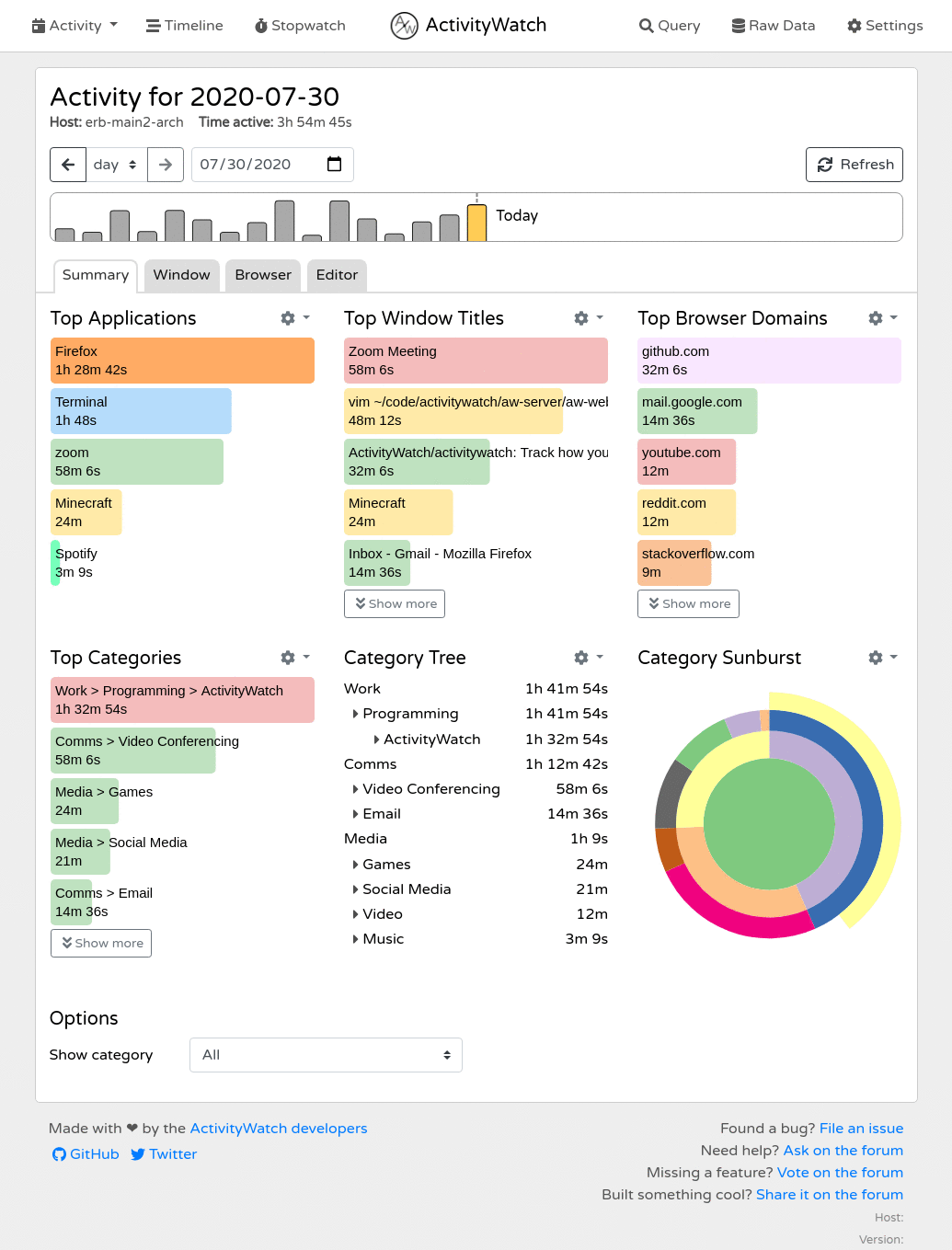
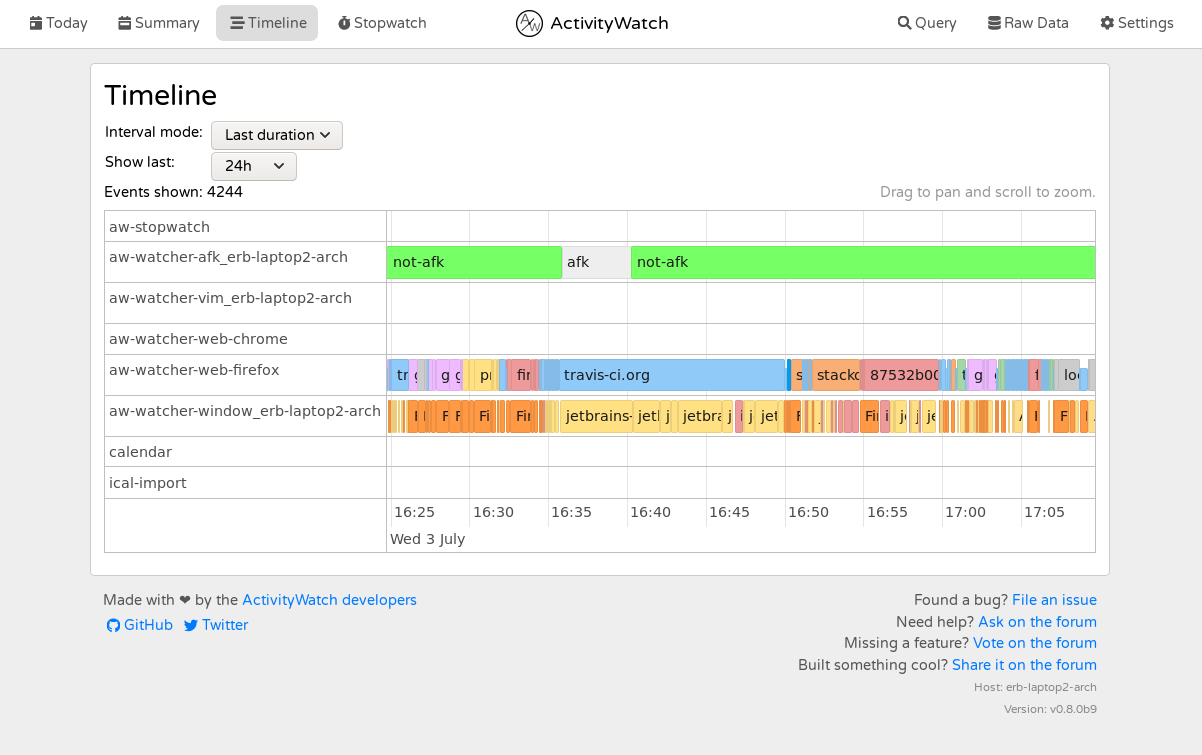
You can find more (and newer) screenshots on the website.
Installation & Usage
Downloads are available on the releases page.
For instructions on how to get started, please see the guide in the documentation.
Interested in building from source? There's a guide for that too.
Is this yet another time tracker?
Yes, but we found that most time trackers lack one or more important features.
Common dealbreakers:
- Not open source
- The user does not own the data (common with non-open source options)
- Lack of synchronization (and when available: it's centralized and the sync server knows everything)
- Difficult to setup/use (most open source options tend to target programmers)
- Low data resolution (low level of detail, does not store raw data, long intervals between entries)
- Hard or impossible to extend (collecting more data is not as simple as it could be)
To sum it up:
- Closed source solutions suffer from privacy issues and limited features.
- Open source solutions aren't developed with end-users in mind and are usually not written to be easily extended (they lack a proper API). They also lack synchronization.
We have a plan to address all of these and we're well on our way. See the table below for our progress.
Feature comparison
Basics
| User owns data | GUI | Sync | Open Source | |
|---|---|---|---|---|
| ActivityWatch | :white_check_mark: | :white_check_mark: | WIP, decentralized | :white_check_mark: |
| Selfspy | :white_check_mark: | :x: | :x: | :white_check_mark: |
| ulogme | :white_check_mark: | :white_check_mark: | :x: | :white_check_mark: |
| RescueTime | :x: | :white_check_mark: | Centralized | :x: |
| WakaTime | :x: | :white_check_mark: | Centralized | Clients |
Platforms
| Windows | macOS | Linux | Android | iOS | |
|---|---|---|---|---|---|
| ActivityWatch | :white_check_mark: | :white_check_mark: | :white_check_mark: | :white_check_mark: | :x: |
| Selfspy | :white_check_mark: | :white_check_mark: | :white_check_mark: | :x: | :x: |
| ulogme | :x: | :white_check_mark: | :white_check_mark: | :x: | :x: |
| RescueTime | :white_check_mark: | :white_check_mark: | :white_check_mark: | :white_check_mark: | Limited functionality |
Tracking
| App & Window Title | AFK | Browser Extensions | Editor Plugins | Extensible | |
|---|---|---|---|---|---|
| ActivityWatch | :white_check_mark: | :white_check_mark: | :white_check_mark: | :white_check_mark: | :white_check_mark: |
| Selfspy | :white_check_mark: | :white_check_mark: | :x: | :x: | :x: |
| ulogme | :white_check_mark: | :white_check_mark: | :x: | :x: | :x: |
| RescueTime | :white_check_mark: | :white_check_mark: | :white_check_mark: | :x: | :x: |
| WakaTime | :x: | :white_check_mark: | :white_check_mark: | :white_check_mark: | Only for text editors |
For a complete list of the things ActivityWatch can track, see the page on watchers in the documentation.
Architecture
graph TD;
  aw-qt[<a href='https://github.com/ActivityWatch/aw-qt'>aw-qt</a>];
  aw-notify[<a href='https://github.com/ActivityWatch/aw-notify-rs'>aw-notify</a>];
  aw-server[<a href='https://github.com/ActivityWatch/aw-server'>aw-server</a>];
  aw-webui[<a href='https://github.com/ActivityWatch/aw-webui'>aw-webui</a>];
  aw-watcher-window[<a href='https://github.com/ActivityWatch/aw-watcher-window'>aw-watcher-window</a>];
  aw-watcher-afk[<a href='https://github.com/ActivityWatch/aw-watcher-afk'>aw-watcher-afk</a>];
  aw-watcher-web[<a href='https://github.com/ActivityWatch/aw-watcher-web'>aw-watcher-web</a>];
  aw-sync[<a href='https://github.com/ActivityWatch/aw-server-rust/tree/master/aw-sync'>aw-sync</a>];

  aw-qt -- Manages --> aw-server;
  aw-qt -- Manages --> aw-notify -- Queries --> aw-server;
  aw-qt -- Manages --> aw-watcher-window -- Watches --> S1[Active window] -- Heartbeats --> aw-server;
  aw-qt -- Manages --> aw-watcher-afk -- Watches --> S2[AFK status] -- Heartbeats --> aw-server;
  Browser -- Manages --> aw-watcher-web -- Watches --> S3[Active tab] -- Heartbeats --> aw-server;
  SF -- Dropbox/Syncthing/etc --> SF;
  aw-server <-- Push/Pull --> aw-sync <-- Read/Write --> SF[Sync folder];
  aw-server -- Serves --> aw-webui -- Queries --> aw-server;

  %% User -- Interacts --> aw-webui;
  %% User -- Observes --> aw-notify;
  %% User -- Interacts --> aw-qt;

classDef lightMode fill:#FFFFFF, stroke:#333333, color:#333333;
classDef darkMode fill:#333333, stroke:#FFFFFF, color:#FFFFFF;

classDef lightModeLinks stroke:#333333;
classDef darkModeLinks stroke:#FFFFFF;

class A,B,C,D,E,G lightMode;
class A,B,C,D,E,G darkMode;

%% linkStyle 0 stroke:#FF4136, stroke-width:2px;
%% linkStyle 1 stroke:#1ABC9C, stroke-width:2px;
About this repository
This repo is a bundle of the core components and official modules of ActivityWatch (managed with git submodule). Its primary use is as a meta-package providing all the components in one repo; enabling easier packaging and installation. It is also where releases of the full suite are published (see releases).
Server
ActivityWatch has two server implementations:
aw-server(Python) - The current default implementationaw-server-rust- A Rust implementation that is the planned future default
Both provide a REST API to a datastore and query engine, and serve the web interface developed in the aw-webui project (which provides the frontend).
The REST API includes:
- Access to a datastore suitable for timeseries/timeperiod-data organized in "buckets" (containers grouping related activity data by metadata like client type or hostname)
- Buckets API: Create, retrieve, and delete data buckets
- Events API: Read and write timestamped events within buckets
- Heartbeat API: Watchers use heartbeat signals to update the current state of activity (e.g., active application, AFK status)
- Query API: simple query scripting language for filtering, merging, grouping, and transforming events
- Client libraries: Language-specific libraries like
aw-client(Python),aw-client-js, andaw-client-rustthat wrap REST endpoints for programmatic access
The frontend (aw-webui) includes:
- Data visualization: Dashboard and timeline views showing activity summaries with detailed breakdowns of app usage, web browsing, and user-defined categories
- Query explorer: Browser-based interface for writing, executing, and debugging queries with real-time results
- Activity browser: Navigate through historical data with filtering by date ranges, applications, websites, and custom categories
- Raw data access: View and browse individual events from all tracking buckets with detailed metadata
- Export functionality: Export activity data in JSON format (individual buckets or complete datasets) via web interface or REST API
Watchers
ActivityWatch comes pre-installed with two watchers:
aw-watcher-afktracks the user active/inactive state from keyboard and mouse inputaw-watcher-windowtracks the currently active application and its window title.
There are lots of other watchers for ActivityWatch which can track more types of activity. Like aw-watcher-web which tracks time spent on websites, multiple editor watchers which track spent time coding, and many more! A full list of watchers can be found in the documentation.
Libraries
aw-core- core library, provides no runnable modulesaw-client- client library, useful when writing watchers
Folder structure
Contributing
Want to help? Great! Check out the CONTRIBUTING.md file!
Questions and support
Have a question, suggestion, problem, or just want to say hi? Post on the forum!