Acode is a free, MIT-licensed code editor for Android, distributed by the Acode Foundation under the package name com.foxdebug.acodefree on Google Play and com.foxdebug.acode on F-Droid, and it is aimed at developers who want to read, edit, and preview source files directly on an Android phone or tablet.
What it is
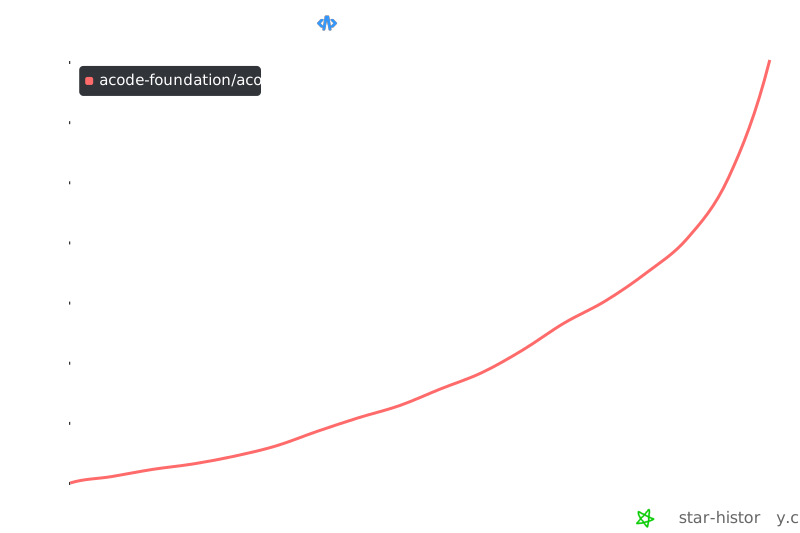
Acode is an Android application for writing and editing code, built on Apache Cordova and written primarily in JavaScript. The repository keeps core source and language files under src/, public documents, compiled files, and HTML templates under www/, and CLI tools for building and string manipulation under utils/. The project carries the topics android-application, code-editor, and cordova, has 7,033 stars, 1,561 forks, and 94 open issues, and its last push was on 18 September 2026. Distribution happens through two Android app stores rather than a desktop installer, and the project's website lives at https://acode.app.
The concrete problem it solves is that editing source on a phone normally means one tool for files, another for a remote connection, and no way to preview a page. Acode collapses that into a single Android app: it edits and creates websites and previews them instantly in a browser, modifies source files for languages such as Python, Java, and JavaScript, and pairs that editing surface with S/FTP access, an SSH terminal, and a built-in Alpine terminal. For an Android user, that replaces the usual combination of a file editor plus separate FTP and SSH clients needed to touch code on a remote server or on the device itself.
Key capabilities
- Edit and create websites and preview them instantly in a browser.
- Modify source files for languages including Python, Java, and JavaScript.
- Built-in JavaScript console for evaluating code inside the editor.
- S/FTP and SSH terminal integration for reaching remote files and shells.
- Built-in terminal based on Alpine.
- Community plugin system, with plugin development documented at
docs.acode.app and the plugin repository hosted as Acode-Foundation/acode-plugin.
- Multi-language interface support: a translator adds a file named for the language code, such as
en-us, under src/lang/, registers it in src/lib/lang.js, and manages strings with pnpm run lang add, pnpm run lang remove, pnpm run lang search, and pnpm run lang update.
Who uses it and how
- Android developers who need to edit code without a laptop, using the editor’s on-device file and source editing.
- Web developers who write HTML, CSS, or JavaScript on a phone or tablet and want the result rendered in a browser immediately.
- Developers working against remote machines, who combine the S/FTP support and the SSH terminal to move between local edits and a server.
- Plugin authors who extend the editor’s interface, following the plugin documentation and the separate plugin repository.
- Translators and contributors, who add or update language files under
src/lang/ and coordinate through the project’s Telegram and Discord channels.
Getting started
Install Acode from Google Play under com.foxdebug.acodefree or from F-Droid under com.foxdebug.acode. Building the application from source uses the documented pnpm workflow, with detailed instructions deferred to CONTRIBUTING.md.
How it compares
The facts for this entry name no paid products that Acode replaces, and they name no comparable editors in the same registry. On the evidence provided, Acode stands alone here.
When to use it — and when not to
Choose Acode when the editing device is an Android phone or tablet and the work involves source files, a browser preview, or a remote connection over S/FTP or SSH. Anyone building or maintaining the project rather than using it must operate the Cordova and pnpm build toolchain described in CONTRIBUTING.md, and the README itself is sparse, giving no minimum Android version, no hardware requirements, and no troubleshooting guidance, with 94 open issues carried at the time of writing. It is not a fit for developers who need a desktop-class IDE or who require detailed platform requirements stated up front.
project readme (upstream, from github) — read inline
Acode - Code Editor for Android



• Overview
Welcome to Acode Editor - a powerful and versatile code editing tool designed specifically for Android devices. Whether you're working on HTML, CSS, JavaScript, or other programming languages, Acode empowers you to code on-the-go with confidence.
• Features
- Edit and create websites, and instantly preview them in a browser.
- Seamlessly modify source files for various languages like Python, Java, JavaScript, and more.
- Built-in javascript console
- S/FTP and SSH terminal integration
- Built-in terminal(Alpine)
- Enjoy multi-language editing support with easy management tools.
- Enjoy a large collections of community plugins to enhance your coding experience.
• Installation
You can get Acode Editor from popular platforms:


• Project Structure
Acode/
|
|- src/   - Core code and language files
|
|- www/   - Public documents, compiled files, and HTML templates
|
|- utils/ - CLI tools for building, string manipulation, and more
• Multi-language Support
Enhance Acode's capabilities by adding new languages easily. Just create a file with the language code (e.g., en-us for English) in src/lang/ and include it in src/lib/lang.js. Manage strings across languages effortlessly using utility commands:
pnpm run lang add
pnpm run lang remove
pnpm run lang search
pnpm run lang update
• Contributing & Building the Application
See CONTRIBUTING.md for detailed instructions.
• Contributors

• Developing a Plugin for Acode
For comprehensive documentation on creating plugins for Acode Editor, visit the repository.
For plugin development information, refer to: Acode Plugin Documentation
Star History